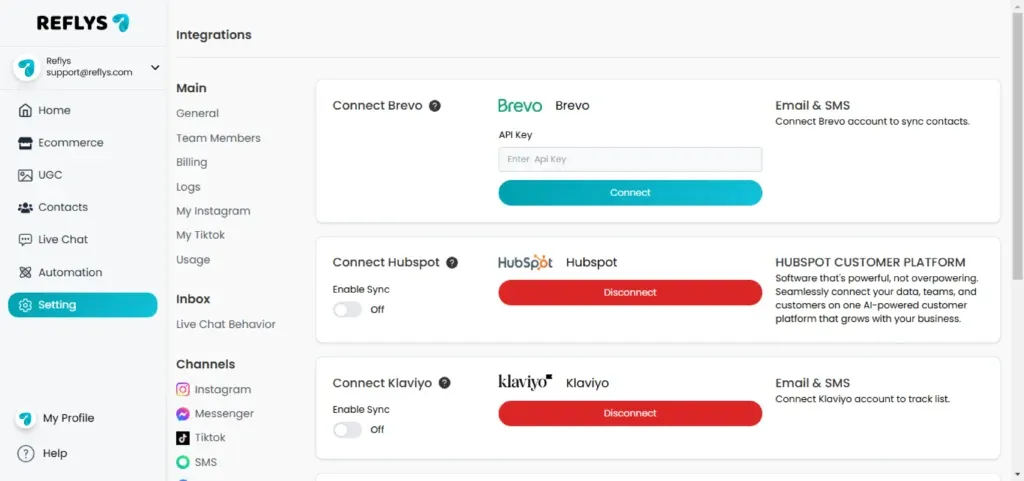
Install Klaviyo with Reflys
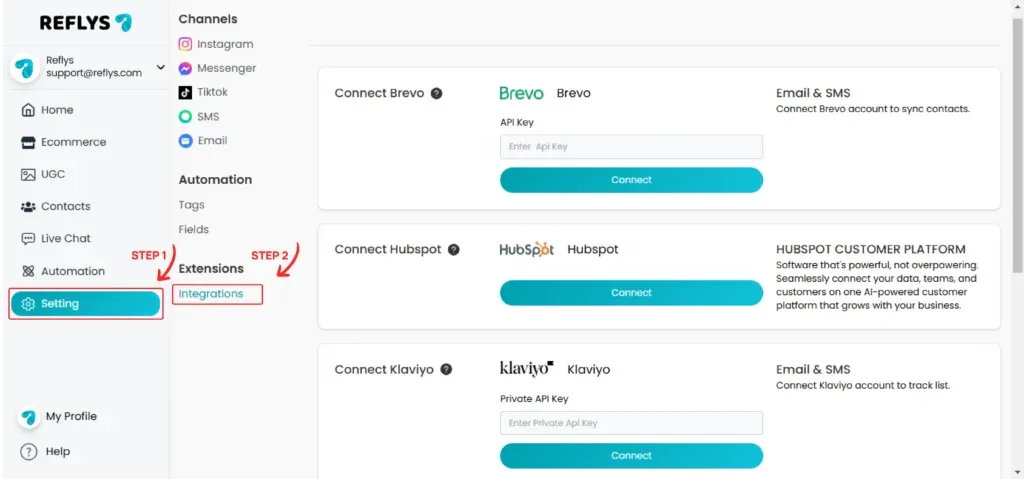
Go to
Integration > Klaviyo
from the left sidebar menu.
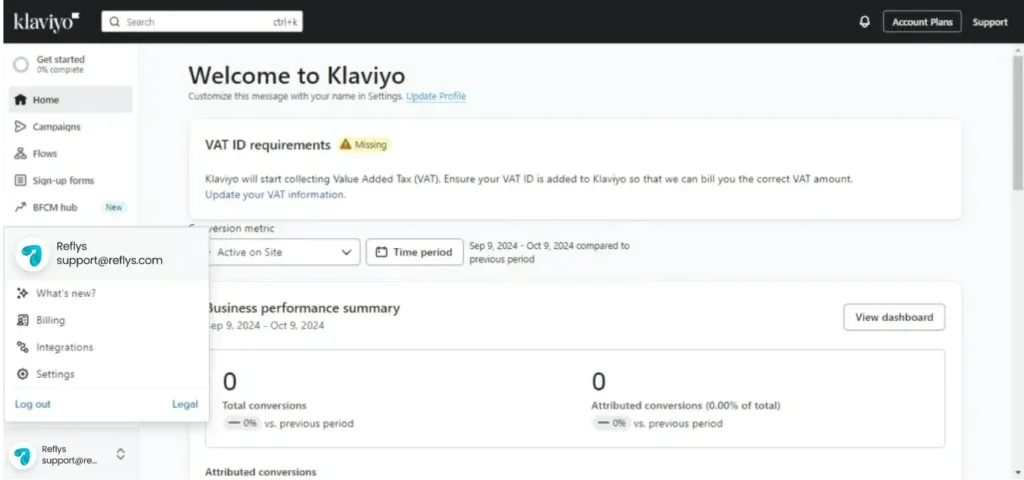
Please go to the Klaviyo dashboard. If you have not already signed up, please register and log in to your account.
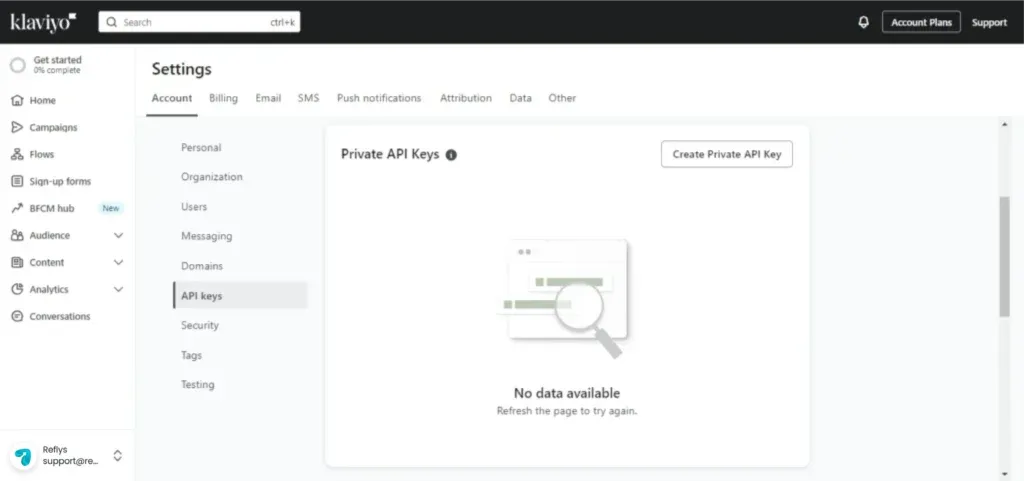
Click on Settings, then click on API Keys
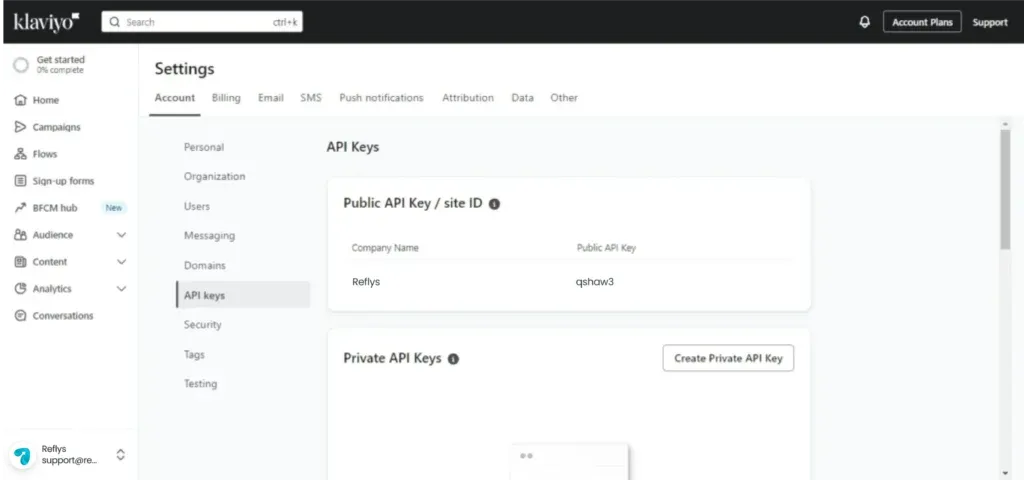
Click on the Create Private Api key button
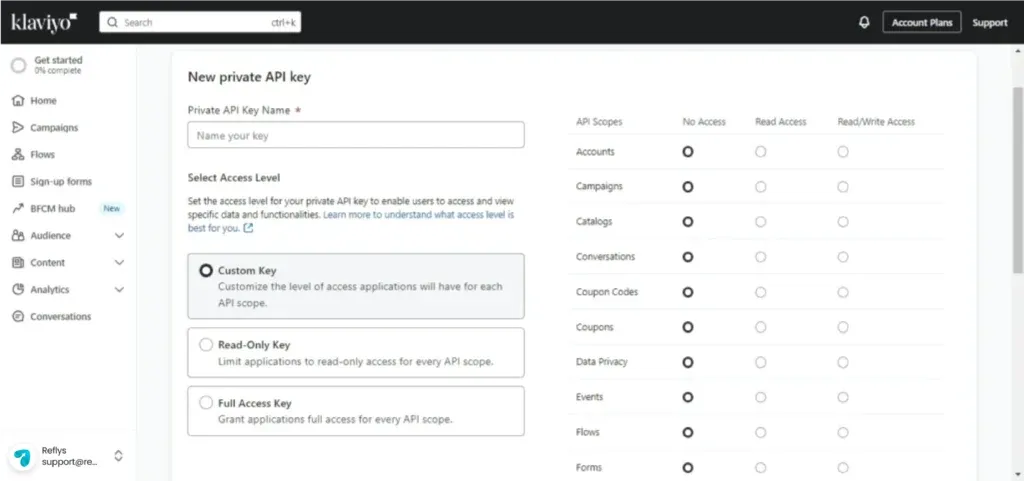
Enter your friendly name, Select access level to Custom Key, and select Api Scopes Events and Lists to full access
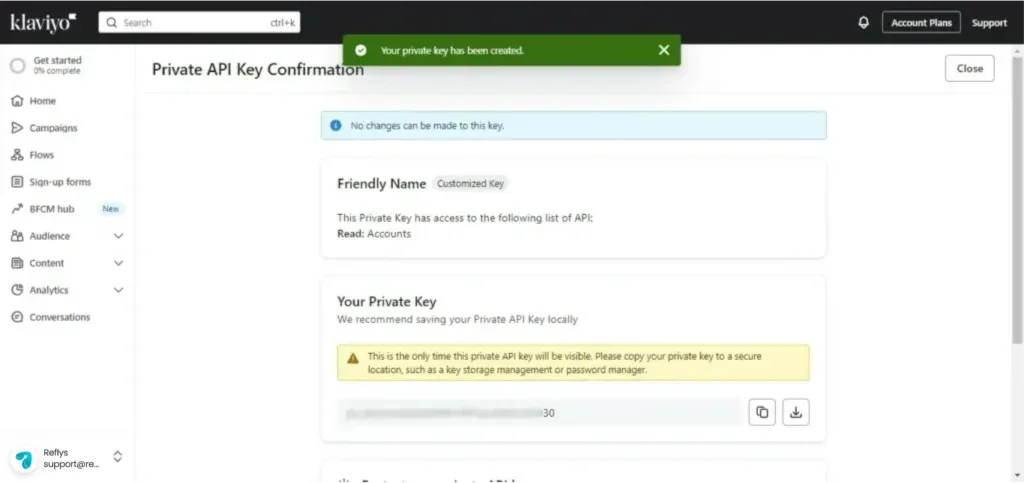
Copy your Private key
Paste your Private key to Private API Key text box
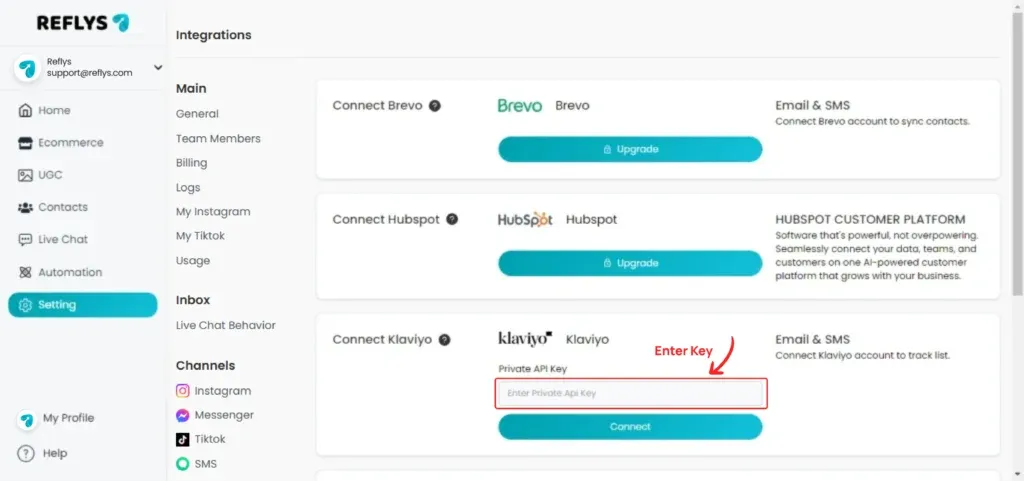
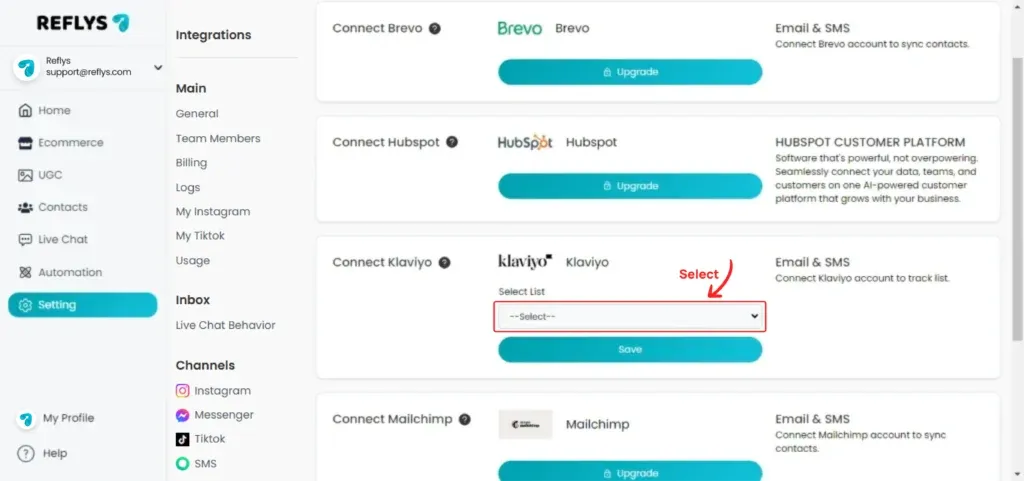
Click on the connect button and select the list and save.
You are all set!