
Reflys Shopify Installation Guide
If you want to integrate your Shopify with Reflys, the following steps will guide you through the process of installing it. This integration will enable you to control your store and automate your leads without any problems. It does not require any technical background; just follow the instructions below.
What You’ll Need Before You Start
- A Shopify store is already set up and active
- An active Reflys account
- Admin access to your Shopify and Reflys accounts
Step-by-Step: How to Connect Reflys with Your Shopify Store
1. Open the Reflys App Listing
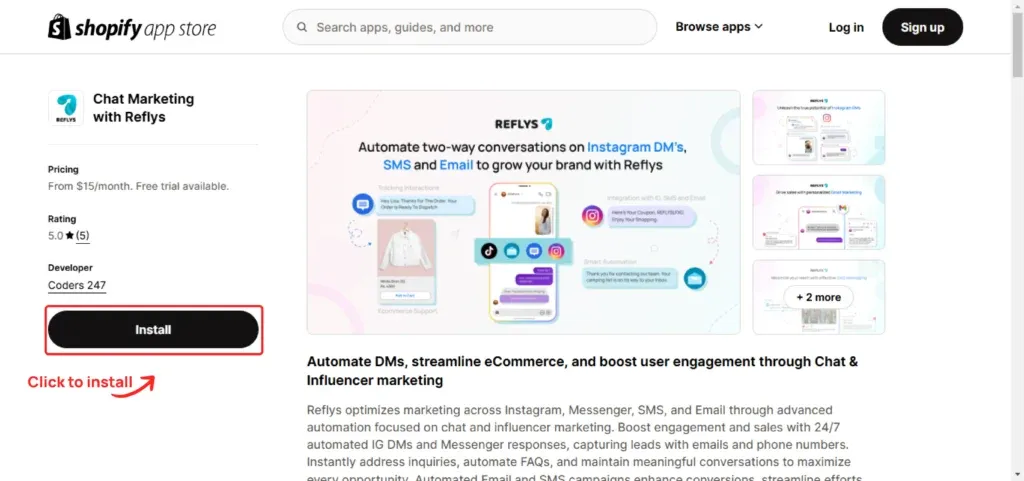
To begin with, go to the listing of the Reflys app in Shopify. You can find this out by typing in the Shopify app store Reflys or by pressing the link of the Reflys app directly.
2. Click the Install Button
Once you're on the Reflys app page, click the
Install
button. This will begin the process of connecting Reflys with your Shopify store.
3. Authorize the Installation
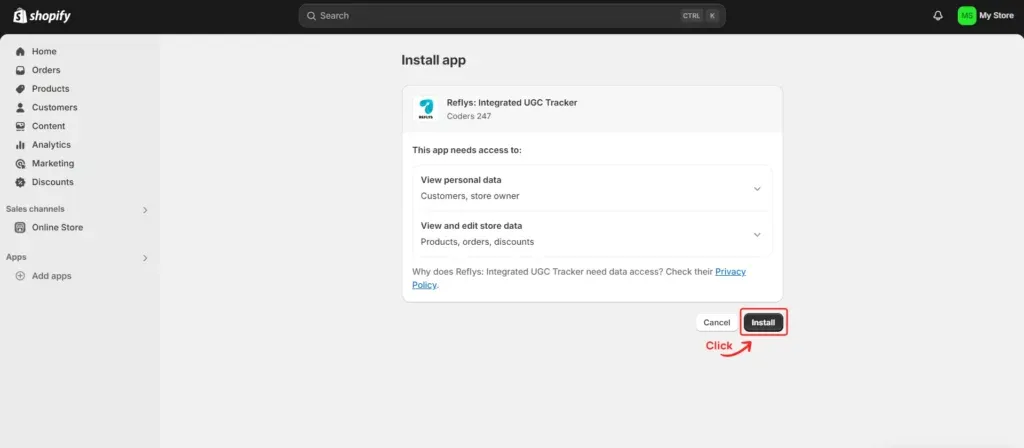
Shopify will now request your consent to give Reflys admin access to both your Shopify and Reflys accounts so they may view your store data. These permissions are necessary so Reflys can communicate with your store and perform tasks like syncing orders and customer informationClick
Install App
to give the required permissions and move to the next step.
4. Store Successfully Connected
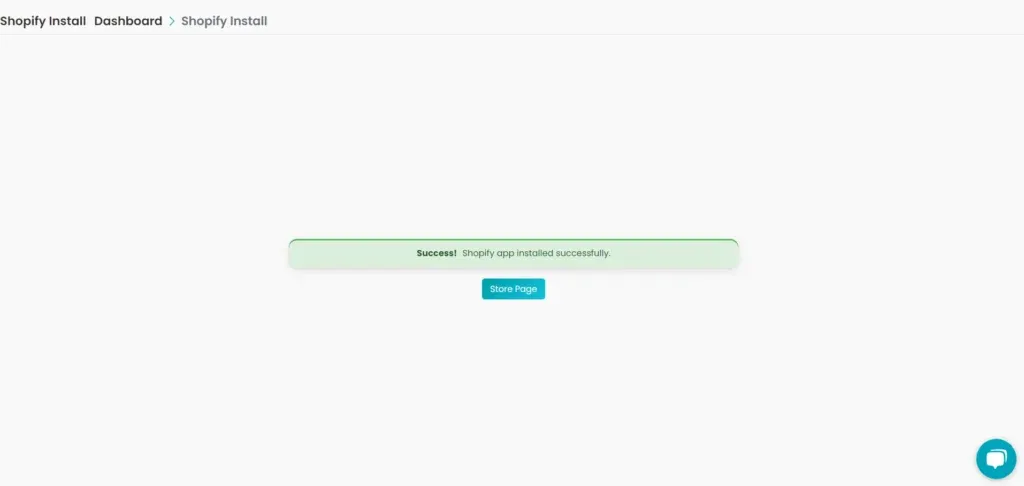
Once installed, you'll see a confirmation that your store is now connected to Reflys. That’s it, your Shopify store is now integrated with Reflys!
You can now start using WhatsApp automation features like
- Sending order confirmations
- Recovering abandoned carts
- Sharing product updates
- Broadcasting promotional offers
Managing Multiple Shopify Stores
In case you have more than two Shopify stores, you can link multiple accounts with the same process within your Reflys account. The stores will be separately integrated and priced accordingly, so you can keep things organized.
- To open or integrate another store:
- Enter your Reflys account
- Click the profile to add a store and continue.
Select Add store and repeat the procedure of adding another Shopify store
Need Visual Help? Watch Our Installation Tutorial
We’ve made it even easier to follow the setup steps by creating a video guide. The entire installation procedure may be seen here:
Reflys Shopify Integration Video
What Happens After Installation?
Once your Shopify store is connected with Reflys, here’s what you can do:
- Have automated conversations based on user behaviours, such as purchases, sign-ups, etc.
- Make conversations automated, based on user behavior, e.g., purchases, sign-ups, etc.
- Sync ready-made templates to notify about the orders, carts, and promotions
- Use Reflys widgets to collect leads and build your contact list
Now you will have all the tools to provide a smooth and personalized buying experience to your clients.
You can add multiple stores, each with its own integration and pricing plan.

