
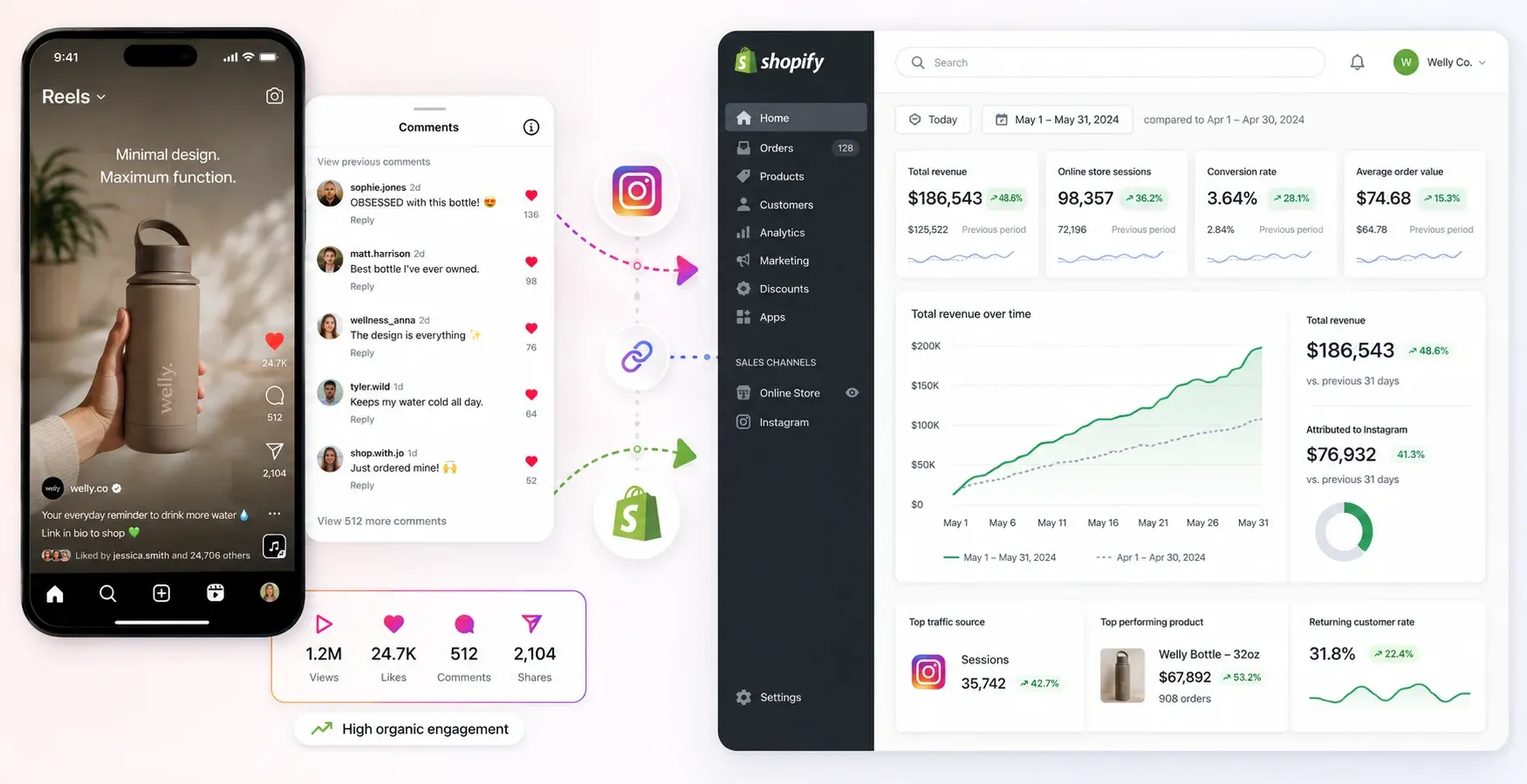
Let’s talk about what happens when a product drop actually works. You post a Reel showing off new inventory. It hits the right audience. Within the first hour, the view count crosses 10,000, and your phone will not stop buzzing. You have 200 comments from people typing one word: "Link?"
This is the exact moment most e-commerce stores drop the ball.
If you leave those comments sitting there while you try to manually copy-paste replies hours later, the Instagram algorithm reads the room. It assumes the hype is dead. It stops pushing your video to the Explore page. Worse, those high-intent buyers just close the app, open something else, and forget about your store entirely. You get a massive spike in reach, but your Shopify dashboard stays completely flat.
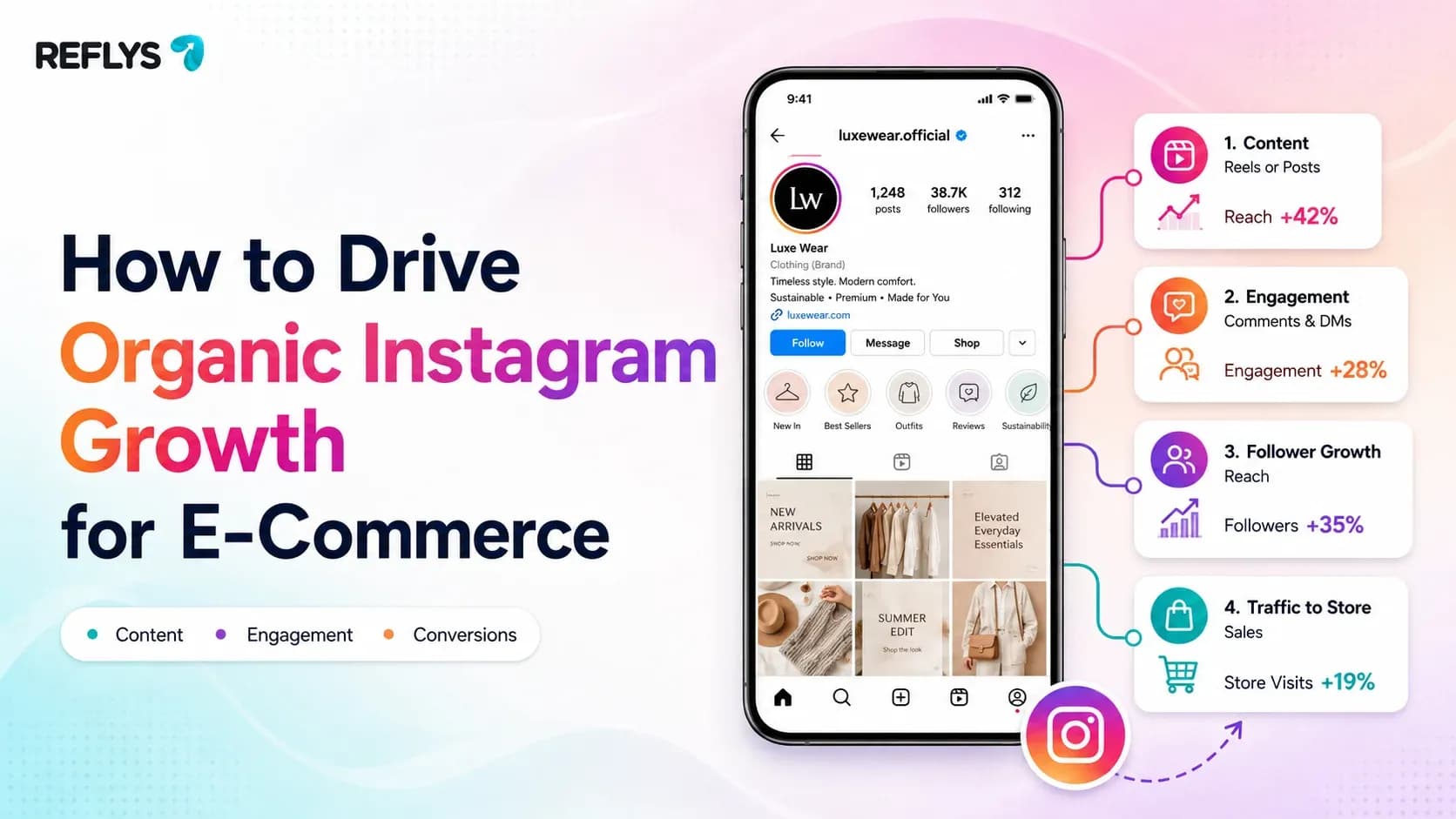
Growing organically on Instagram right now is not about collecting followers or racking up vanity metrics. It is about turning attention into action while the algorithm is still watching your post.
What is Organic Instagram Growth?
Organic Instagram growth means building your reach, followers, and active engagement without spending money on ads. For e-commerce brands, it requires creating specific signals the algorithm prioritizes like high comment velocity, watch time, and saves so the platform pushes your products to non-followers on the Explore page and in the Reels feed.
Why the Old Playbook is Dead
Before we get into what works, we need to kill some outdated advice. If you spend time reading marketing blogs, you will see people recommending follow-for-follow tactics, buying small batches of likes, or joining engagement pods where a group of accounts all comment on each other’s posts.
Stop doing this.
The current Instagram algorithm is entirely too smart for these tricks. It measures how long a real person stares at your post, whether they tap to read your caption, and how fast they type a comment. Fake engagement ruins your metrics because it tells the algorithm your content is low quality. If your 10,000 fake followers scroll right past your new product, Instagram assumes your real audience will hate it, too.
To grow organically today, you have to feed the algorithm what it actually wants: users staying on the app and having real conversations.
4 Tactics to Increase Instagram Followers Organically
Here is the exact playbook to drive real organic reach and turn it into actual store revenue.
1. Force Rapid Comment Velocity
When someone leaves a comment on your post, Instagram starts a timer. The platform watches to see how quickly you reply. A fast reply tells the system that you manage an active, healthy community. When the algorithm sees that back-and-forth interaction happening in real time, it rewards you by showing the post to a wider audience.
For a Shopify or WooCommerce store owner, the smartest play is using a keyword trigger. Instead of hoping people leave a nice comment, give them a job to do. Write this in your caption or say it in the video: "Comment SHOP and I will send you the direct link right now."
Doing this manually is a nightmare. By the time you reply to the 50th comment, the first 49 people are gone. Automating the Instagram replies hits their inbox instantly. You feed the algorithm the rapid response it wants, and you push traffic straight to your product page while the buyer is still holding their phone.
2. Treat Your Profile Like a Search Engine
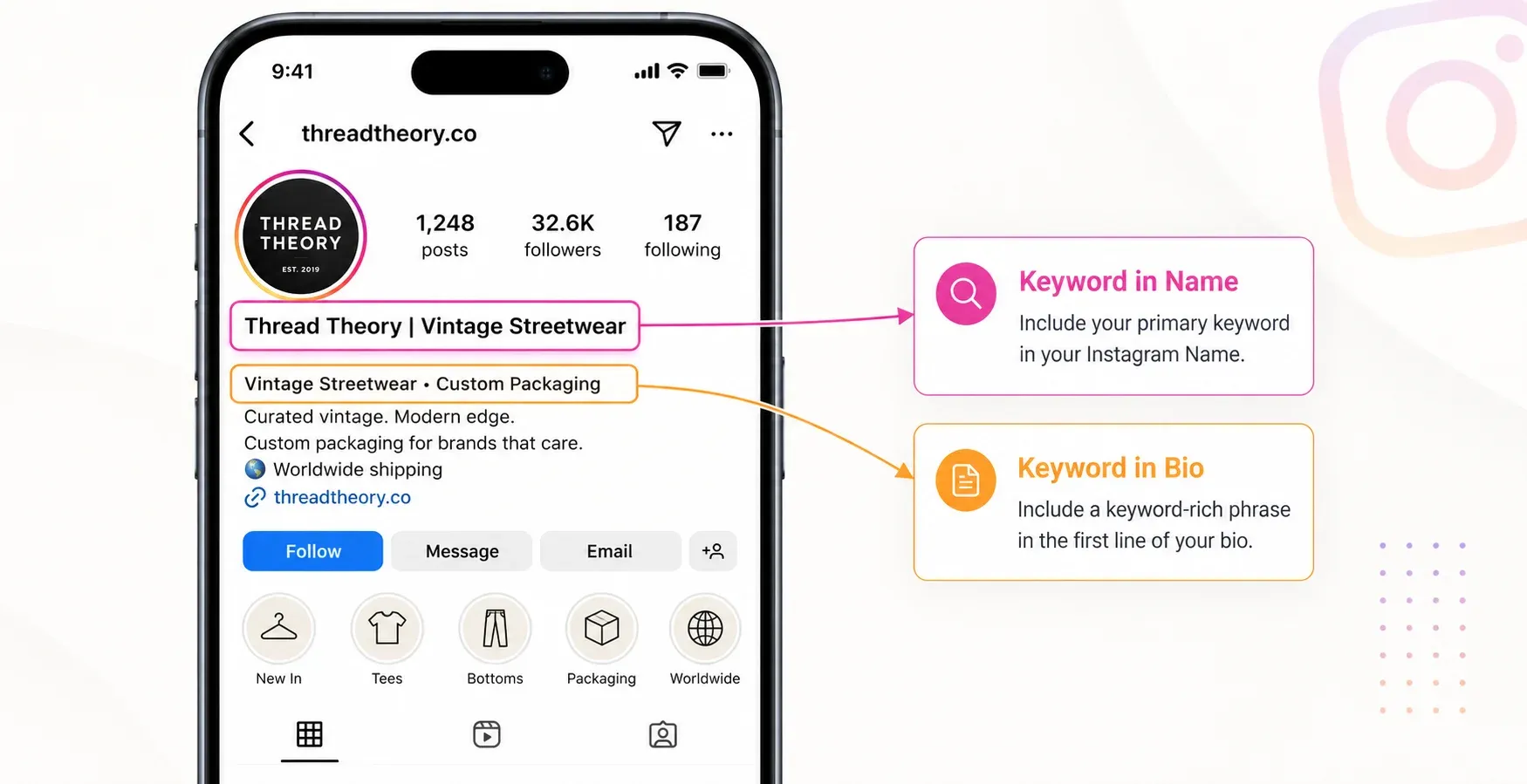
People use the Instagram explore bar exactly like they use Google. They actively search for products. If your bio just reads "Premium Clothing Company," nobody searching for "vintage heavy cotton streetwear" will ever find your page.
You need to optimize your profile for search. Put your main target keywords right in your "Name" field (not just your handle). If you sell custom coffee bags, your name field should actually say "Custom Coffee Packaging."
Do the exact same thing in your captions. Instead of writing a vague, mysterious sentence and stuffing 30 generic tags at the bottom, write out the specific details. Talk about the fit, the materials, and the use case. A caption that actively describes the product ranks in search results much faster than a wall of random text.
3. Turn Story Mentions into Direct Messages
User-generated content is organic proof you cannot buy. When a customer receives your product, films an unboxing, and tags your store in their Story, they put your brand directly in front of their entire network. This is the highest-converting organic traffic you can get.
You need to build a system that rewards this behavior immediately. Put a card in your shipping boxes that tells people they get a small discount if they tag you on Instagram.
When the tag happens, you have to acknowledge it. Hitting them in the DMs right away with a simple, "Thanks so much for the shoutout, here is 10% off your next order" keeps them buying. It builds insane brand loyalty and keeps the engagement loop spinning.
4. Optimize for Watch Time with Reels and Carousels
Static photo posts do not build organic reach the way they used to. The algorithm prioritizes watch time. The longer someone looks at your post, the more Instagram likes you.
Use Carousels (posts with multiple images you swipe through) and short Reels. If you post a Carousel with 5 slides detailing how a product is made, the user spends 15 seconds swiping through it. That tells the platform your content is interesting. If you post a Reel, make the first 3 seconds visually jarring or confusing so they have to stop scrolling to figure out what they are looking at.
Set This Up in Reflys in Under 10 Minutes
The only thing standing between a good organic strategy and closed sales is your response time. You can wire up a comment-to-DM triggerYou do not need a credit card.
Here is the exact setup process to get your first automation running:
- Connect your store: Create a Reflys account and link your professional Instagram profile.
- Start a new flow: Open the flow builder dashboard and pick Instagram as your specific channel.
- Define the trigger: Select the option for "User comments on a post." Type in the exact keyword you want to use (for example, "LINK" or "SHOP").
- Write the DM: Type out your automatic reply. Keep it short. Drop your product URL directly into the message.
- Test it live: Go to your Instagram account. Pin a comment on your post explaining the keyword to your audience. Then, test it from a secondary burner account to make sure the link sends instantly.
Pro tip for managing your inbox: Even if you automate the link delivery, you still need to keep a close eye on your messages. If someone replies to the automated link asking a specific question about your return policy or shipping timelines, jump in and answer it yourself. The automation handles the bulk traffic, but you still need to close the high-friction sales.
Want to run this exact flow on your next product drop?Start your 7-day trial.
The Risk of Gray-Market Tools
If you spend enough time looking up Instagram growth tactics, you will eventually hit forums and YouTube videos selling mass DM scripts, automated follow bots, or cheap engagement software.
Skip them entirely.
Reflys runs strictly on the official Meta API. This means there is no data scraping, no weird browser workarounds, and zero risk of catching an account restriction or shadowban. If you run a real e-commerce business, you cannot risk losing your account over a cheap hack.
You also need to play by Meta's strict 24-hour rule. When a user sends you a DM, or triggers one by commenting on your post, the API gives you a strict 24-hour window to reply or send promotional material. If you try to message them on day three, Meta will block the message and flag your account. Reflys handles this 24-hour rule natively. We stop the messages from going out if the window is closed, so your store stays perfectly compliant while you scale your traffic.
If you run a store and you are tired of dropping sales in the comments section, fix the leak today.
Set up a meeting for free to see how it works
Organic Growth vs. Conversion Reality
| Tactic | Engagement Outcome | Revenue Outcome |
|---|---|---|
| Manual Replies | Very slow algorithm signaling | High buyer drop-off; low sales |
| SEO Captions | Steady Explore page reach | Passive traffic; heavily relies on the bio link |
| Comment-to-DM | Rapid, instant algorithm signaling | Direct product links sent to high-intent buyers |

