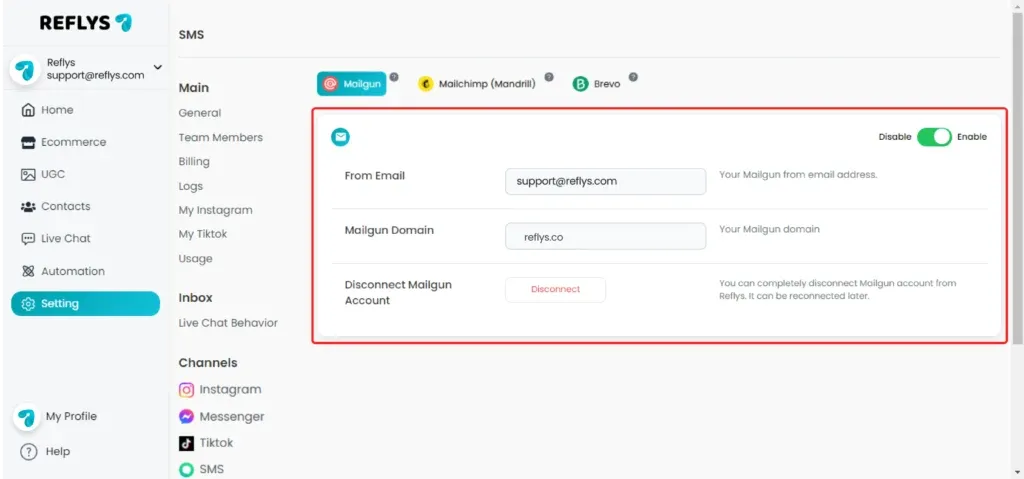
Mailgun Integration with Reflys: Setup Guide
Navigate to Settings in the side menu, then select Email under the Channel section.
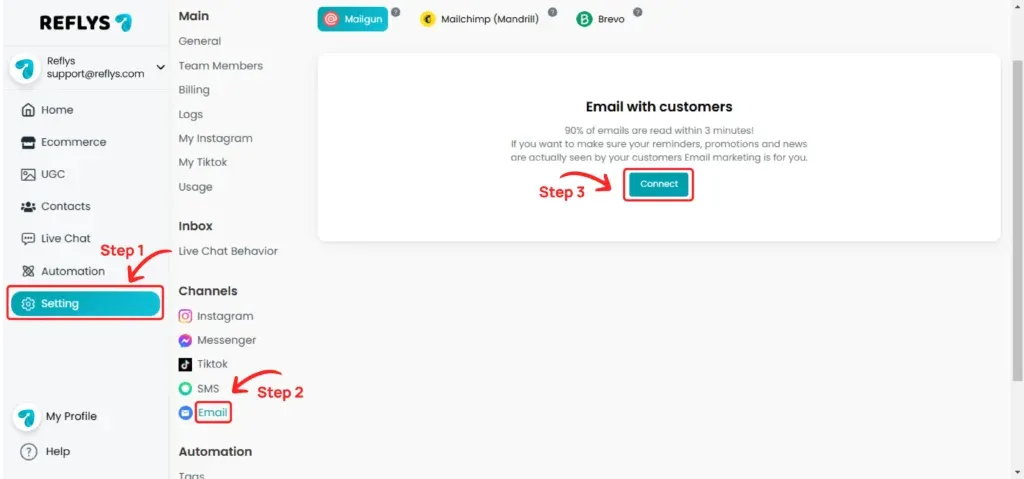
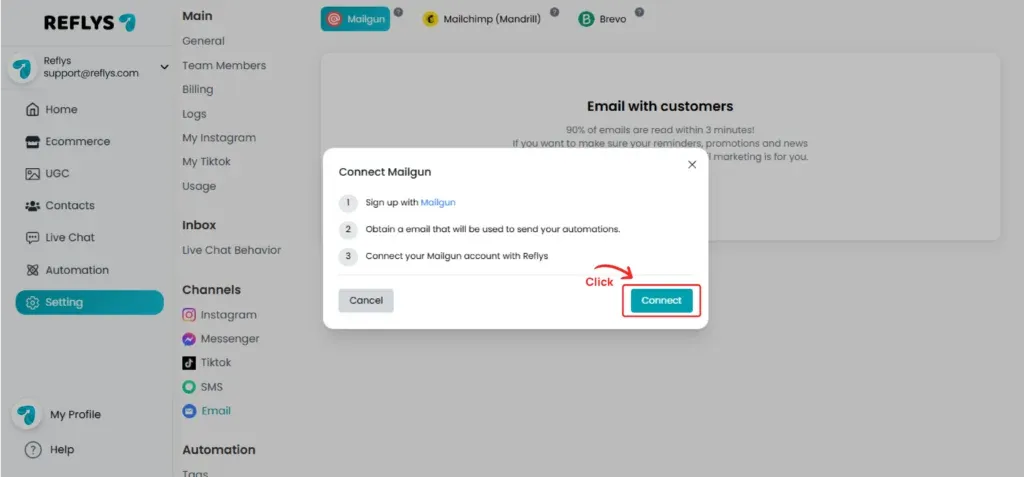
Choose Mailgun from the top and click 'Connect'. If you already have a Mailgun account, click 'Connect'. If not, sign up for an account first.
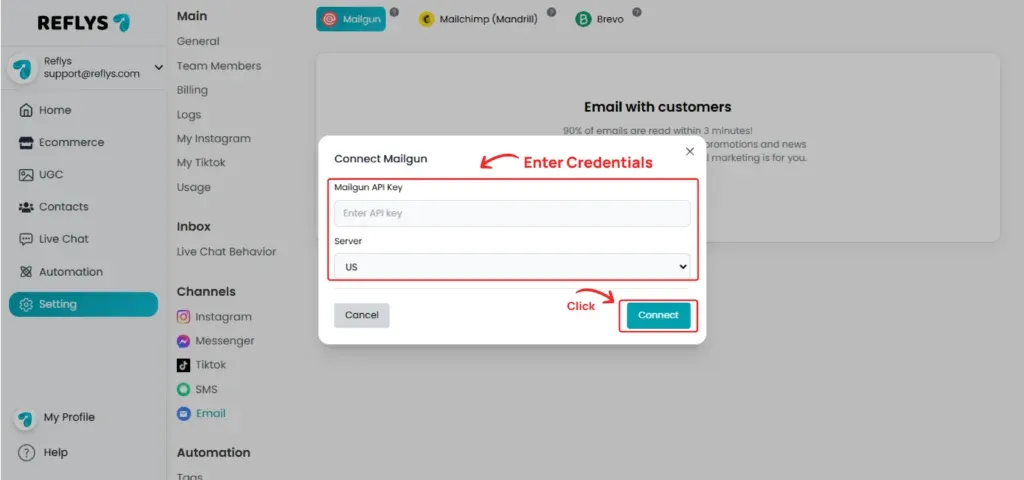
Enter your Mailgun API key, select your server region, and click 'Connect'.
How to generate Mailgun API Key
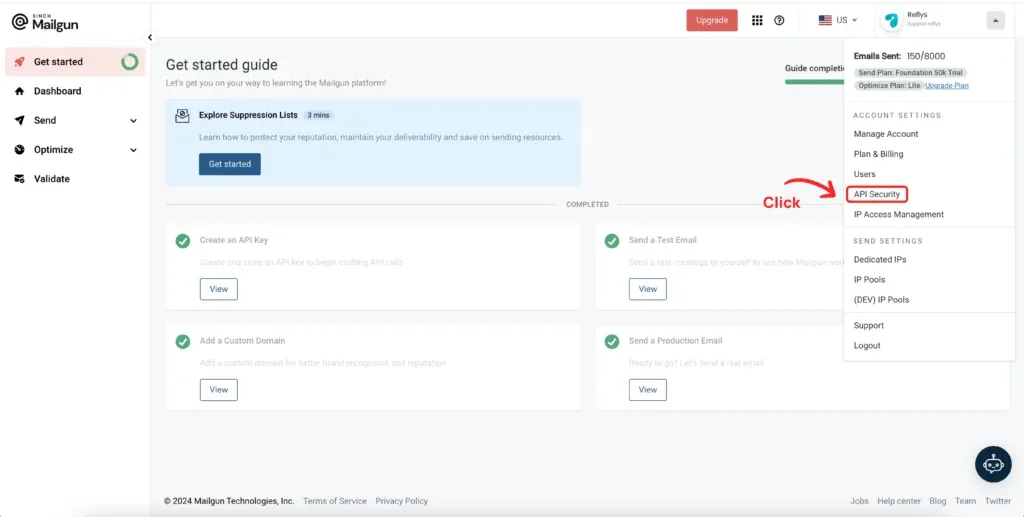
Sign in to your Mailgun account and go to 'API Security'.
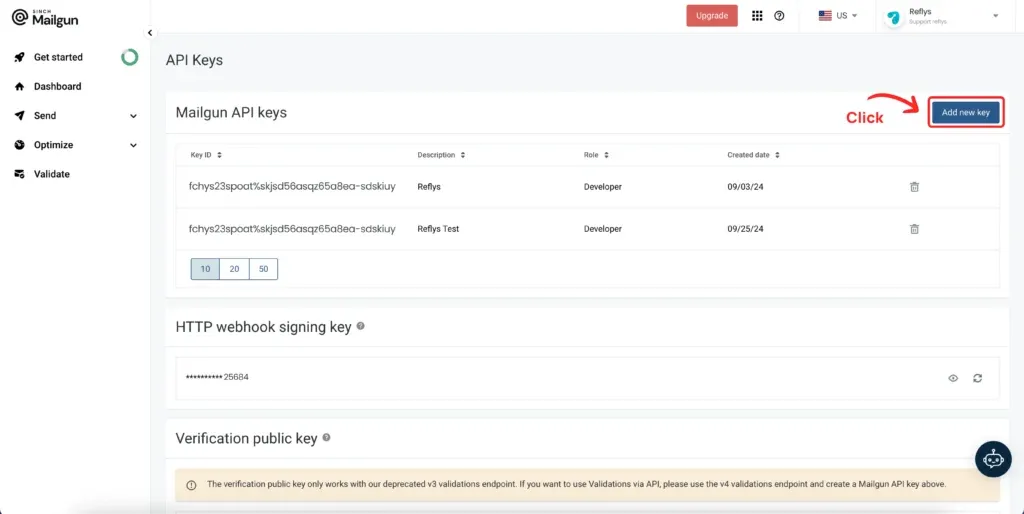
Click on 'Add New Key' button.
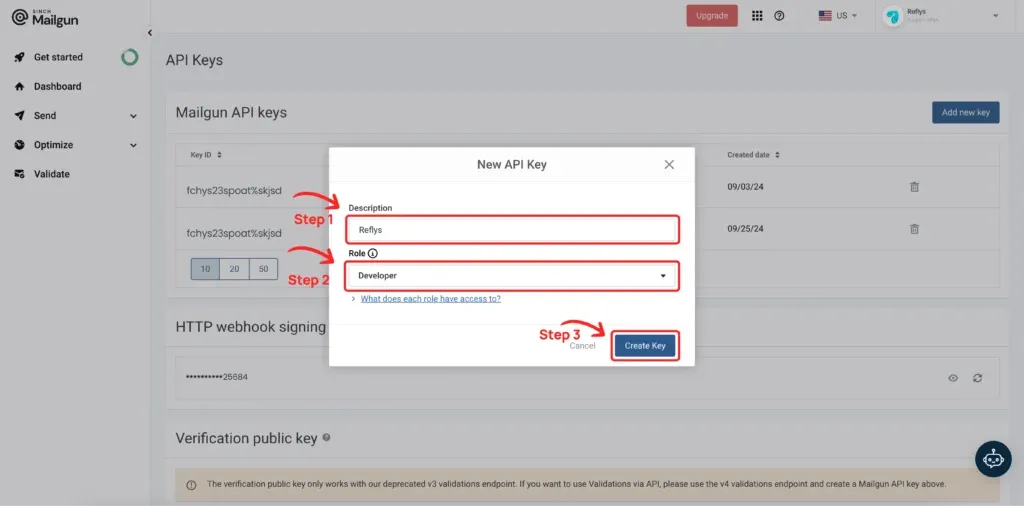
Enter a description, select the role, and click 'Create Key'.
Your API key is now generated. Copy it and paste it in the Reflys Mailgun email connector section.
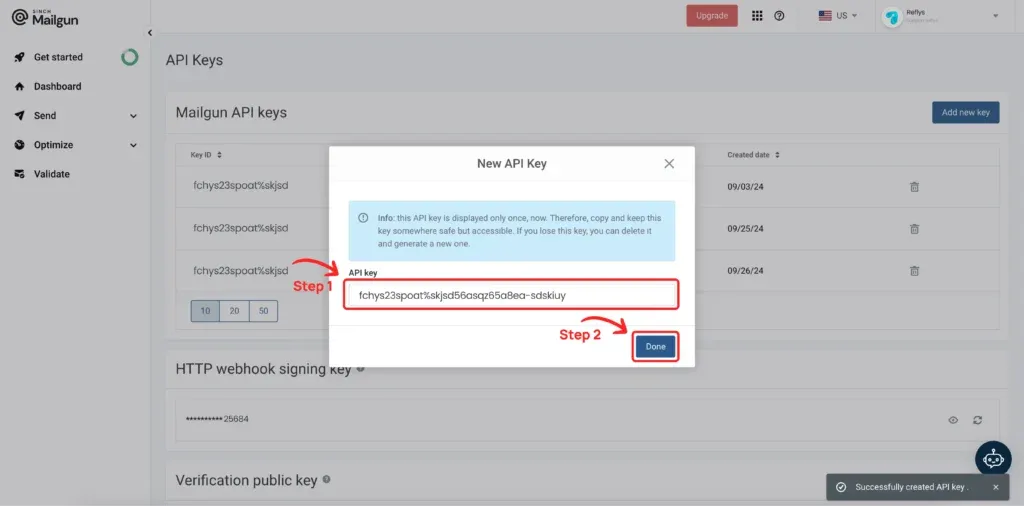
Your API key has now been generated. Please paste the API key into the Mailgun API section and click on 'Connect'.
Select your domain and click 'Connect'.
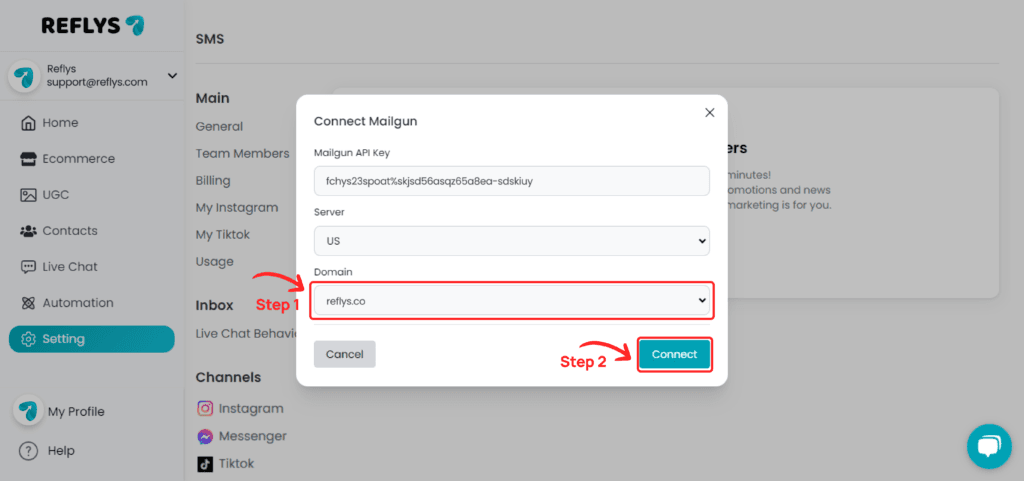
Your Mailgun account is now successfully connected.