
How to Delete Your Reflys Account
This article will give you the step-by-step instructions on how to delete your Reflys account. It is important to note that only the owner can perform this action.
Deleting an Account
Note: You cannot delete your Reflys account until your subscription is cancelled. Make sure to cancel your active plan first.
If you’re on a Pro or Business plan (including during your 7-day trial), follow these steps:
Step 1. Cancel your subscription
- Go to Settings > Billing > Manage subscription
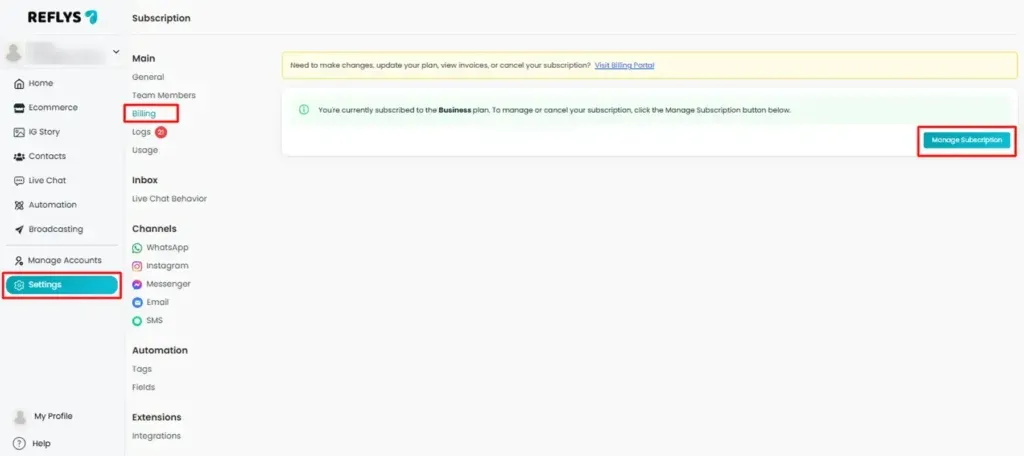
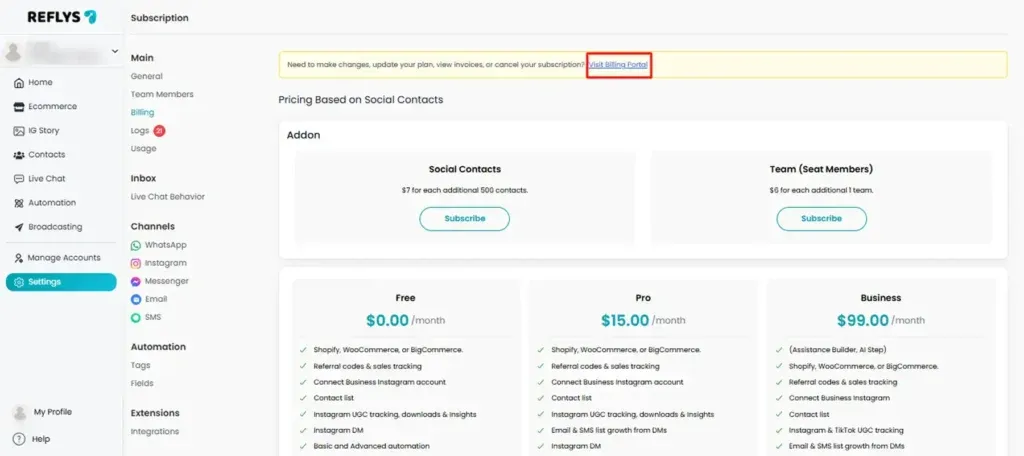
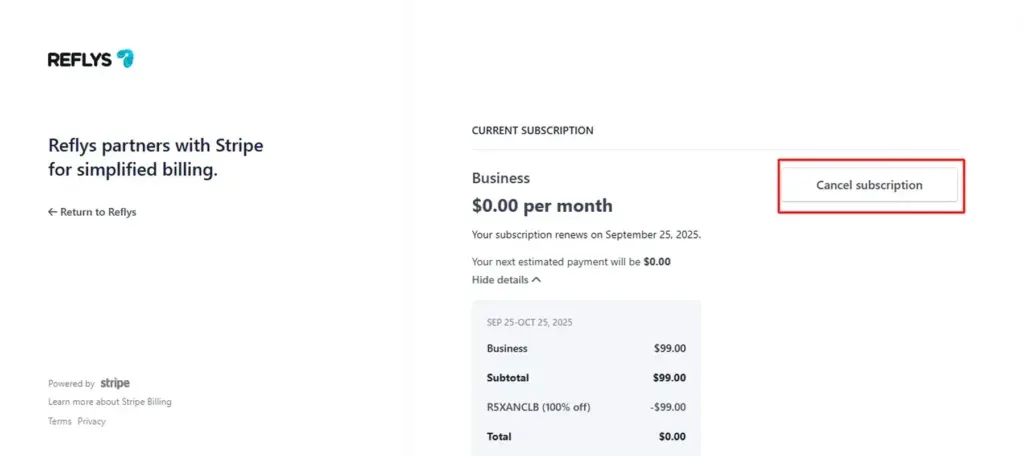
- Click Visit Billing Portal and Cancel Subscription.
Step 2. Delete your account
- After cancelling, navigate to Settings > General and click Close Account.
- Click close account and enter the password in the confirmation box to finalize.
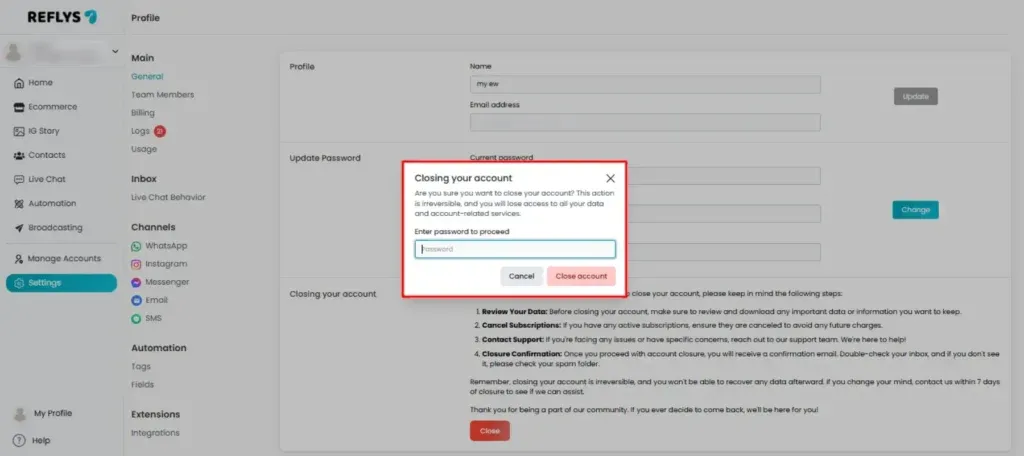
Finalizing Account Deletion
You will be permanently deleted after confirmation. Every automation flow, data, and related resource will be removed.
Critical Notice: Your Reflys account cannot be restored after it has been deleted. To use Reflys in the future, you will need to create a new account from scratch.

