
Ice Breakers for WhatsApp with Reflys
Want to turn first-time visitors into real conversations? Refly's conversation starters, also known as icebreakers, make it super easy. They’re great for.
- Answering FAQs instantly
- Helping new leads explore your products or services
- Offering quick ways to talk to a human agent
- Improving conversion and engagement
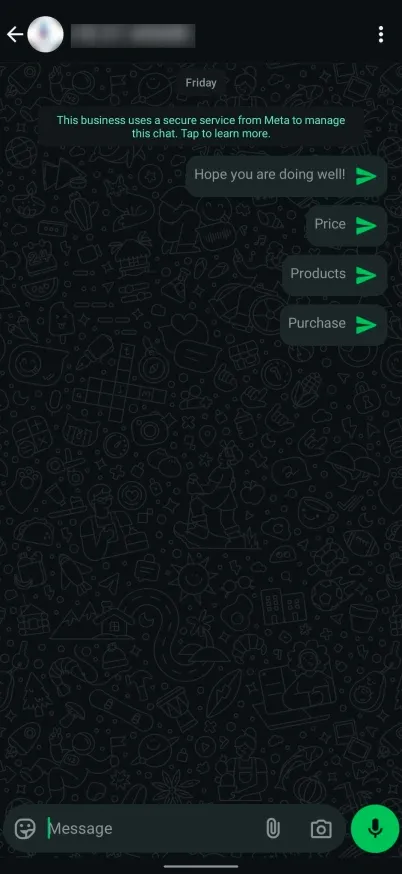
Here’s an example of what Ice Breakers look like for users who haven't messaged you yet:
How to Set Up WhatsApp IceBreakers in Reflys
Setting up icebreakers is simple in Reflys. Follow these steps.
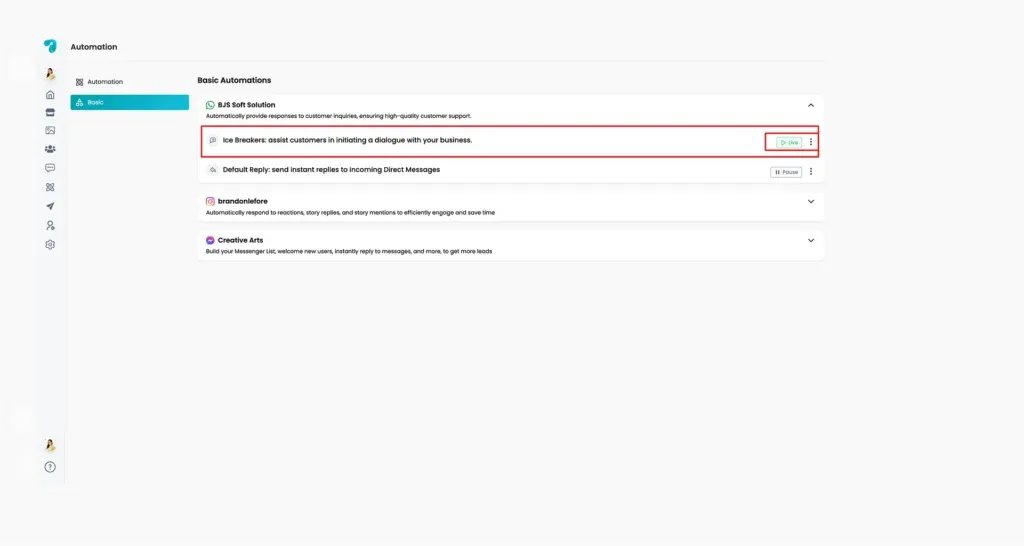
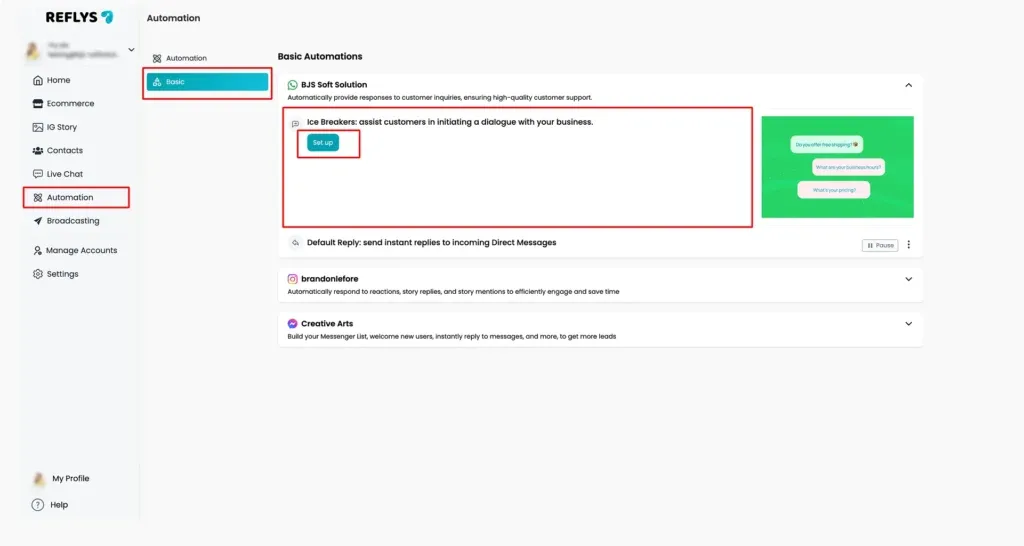
1. Go to Automation and Select Basic
- From your Reflys dashboard, click on Automation.
- Select Basic Automation in WhatsApp
- Click IceBreakers > Set Up
2. Add Your Questions
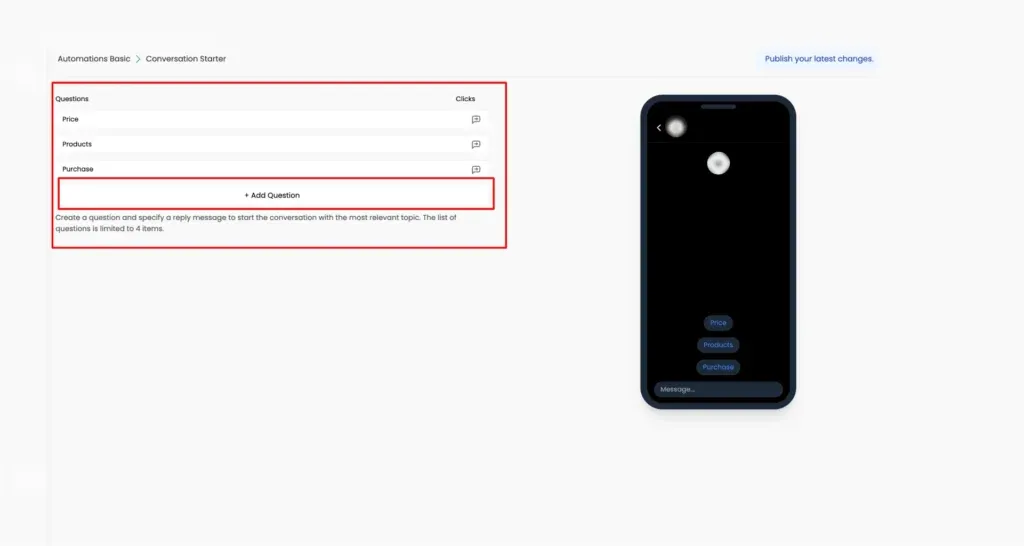
- Click + Add Question
- You can add up to 4 questions
- Keep each question under 80 characters
Note: Emojis are not supported in Ice Breakers due to WhatsApp’s policy
3. Link to an Automation
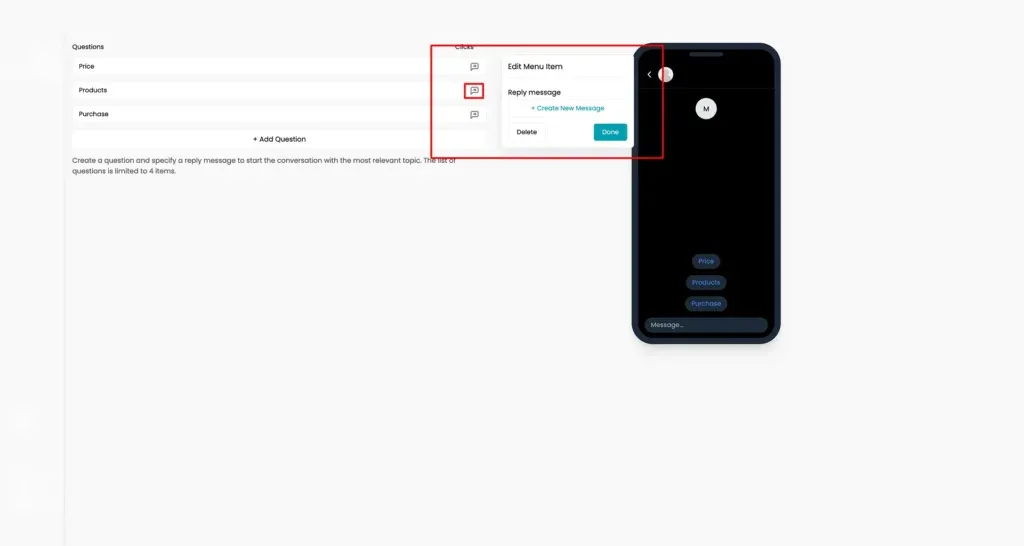
- Choose a new automation in the Flow Builder
- Assign each icebreaker a question to a flow
- When someone taps the button, the linked automation starts
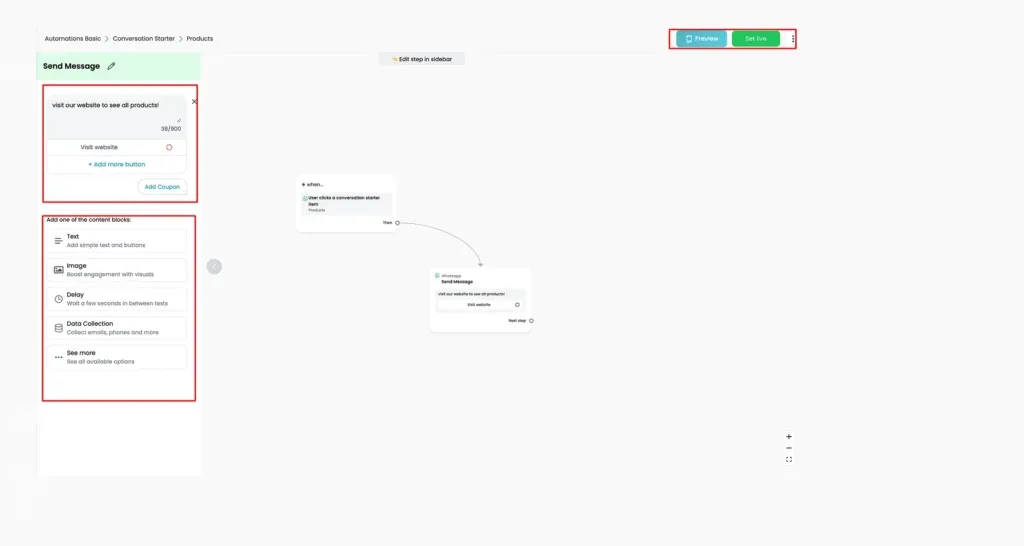
4. Edit a Message in Automation Flow
- Edit your icebreaker message in a flow builder.
- You can also add a button to lead the user to visit your site.
- After editing, make sure to click ‘Set Live’ to save changes.
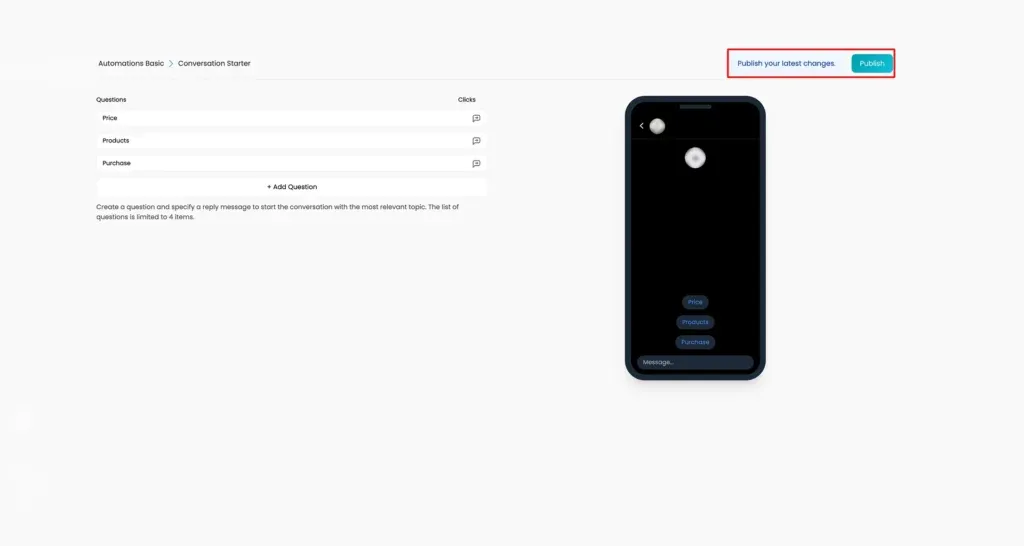
5. Publish Your Ice Breakers
- Click Publish to activate your Ice Breakers
- Users will now see these options when they message your number for the first time
Where to Find and Manage Your Ice Breakers
You can always:
- View the status of your Ice Breakers
- Edit or pause them
- Just go to Automation > Basic> WhatsApp > Ice Breakers
Troubleshooting Ice Breakers Not Showing
If users don’t see your icebreakers, it’s likely because there’s already an existing chat history. WhatsApp only shows icebreakers in new conversations.
To fix this, you’ll need to delete the existing chat between your number and that user.
For iPhone Users:
- Open WhatsApp and go to the chat
- Tap the contact’s name at the top
- Scroll down and tap Clear Chat
- Confirm deletion
For Android Users:
- Open WhatsApp and find the chat
- Press and hold the chat
- Tap the trash bin icon
- Confirm with Delete Chat
Note: Deleting the chat permanently removes all past messages. After deleting, restart WhatsApp for the changes to take effect.

