
Instagram Main Menu – Reflys Guide
Help Your Customers Find What They Need—Fast!
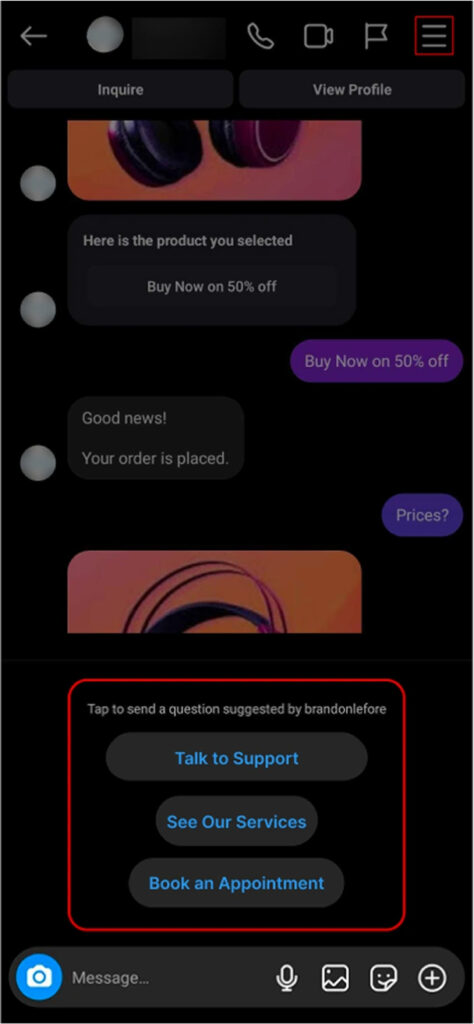
The Instagram Main Menu in Reflys gives your followers a shortcut to important features like checking services, talking to support, or viewing offers—all in one tap. Think of it as a mini home page right inside your Instagram DMs.
When users tap the ☰ menu icon (three lines) in the top right corner of the chat, they’ll see your Main Menu. This makes it easy for them to start the right action, without typing anything at all.
How to Set Up the Main Menu for Instagram
Setting up the Main Menu in Reflys is super easy. Just follow these steps:
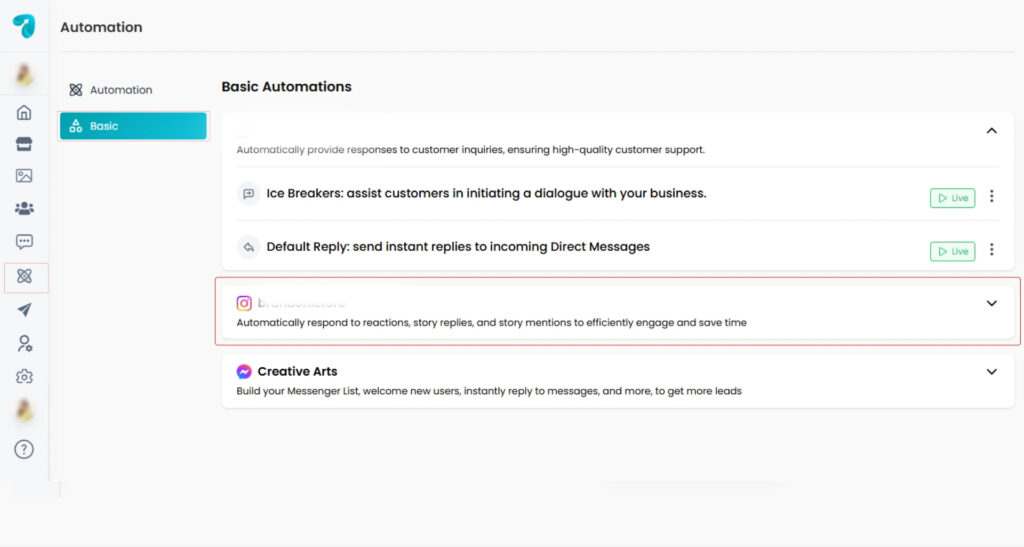
1. Go to Automation in the Reflys Dashboard
Click:
Automation→ Basic→ Instagram → Main Menu
2. Add Menu Items
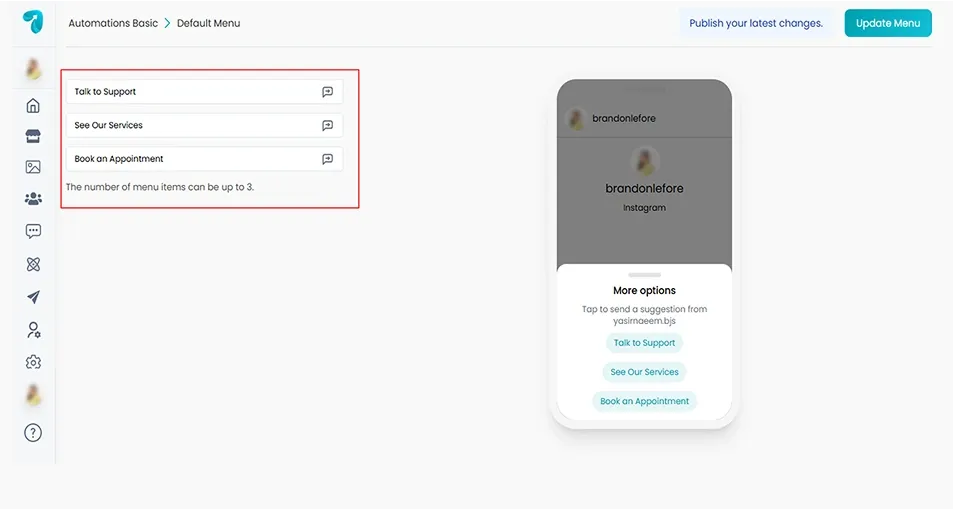
Click + Menu Item to add your first option.
For each menu item:
- Add a title (like “See Our Services” or “Book an Appointment”)
- Choose what happens when the user clicks—either start an automation or create a new one
For Example:
A menu item called “Talk to Support” can launch an automation that opens your support chat instantly.
3. Preview and Publish
On the right side of your screen, you’ll see a live preview of how the menu will look.
Once you’re happy:
- Click Update Menu to make it go live
Done! Your menu will now be visible to Instagram users who open your chat.
Why Use the Reflys Instagram Main Menu?
Because people love simple navigation. Instead of typing messages or guessing what to do next, users can just tap an option and go.
This means:
- Fewer confused messages
- More people are clicking your automations
- Smoother conversations overall
- Higher engagement for your offers and services
Troubleshooting
Here are a few tips if your Main Menu isn’t working right:
1. Menu not showing?
- Make sure it’s saved and updated.
- Try making a small edit (like adding a space), then save and remove it again. This refreshes the menu.
Make sure your connected automation is published and live.
2. Can’t publish changes?
- Try refreshing permissions by clicking the Help button inside Reflys
- Ensure the person doing this is an Admin or Owner of the Facebook/Instagram page connected to Reflys
Final Thoughts
Your Instagram Main Menu is a small detail that brings a big boost to your customer experience.
With just a few taps, users can:
- Browse your services
- Get help
- Start automations
- Reach key areas of your business—all from inside the chat
So take a few minutes to set it up, and let the menu do the work for you!
Need help? Contact the Reflys Support Team—we’re happy to assist.

