
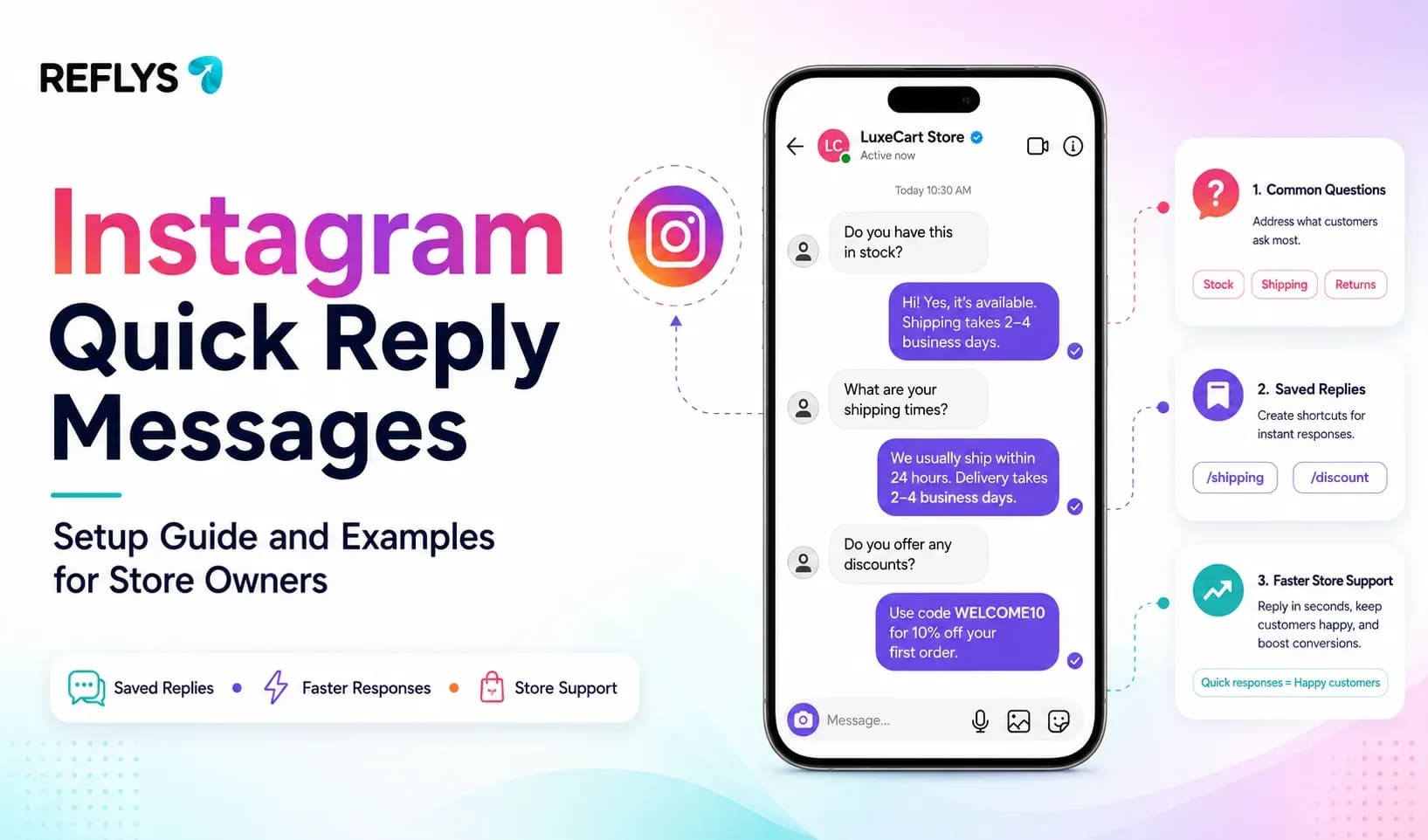
Your Instagram DMs fill up the moment a post does well — shipping questions, sizing questions, "is this back in stock." The same handful of questions repeat all day. Typing each answer out by hand eats the hour you need for packing orders, or for replying to the one DM that's actually about to buy.
Instagram quick reply messages are pre-written responses — either a customer taps a labeled button instead of typing, or your team sends a fixed reply with one click instead of retyping the same sentence. Set up well, they cut response time on repetitive questions without a full automation build. This guide covers what they are, how to set them up, examples built for a store's DMs, and the point where a static button stops being enough.
What Are Instagram Quick Reply Messages?
Instagram actually supports two different things people mean by "quick reply."
The first is a saved reply — a canned response you (a human) trigger manually from a shortcut inside the Instagram app, so you're clicking instead of typing. The second is a quick-reply button — a tappable option shown to the customer inside a message, built through a business messaging tool connected via the Meta Business API, where the customer's tap fires a fixed response automatically.
Both solve the same problem: stop typing the same sentence for the fortieth time this week. They differ in who does the tapping.
Reflys also includes a canned response inbox to streamline this further. Want to see how it works? Book a 15-minute quick demo
How to Set Up Quick Reply Messages on Instagram
Native saved replies (manual, no tools needed):
- Open Instagram, go to Settings → Business → Saved Replies
- Add a shortcut (e.g., /shipping) and the full response text.
- In any DM, type the shortcut — Instagram surfaces the saved reply to send with one tap.
This works for a solo owner answering a trickle of DMs. It stops scaling once volume climbs, because a human still has to be present to trigger every reply.

Quick-reply buttons through a messaging platform:
- Connect your Instagram business account through the official Meta API inside your automation tool.
- Choose the message where the buttons should appear — usually right after a greeting or a comment-triggered DM.
- Add labeled buttons (Pricing, Shipping, Track Order) and attach a fixed response to each.
- Test every button from a second account before publishing.
This path puts the tapping in the customer's hands and doesn't require anyone to be online.
Instagram Quick Reply Examples for E-Commerce
| Button Label | Triggered Reply | When to Use It |
|---|---|---|
| Shipping Info | "Standard shipping runs [timeframe]. Full breakdown here: [link]." | High-repeat question on every product post |
| Size Guide | "Here's our size chart: [link]. Still unsure? Tell us your usual size and we'll help." | Apparel, footwear, anything with fit variance |
| Track Order | "Drop your order number and we'll pull up the latest status." | Post-purchase DMs, reduces support load |
| Restock Alert | "Not in stock right now — want us to message you the second it's back?" | Out-of-stock product pages and comments |
| Discount Code | "Here's 10% off your first order: [code]. Valid for [timeframe]." | Comment-to-DM flows on launch or ad posts |
| Talk to a Human | "Someone from our team will jump in shortly — what's the issue?" | Anything account-specific or a complaint |
Keep labels under Instagram's character limit and the list short — a wall of buttons defeats the point of a quick reply.
Instagram Quick Replies vs. Messenger Saved Replies
The mechanics are close enough that if you're already running Facebook Messenger for the same store, it's worth building both from one flow rather than duplicating the work twice. Messenger's saved-reply and quick-reply-button setup lives in the same Meta Business Suite as Instagram's, so a shipping or sizing answer built for one channel can usually be mirrored to the other with a name change on the button.
The one thing to watch: replies sent outside Meta's standard messaging window are treated differently on both platforms, so a quick reply answering a question from three days ago won't behave the same as one sent minutes after the DM came in.
Where Static Quick Replies Stop Being Enough
A quick reply is a fixed string. It can't check whether a specific product is actually in stock, pull a real order status, or catch someone before they abandon a cart mid-checkout — it can only point them toward a link. For a store getting more than a handful of DMs a day, that gap starts costing sales: the "Track Order" button that just says "send us your order number" is still a manual lookup on your end.
That's the point where a comment-to-DM and cart-recovery automation layer earns its keep instead of a plain button.
Set This Up in Reflys in Under 10 Minutes
- Connect your Instagram (and Messenger, if you run both) account via the official Meta integration.
- Open the automation builder and create a new flow.
- Set the trigger — a comment keyword like SHOP, or a DM containing "price" or "shipping."
- Write the reply, and where it applies, pull in live order or product data instead of a static link.
- Add a fallback quick-reply button ("Talk to a Human") for anything outside the flow.
- Test the flow on a second account, then publish.
Built for This Without the Ban Risk
Reflys connects through the official Meta and WhatsApp Business APIs, so there's no scraping and no unofficial workaround that risks the account getting flagged. A Reflys restaurant client used the same underlying instagram automation pattern — comment triggers routing into DMs — to grow monthly online orders by roughly 35%, with cart-recovery follow-ups improving from 6% to 22%. The mechanics translate directly to a product-based store answering the same repeat DMs.
Automate Your Store's Instagram DMs Today
Quick replies fix the repetition. Automation fixes the parts a fixed button can't — real order lookups, cart recovery, restock alerts. Start your 7-day trial on Reflys, connect Instagram in a few minutes, and build the first flow.


