
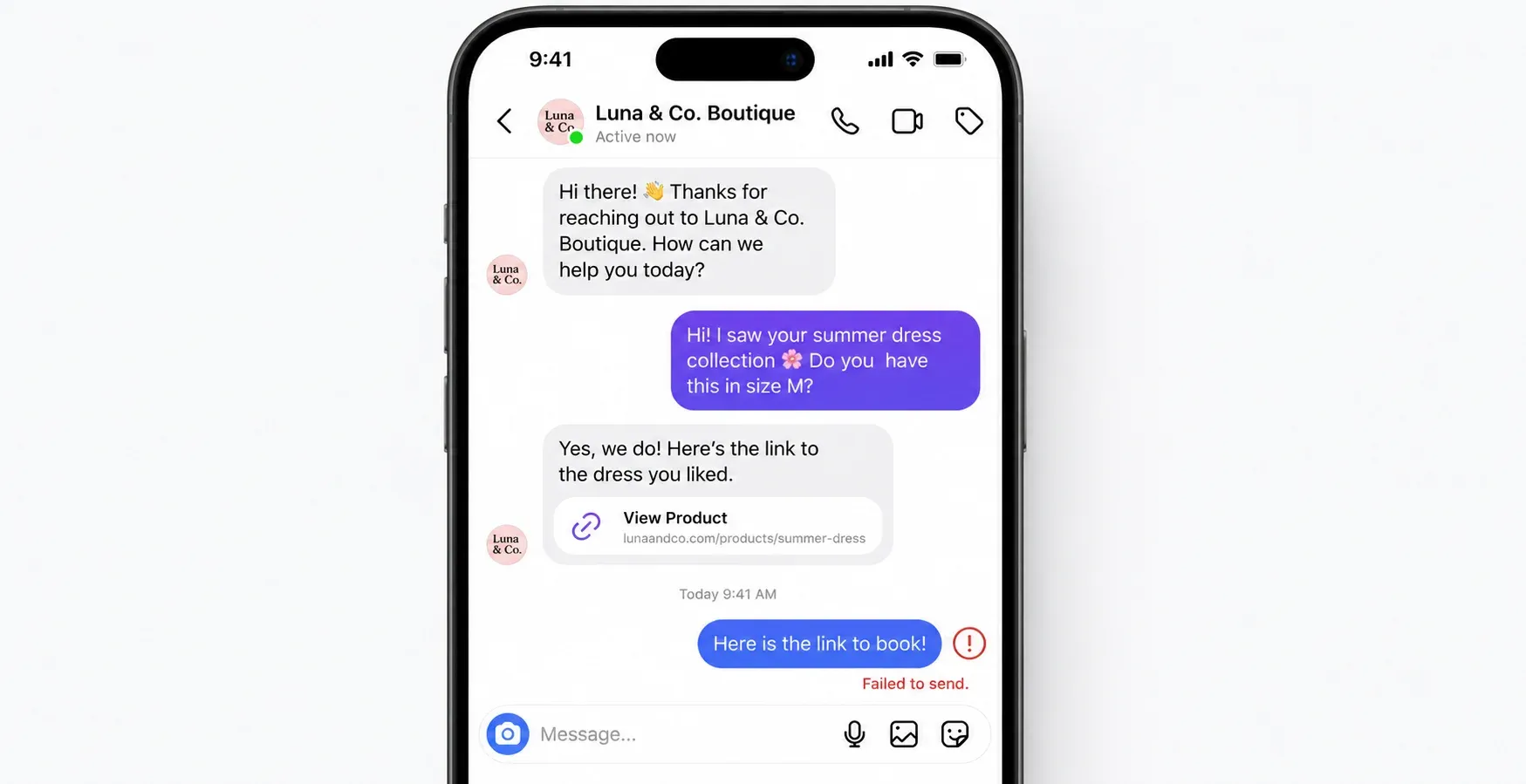
You just dropped a new product. A customer asks for the link in your DMs. You hit reply, but Instagram throws up a red error: failed to send message.
Just like that, you are in Instagram jail. For a Shopify store or a busy local clinic, a frozen inbox means cash left on the table. Every hour your account stays locked is another customer walking over to a competitor.
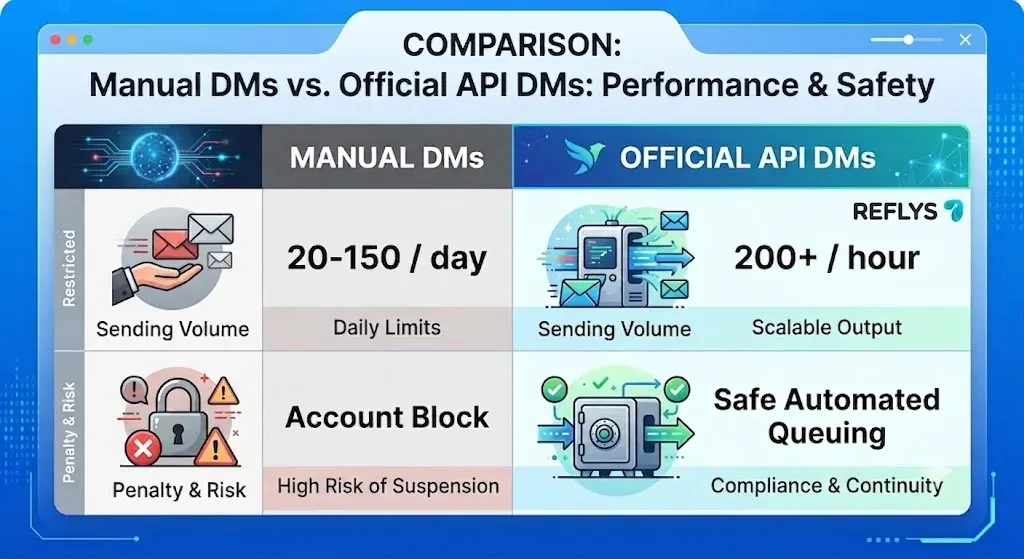
The Instagram DM limit changes entirely based on how you actually hit send. For manual typing, new accounts hit a wall at 20 to 50 DMs daily, while older accounts might push 100 to 150. If you route messages through the official Meta API, most compliant automation platforms cap sends at 200 DMs per hour as a safety buffer against Meta's stricter technical limits.
Instagram DMlimit refers to the maximum number of direct messages an account can send before Instagram's spam-detection systems restrict or block it. Manual limits (20–150/day) depend on account age and trust score; the official Graph API caps automated sends at 200/hour. Exceeding either risks a temporary block.
Below are some limitations of Meta policies in 2026, why your messages keep failing, and how you can handle massive comment volume without risking a permanent ban.
How Many Direct Messages Can You Send on Instagram?
Instagram relies on three different restriction systems to fight spam. If you run a local business managing bookings or a creator profile handling brand deals, you need to know exactly which bucket you fall into.
The Manual Limit: If you type replies out yourself, your age and trust score dictate the rules. Fresh accounts under 30 days old get blocked fast. Usually, 20 to 50 outgoing texts a day will trigger the algorithm. Older business profiles get a bit more breathing room, typically surviving up to 100 to 150 daily manual DMs.
Meta doesn't publish an official manual DM cap — these figures are based on widely reported user experience, and they'll vary by account trust score.
The Official API Limit: When you wire up a verified platform, Meta switches you to a purely technical rate limit. You get an allowance of exactly 200 automated messages per hour, per account.
The Character Limit: Every single message taps out at 1,000 characters. That includes spaces, links, and emojis. Paste a giant welcome PDF text into a chat and the send button just dies.
| Limit Type | Cap |
|---|---|
| Manual — new account (<30 days) | 20–50 DMs/day |
| Manual — older/trusted account | 100–150 DMs/day |
| Official API | 200 DMs/hour |
| Character count per message | 1,000 characters |
Note: 200/hour is a widely-used safe pacing standard, not an official Meta-published hard limit
Reflys connects directly to Meta's API so you never have to count these manual limits again.
Why Your Instagram Message is Stuck on Sending?
If you keep staring at a "your message can't be delivered" warning, you probably tripped one of Meta's automated security flags.
You Hit the Velocity Cap: Sending 40 texts in three minutes looks identical to a bot attack. Meta's machine learning will flag you, even if you just wanted to give eager shoppers a checkout link. Speed gets you banned faster than daily volume.
This is the most common support question we get from new Reflys users in their first week.
You Violated the 24-Hour Window: Instagram enforces a strict 24-hour messaging window. You can only fire off automated promo texts if the user engaged with you (dropped a comment, replied to a story, sent a DM) within the last day. Cold outreach outside that window fails immediately.
You Are Using Gray-Market Tools: Chrome extensions that ask for your raw Instagram password completely ignore the official API. Meta hunts these down aggressively. If your tool skips the official Facebook login screen, you risk a permanent profile deletion.
If You're Messaging Manually:
- Pace yourself: stay under 20 DMs/day if your account is under 30 days old, and don't send more than one message every few minutes — bursts trigger the velocity flag faster than volume does.
- If you hit a block: stop sending entirely for 24–48 hours. Don't try refreshing the app or switching networks to "reset" it — that doesn't work and can extend the timeout.
How Long Does a Temporary IG Block Last?
A first offense usually nets you a 24 to 48-hour timeout. You can still read incoming messages during this window, but you can't reply to them.
I've watched people try this exact workaround thinking it resets the clock — it doesn't, it just extends the timeout.
If your business needs to reply instantly during a product launch, manual typing is a liability.
You can build a safe comment-to-DM flow in Reflys instead.
The Official API Route: How Brands Scale Safely
Routing your chats through the official Instagram Graph API is the only way to avoid the shadowban risk entirely. Meta explicitly approved this channel for automated messaging — you're playing by documented rules instead of guessing at an algorithm.
Meta doesn't publish a single "DMs per hour" number. What it does publish is a set of technical ceilings (per-second send limits, plus a rolling-window formula tied to app usage). Because those technical limits shift depending on account activity, most compliant platforms — including Reflys — don't try to ride the edge of them. Instead they pace sends at a conservative 200 messages/hour, a safety buffer well under Meta's real thresholds.
Say a viral reel pulls in 500 comments asking for a link. An official API platform fires off the first 200 within the hour, then parks the remaining 300 safely in a queue. When the window resets, it sends the rest automatically. Nobody gets banned, nothing gets lost, and your account stays in good standing.
This infrastructure drives actual revenue. A Reflys restaurant client used this exact setup to capture booking intent instantly. They grew monthly online orders ~35% (from 1,200 to 1,620) with zero extra ad spend, just by automating their WhatsApp and Instagram replies with zero extra ad spend — based on our internal client reporting
Set Up Safe Instagram DM Automation in Under 10 Minutes
Stop counting manual texts and build a compliant keyword auto-reply right now. We are going to wire a comment trigger that automatically sends a DM when a shopper asks for a link.
- Connect your channel — Log into Reflys. Link your Instagram Business account using the official Meta login screen.
- Create a new flow — Open the automation builder and pick a Comment-to-DM trigger.
- Define the keyword — Pick a trigger word like "SHOP" or "LINK."
- Draft your reply — Keep it short and conversational, well under that 1,000-character cap. Drop your product link here.
- Publish and test — Turn the flow on. Reflys will automatically track your hourly send volume so you never trip an API block.
If you're tired of guessing where the line is, here's the setup we walk new users through. Start your 7-day trial →

