
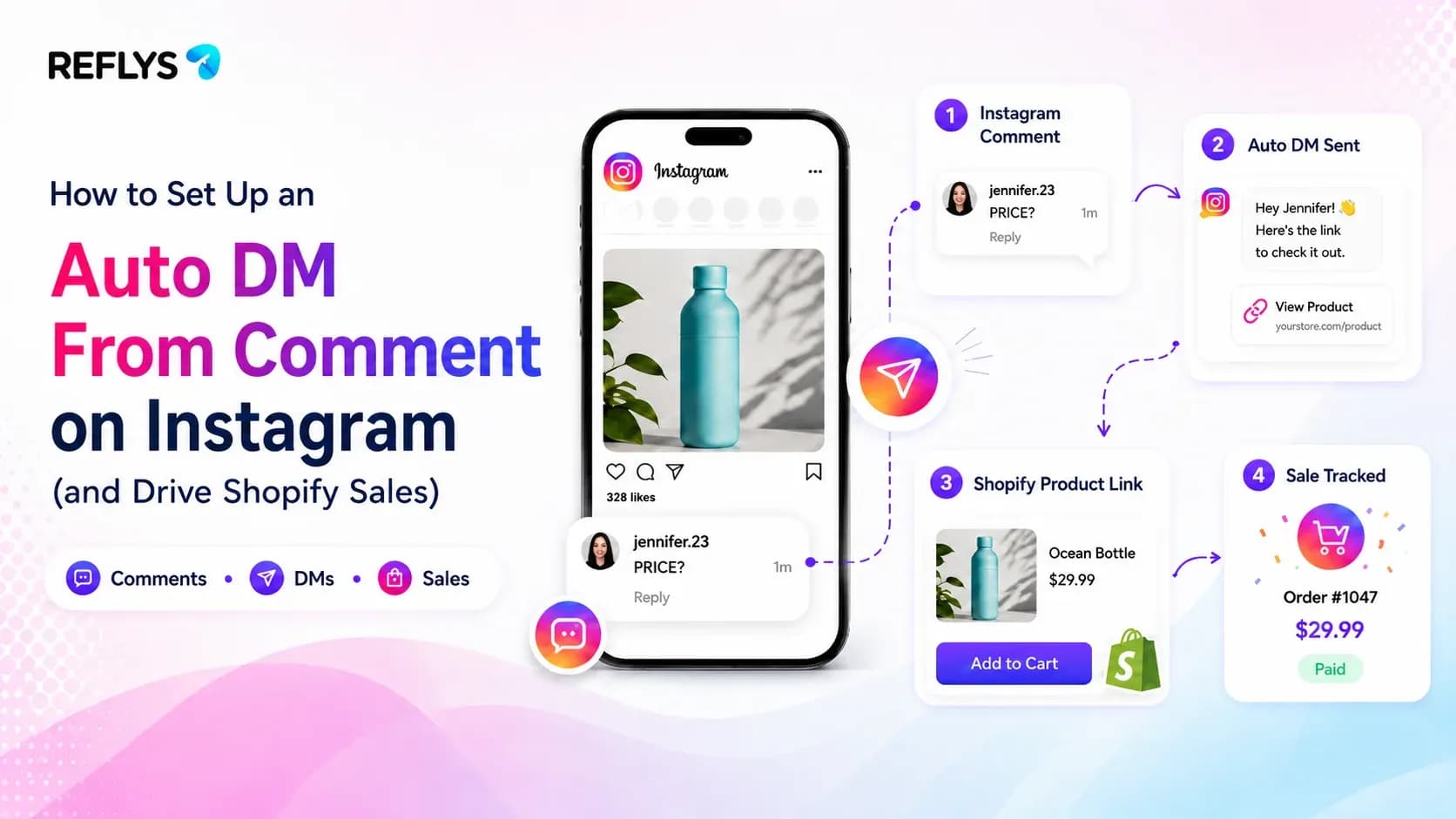
You just dropped a new product. The Reel catches fire. Suddenly, there are 80 comments sitting there asking for a link or a price.
Replying by hand burns hours you don't have. Ignore them? You bleed cash. Social commerce does not wait. When someone comments on your post at 2 a.m., that buying window shuts fast.
Anauto DM from comment is a workflow that instantly sends a direct message to anyone who replies to your post or Reel with a specific keyword. It pulls public engagement straight into a private, high-intent checkout flow.
For Shopify operators, this is exactly how you stop losing sales in the comments section and push buyers straight into the consideration phase.
The Revenue Math Behind Comment-to-DM Flows
Instagram loves comments. They tell the algorithm to push your Reel further. But reach alone does not pay for inventory.
Getting a scroller into a direct message changes the math completely. Why? Because you can drop clickable links in DMs. You cannot do that in captions. Tell your followers to drop a keyword like "SHOP" in the comments. You feed the engagement algorithm to boost your reach, and you instantly hand a checkout link to a warm lead.
Imagine your custom jewelry store gets 150 comments during a flash sale. Managing that manually is a nightmare. Plus, Instagram routinely restricts accounts that try to send repetitive manual messages too quickly. Automation handles the whole stack instantly.
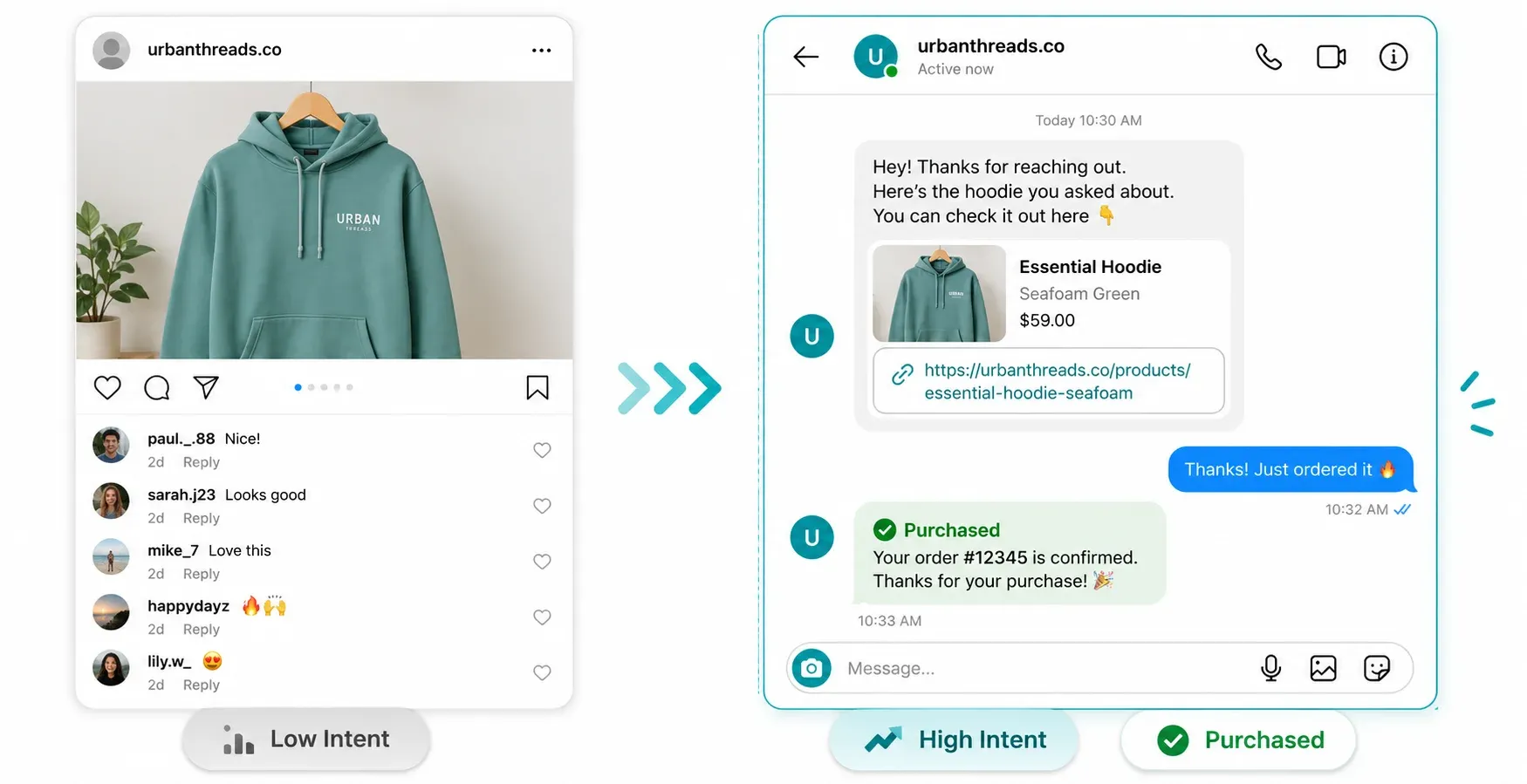
Ready to test it? Wire this exact trigger in the flow builder right now.
Register here to connect your store
Are Instagram Auto DMs Safe for Your Account?
Yes, but only if you use legitimate infrastructure.
The biggest fear for any e-commerce founder is waking up to a restricted account. If your software uses screen scraping or sketchy workarounds, Meta will eventually catch it and shut you down.
Reflys runs strictly on the official Meta API. No scraping. No gray-market hacks. It respects Meta's 24-hour messaging window by default. You get zero ban risk, and your customers get their links immediately.
3 Ways E-Commerce Stores Use Instagram Comment Auto Replies
Do not just set up a flow blindly. Here is what actually converts for active stores right now.
1. Product Drops and Discount Codes
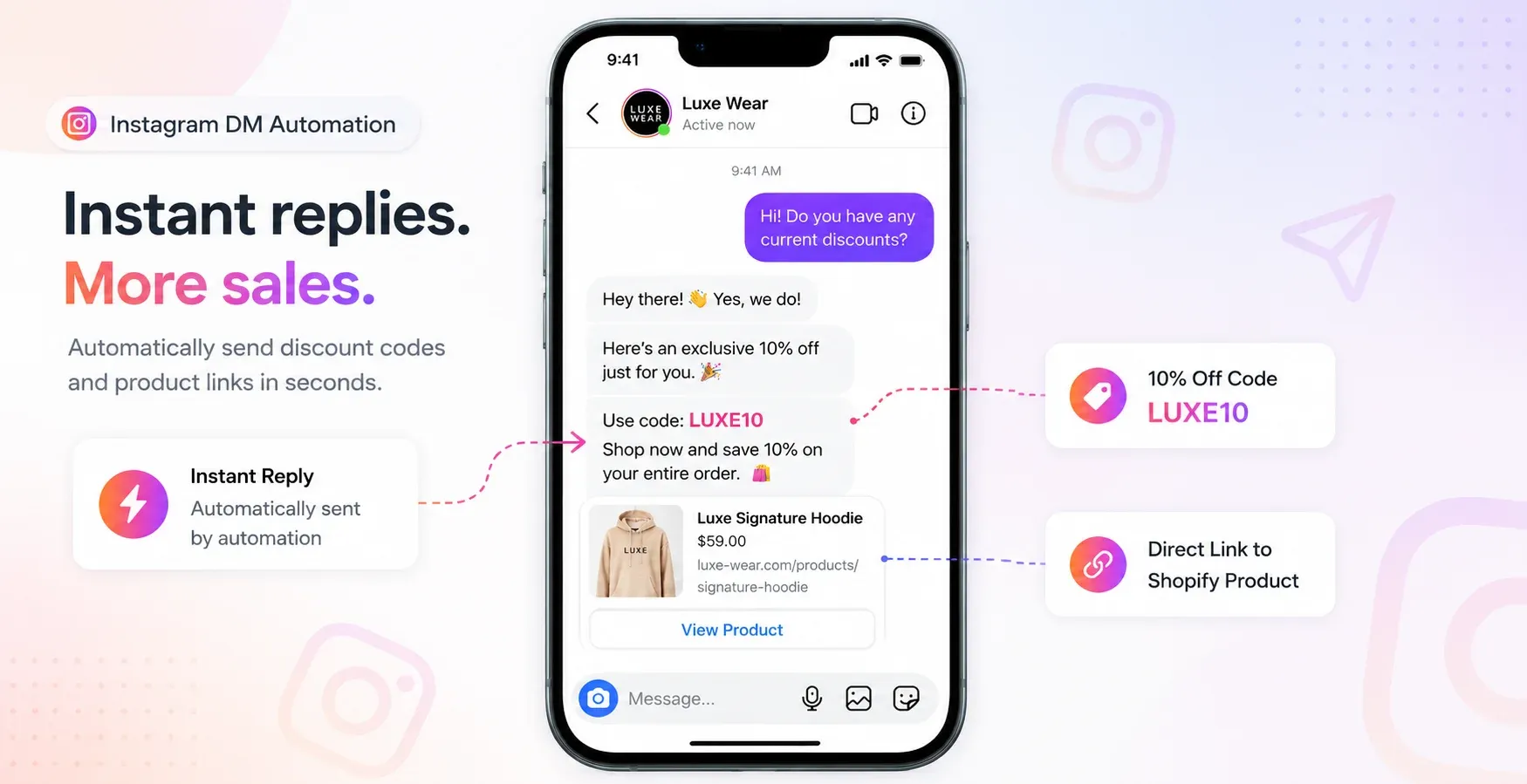
Launch a new item and tell viewers to comment "DROP". The automation fires back a 10% discount code and the exact Shopify product page link. You just built a measurable sales funnel out of a 7-second Reel.
2. Pre-Sale Objections
Buyers constantly ask about shipping times or sizing in the comments. Map triggers for words like "shipping" or "size." The system fires off your policy or a size chart, knocking down the final hurdle before they pull out their credit card.
3. Cart Recovery via WhatsApp
Instagram DMs are a great hook, but WhatsApp closes deals. Trigger a DM that offers a VIP discount if they click through to your WhatsApp channel. A Reflys restaurant client used this exact automated follow-up sequence to jump their abandoned-cart recovery from 6% to 22%.
Data beats guessing. Set this up and see for yourself. It takes roughly 10 minutes and costs nothing to start.Start your 7-day trial.
Set This Up in Reflys in Under 10 Minutes
You do not need a developer. You can wire this up before your next post goes live.
Before you touch any software, do two things: pin a comment telling people exactly what keyword to type, and test the flow with a burner account first.
When you are ready to build, here is the exact process:
- Connect your Instagram: Spin up your Reflys account and link your professional Instagram profile.
- Open the Flow Builder: Click into your automations and grab theInstagram Post and Reel Comments Trigger
- Set the keyword: Pick the exact trigger word (like "LINK" or "PROMO").
- Write the DM: Keep it punchy. Drop the direct Shopify URL right there.
- Add a public reply (Optional): Tell the system to like their comment and publicly reply "Sent to your DMs!" so the rest of the timeline knows you are active.
- Publish and test: Hit live and drop a comment from a second account to watch it work.
It gives you 1 social channel and 3 flows to prove it actually works for your store.

