
A customer communication platform is software that brings every customer conversation, from Instagram DMs and WhatsApp to SMS and email, into one place. Your team sees the full history, replies from a single inbox, and automates routine messages. Customers get one connected conversation instead of starting over on every channel.
That last point is what customers notice most. Zendesk's CX Trends 2026 research found that 74% of consumers say repeating themselves is a significant frustration. A scattered set of apps makes repetition almost certain.
This guide explains what a customer communication platform does, how it differs from similar tools, and what to check before you buy.
What Does a Customer Communication Platform Do?
A customer communication platform does four jobs: it connects your channels, centralizes conversations, automates routine replies, and links each chat to customer data. The result is one view of each customer, whichever app they used to reach you.
| Job | What it means in practice |
|---|---|
| Connect channels | Instagram, WhatsApp, Messenger, TikTok, SMS, and email feed one system |
| Centralize conversations | A shared team inbox with tags, notes, and assignments |
| Automate | Keyword replies, order updates, and FAQ answers run without an agent |
| Link data | Each chat shows the customer's orders, tags, and past messages |
Without these, a store owner checks five apps, misses messages, and answers the same question twice.
Customer Communication Platform vs. CCM, CRM, and Shared Inbox
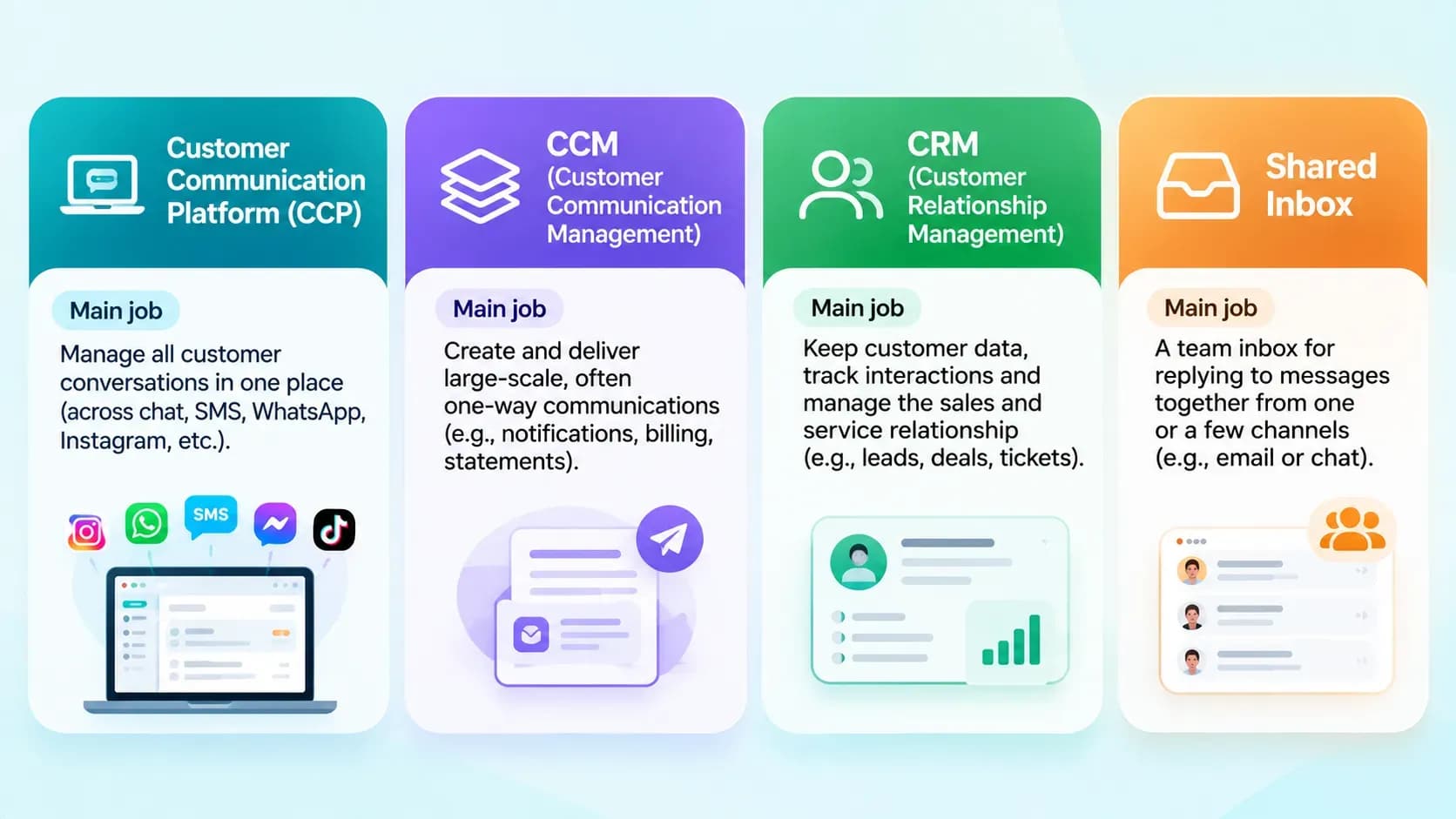
A customer communication platform handles live, two-way conversations. Similar-sounding tools do different jobs, so the label on a vendor's page can mislead you.
| Tool | Main job | Two-way chat? |
|---|---|---|
| Customer communication platform | Run conversations across channels from one inbox | Yes |
| Customer communications management (CCM) | Create and send documents such as bills, statements, and notices | Mostly one-way |
| CRM | Store customer records and track sales | Limited, usually through add-ons |
| Shared inbox | Let a team answer one channel, often email, together | Yes, but often email only |
Many businesses use a CRM and a communication platform together, with the two synced. If your main need is team email, our guide to shared inbox software covers that category in more depth.
Why Businesses Move to One Platform
Businesses move to one customer communication platform because customers expect a connected experience and scattered tools can't deliver it. Salesforce research found that 79% of customers expect consistent interactions across departments. Yet 55% say it feels like they're dealing with separate departments, not one company.
Customers also want to share more in one place. In the same Zendesk report, 76% said they would choose a company that lets them send text, images, and video in one continuous thread.
For an online store, that looks like this. A shopper asks about sizing on Instagram, sends a photo of a damaged parcel on WhatsApp, and gets a refund confirmation by email. On one platform, a single agent sees all three in one timeline.
See your channels in one inbox: Reflys connects Instagram, WhatsApp, Messenger, TikTok, SMS, and email in a unified inbox. Start your 7-day free trial.
Key Features to Look For
The key features of a customer communication platform are channel coverage, a shared inbox, automation, human handoff, integrations, and reporting. Weight each one by where your customers actually message you.
- Channel coverage: It should support the apps your customers use, not just email and phone.
- Shared inbox with assignment: Tags, internal notes, and routing so two agents never answer the same chat.
- Automation and AI: Keyword triggers, FAQ replies, and order updates, with clear limits on what the AI can say.
- Human handoff: A Gartner survey found that 64% of customers would prefer companies didn't use AI for service, mainly because they fear losing access to a person. Make reaching a human easy.
- Integrations: Your store (Shopify, WooCommerce, BigCommerce) and marketing tools should sync with it.
- Platform compliance: On Messenger and Instagram, businesses get a 24-hour standard messaging window after most customer actions, under Meta's messaging policy. Your platform should respect it automatically.
How to Choose a Customer Communication Platform
Choose a customer communication platform by mapping your channels first, then testing one real workflow before you commit. Feature lists look alike; a live test shows the difference.
| Question to ask | Why it matters |
|---|---|
| Which channels bring us the most messages? | The platform must cover those natively |
| Is it built on official platform APIs? | Unofficial connections risk account restrictions |
| How many team seats and contacts do we need? | Pricing often scales with both |
| Can it connect to our store and email tool? | Order data makes replies faster and more accurate |
| Is there a free trial? | You can test a real flow before paying |
Two checks work with any vendor. Count last month's messages by channel, and ask a teammate to answer five real chats in the trial before you decide.
Test one real workflow: The fastest way to judge any platform is to build a flow on your busiest channel. The Reflys 7-day free trial gives you time to do it.
Set Up Reflys as Your Customer Communication Platform in Under 10 Minutes
You can connect your channels and route conversations to your team in Reflys during the 7-day free trial. The steps below set up a basic unified inbox for an online store.
- Connect your channels. Link Instagram, WhatsApp, Messenger, or TikTok through their official logins.
- Connect your store. Add Shopify, WooCommerce, or BigCommerce so order updates and discount codes can go out in chat.
- Create tags. Start with three, such as Pre-sale, Order issue, and Returns.
- Add canned messages. Save answers to your five most common questions.
- Build one automation. Use the AI Flow Builder to answer shipping questions and tag anything it can't solve.
- Assign your team. On the Business plan, auto-assignment routes chats to up to 5 team seats.
The Reflys Help Center has a guide for each step.
Build your inbox today: The trial asks for a card, and you're only charged if you keep your plan after 7 days. Start your free trial.
Why Businesses Choose Reflys
Reflys is built on official Meta, WhatsApp, and TikTok APIs, and it holds a 4.9/5 rating on G2. A Reflys restaurant client grew monthly online orders by about 35%, from 1,200 to 1,620, using automated WhatsApp follow-ups. As of November 2026, Pro costs $12/month, or $9/month billed annually (compare plans).
Start With Your Busiest Channel
A customer communication platform pays off when customers stop repeating themselves and your team stops switching apps. Connect your busiest channel first, then add the rest. Try Reflys free for 7 days and see every conversation in one place.