Answer Every Prep Question Before the Scan, Automatically
Referral verification, fasting and contrast instructions, and “are my results ready” messages eat staff time every day.
Reflys automates the routine so your team focuses on the scan, not the schedule.
$0 today. Cancel anytime
Where imaging staff
lose hours
Referral-based bookings require checking a physician order before scheduling
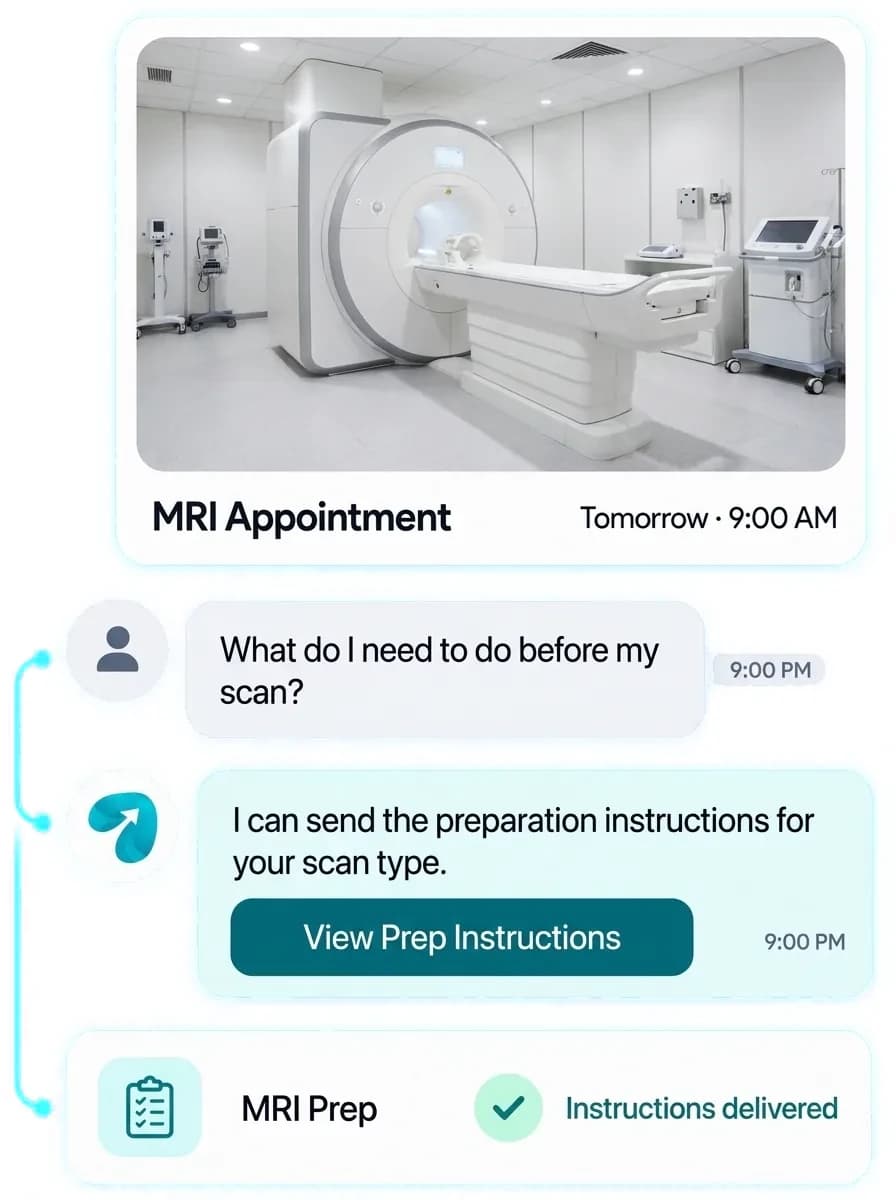
Prep questions (fasting, contrast, metal on an MRI) get asked one by one
“Are my results ready?” messages flood in daily
Referral and scan history sits in a RIS or EHR that staff have to check manually before replying
Rescheduling a scan means re-verifying insurance and referral all over again
No-shows for time-sensitive scans (fasting- or contrast-dependent) are costly and hard to backfill on short notice
From Referral to Results-Ready
Referral Intake Flow
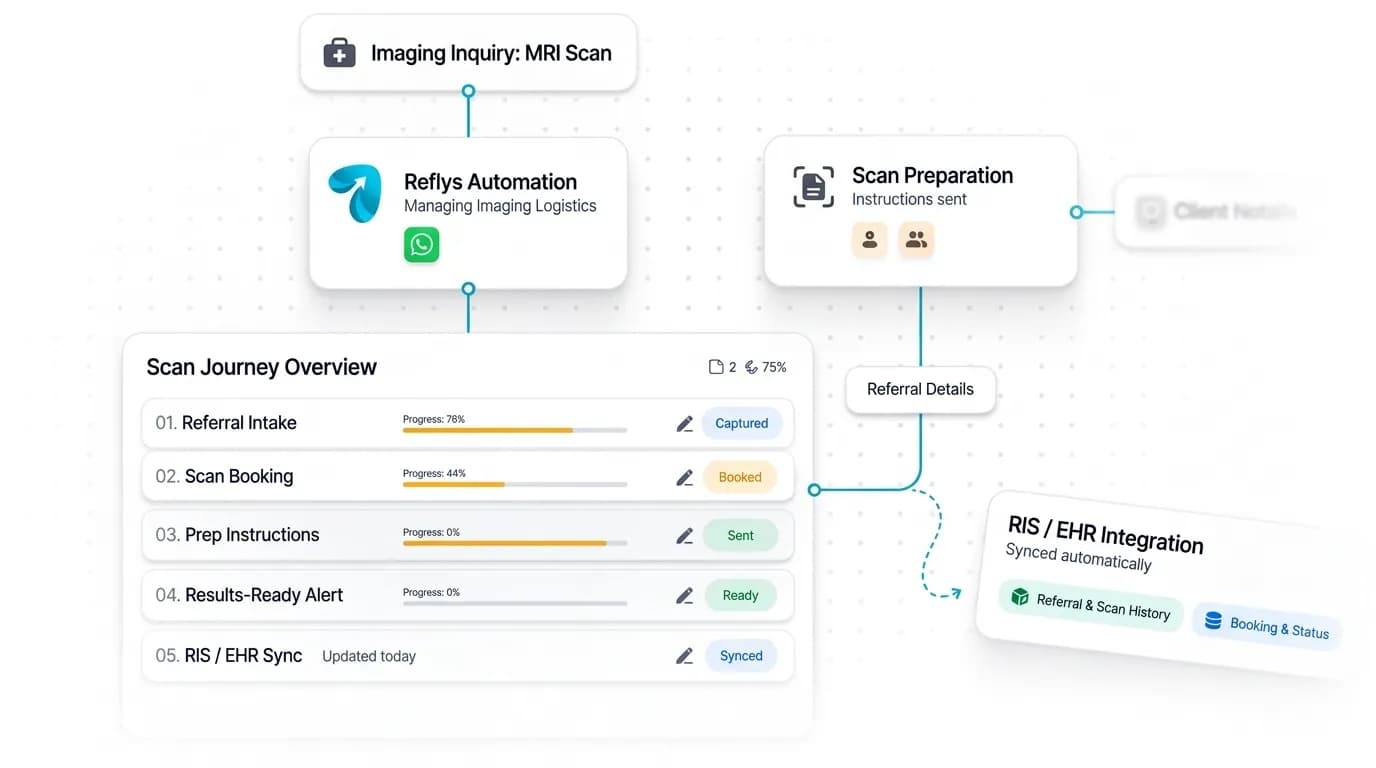
Captures referring physician and scan type before booking.
Scan-Specific Prep FAQ
Automatic prep instructions triggered by the scan type requested.
Results-Ready Notification
An automated status ping — never the result itself — for when it's time to call or log in.
CRM Integration
Connects to your RIS or EHR via API or webhook, configured directly into your automations — reads referral and scan history and writes booking and status updates back in parallel.
Where Imaging Conversations Happen
WhatsApp-led — referral intake, prep instructions, and results-ready alerts all run through one thread per patient.

Answer First Questions From Your Posts
Instagram DM answers first questions about scans, hours, and booking from people who find your center through your posts.
Best for:
- Scan questions
- Booking link

One Thread Per Patient
WhatsApp runs referral intake, scan-specific prep instructions, and results-ready alerts in one thread per patient.
Best for:
- Prep instructions
- Results-ready alerts
Imaging Center Patient Communication Software: Fewer Calls, Better-Prepared Patients
An unprepared patient costs an outpatient imaging center more than a no-show. A scan that cannot go ahead because someone ate breakfast or arrived without an order wastes the slot and the technologist's time. Imaging center patient communication software fixes this upstream, by collecting the right details at booking and sending the right instructions before the visit.
How it works
Capture the referral first
Imaging referral intake automation asks for the referring physician and scan type before a time is offered, so schedulers are not chasing a physician order after the appointment is already on the books.
Send prep by scan type
Automated scan prep instructions go out based on what was booked: fasting instructions, contrast prep or MRI metal screening questions, each matched to the exam.
Notify, never disclose
Results ready notifications tell the patient to call or log in to the patient portal. The result itself always stays in your secure channel or with a person.
Connect your RIS or EHR
With RIS integration by API or webhook, Reflys reads referral and scan history and writes booking and status updates back, so nothing is checked twice.
In practice
Imagine a patient booked for an abdominal ultrasound at 8 am. The evening before, she receives the fasting instructions for that exam, replies with a question about her morning medication, and is routed to a staff member who answers it. She arrives prepared and the scan starts on time. Nobody at the front desk had to look up a prep sheet or return a voicemail.
Practical tips
Write one prep message per exam type and have your lead technologist approve each. Short numbered steps are followed more reliably than a paragraph.
Send prep twice: at booking and again the day before. Fasting and contrast prep reminders matter most in the final 24 hours.
Keep a short list of patients who can come in at short notice. When a time-sensitive scan cancels, no-show backfill starts with one message to that list.
Questions? We've got answers.
Everything you need to know about Reflys, automations, integrations, and getting started.

No — Reflys only sends a status notification that results are ready. Results themselves are always delivered through your existing secure channel or by a person.
Turn more conversations into customers.
Set up your first automation in under 10 minutes. No risk to your accounts—just more conversations turned into sales, starting today.
Start free trial7-day trial. Not charged until it ends.

Turn conversations into opportunities with automated replies and follow-ups.

Get better
at customer automation.
Powered by BJS Soft Solutions LLC © 2026, Reflys.
By using Reflys, you agree to our Terms of Service and acknowledge our Privacy Policy.