Fill Tomorrow's Shift Without Texting Everyone Individually
Staffing an event on short notice means checking who's available, confirming a shift, and following up with everyone who didn't reply, usually the night before.
Reflys broadcasts open shifts to available staff, collects confirmations automatically, and handles the client-side booking request that started the whole thing.
$0 today. Cancel anytime
Where shifts
go unfilled
Open shifts get filled by texting staff one at a time until someone finally responds
Client booking requests for an event next week get buried behind operational shift-filling work
No-show risk goes up when a shift confirmation only ever happened over a phone call
Staff availability and shift data live in the scheduling system, disconnected from wherever the actual shift conversation happens
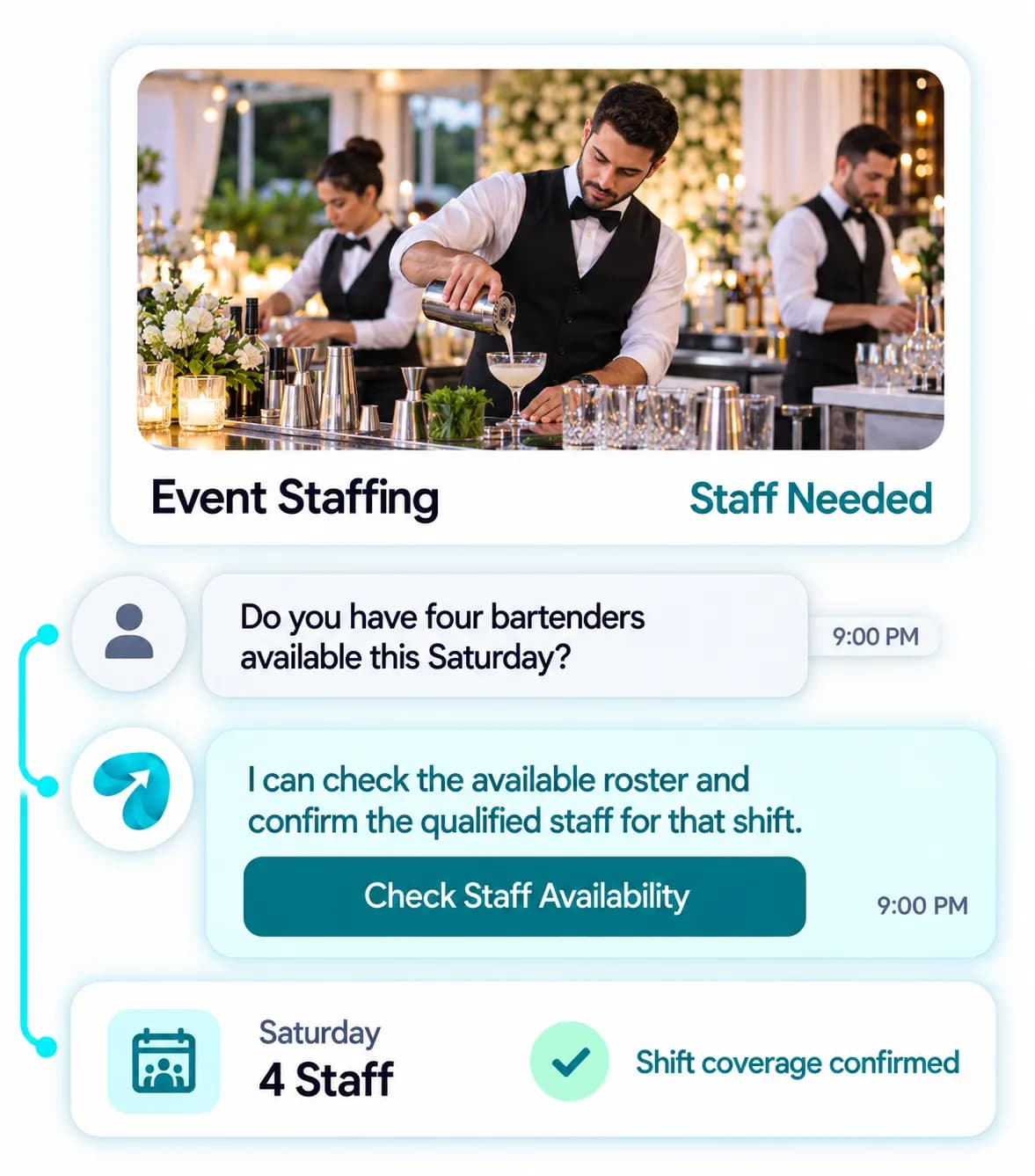
“Do you have bartenders available for Saturday night?” from a new client competes with staffing today's events
Last-minute cancellations mean scrambling to find a replacement with no fast way to reach available staff
From Open Shift to Confirmed Crew
Shift Broadcast & Confirm
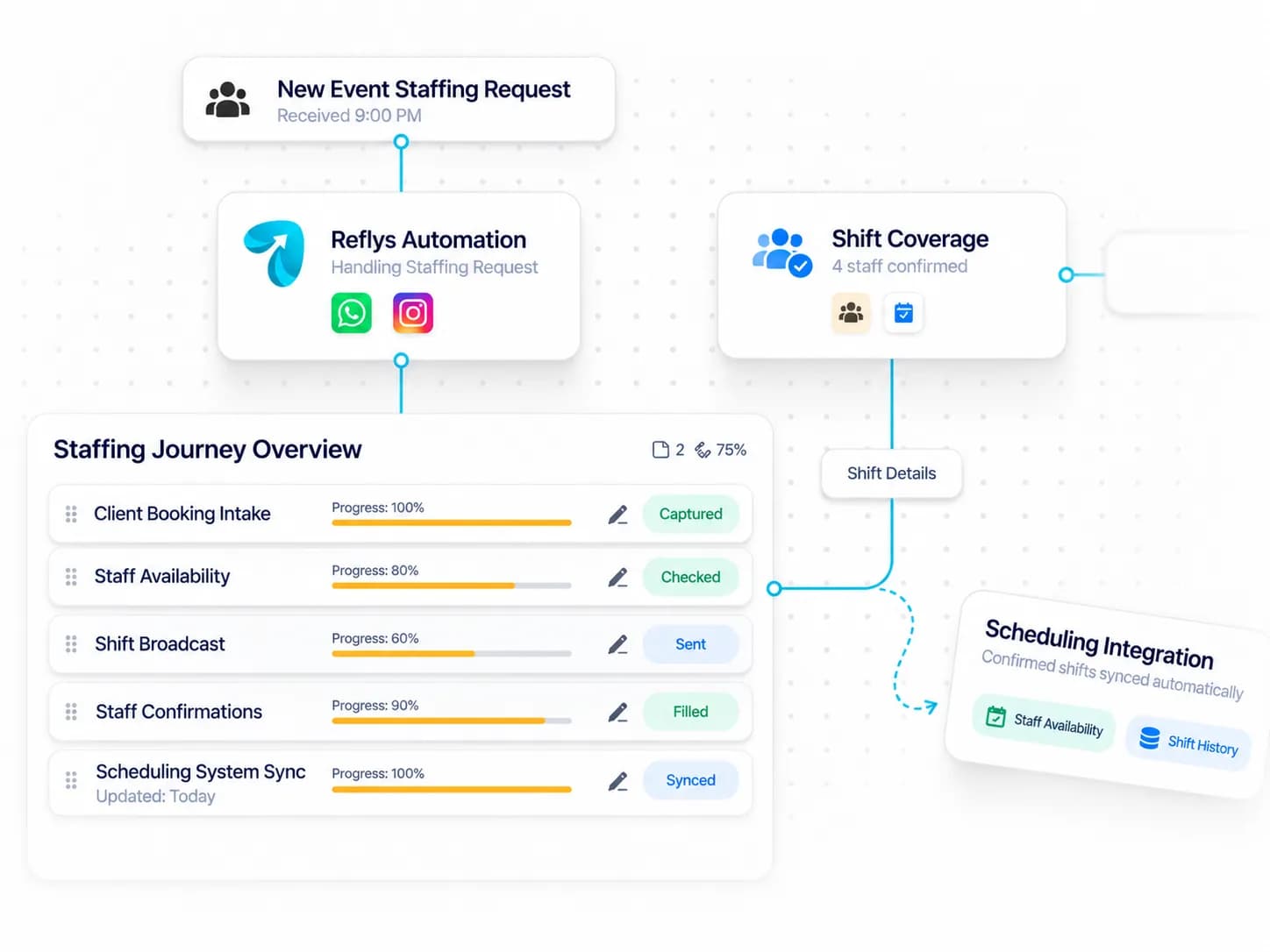
Open shifts go out to eligible staff at once, with confirmations tracked automatically.
Backup Staffing Flow
Unfilled shifts escalate to the next available tier before a gap becomes a problem.
Client Booking Intake
New client requests get qualified and quoted without competing with daily staffing work.
CRM Integration
Connects to your staff scheduling software via API or webhook, configured directly into your automations — reads staff availability and writes confirmed shifts back in parallel, no double entry.
Where Staffing Conversations Happen
WhatsApp-led — shift broadcasts and confirmations need to reach a whole staff roster fast, and messages get read and answered faster than a scheduling-app notification, especially on short notice. Instagram DM is more relevant on the client-acquisition side.

Win New Clients Without Pausing Operations
Instagram DM qualifies and quotes new client requests on the client-acquisition side, separate from daily shift work.
Best for:
- Client inquiries
- Staffing quotes

Fill Every Shift Fast
WhatsApp broadcasts open shifts to your roster, tracks confirmations, and escalates unfilled shifts to backup staff.
Best for:
- Shift broadcasts
- Backup staffing
Event Staffing Scheduling Software That Fills Tomorrow's Shift Tonight
Staffing an event on short notice usually means texting people one at a time until enough say yes, then chasing the ones who did not answer. Meanwhile a new client's request waits. Event staffing scheduling software sends the shift to everyone eligible at once and counts the replies, so you can deal with the client.
How it works
Broadcast and count
An open shift broadcast reaches every eligible person on your staff roster together. Shift confirmation automation tracks who accepted, so you always know how many places remain. Nobody is texted twice and nobody is missed.
Escalate before there is a gap
Unfilled shifts move to the next tier of backup staff automatically. Last-minute shift coverage starts while there is still time.
Qualify new client requests
Staffing request intake collects the date, headcount and roles a new client needs and returns a quote, without competing with today's operations. A new client asking about Saturday gets a reply today.
Connect your scheduling software
By API or webhook, Reflys reads availability and shift data and writes confirmations back.
In practice
Picture a Friday at 4 pm when a caterer asks for six bartenders and servers for Saturday night. The shift goes out to twenty-two available staff with the call time and uniform requirements. Five accept within twenty minutes. At 5 pm the sixth place is offered to the on-call list and filled by 5:15. The client has a confirmation before the end of the day.
Practical tips
Put call time, address, parking and uniform requirements in the shift message itself. Staff who must ask a follow-up question are slower to say yes.
Send shift reminders the evening before and two hours ahead, and require a reply to the first one. A confirmation in writing is your best protection against no-shows.
Keep a short on-call list of reliable people who like late offers and thank them every time you use it. They are the ones who save an event day.
Questions? We've got answers.
Everything you need to know about Reflys, automations, integrations, and getting started.

It broadcasts an open shift to everyone eligible at once, and confirmations come back automatically, so no one's manually texting down a list.
Turn more conversations into customers.
Set up your first automation in under 10 minutes. No risk to your accounts—just more conversations turned into sales, starting today.
Start free trial7-day trial. Not charged until it ends.

Turn conversations into opportunities with automated replies and follow-ups.

Get better
at customer automation.
Powered by BJS Soft Solutions LLC © 2026, Reflys.
By using Reflys, you agree to our Terms of Service and acknowledge our Privacy Policy.