
If you run a growing B2B or direct-to-consumer brand, you already know the headache of manual messaging. When your daily inbound messages jump from 50 to 500, things break down fast. Your sales team can't reply within minutes, follow-ups get forgotten, and expensive leads just ghost you. Running everything off a standard mobile phone app creates a massive bottleneck. That is exactly why you need a dedicated WhatsApp business automation tool to handle the traffic before it drowns your pipeline.
Hand-typing replies isn't a sustainable sales strategy. Relying on human agents to manually schedule WhatsApp messages or remember to send a WhatsApp introduction message across five different time zones means mistakes are going to happen. Buyers today expect instant answers. If you make them wait two hours for a basic pricing PDF, they are already talking to your competitor. This slow response time pushes your customer acquisition costs through the roof.
You have to move off the basic app and onto a proper WhatsApp API setup. By switching to Reflys, you get a system built for heavy lifting. You can run conditional logic, manage delayed follow-ups, and push lead data straight into your CRM without anyone touching a keyboard.
Expert Insight:
Expert: Awais, Marketing Manager
I’ve spent the last three years building chat infrastructure for high-volume B2B clients. The biggest drop-off always happens right after the first message. By pulling user data from a WhatsApp chat button on the website, we send each lead down the right path from the very first reply. Answering that first message instantly is where automation pays off first.
The Advanced Quick Win: SLA Routing & Delayed Sends
Don't start by building massive, complicated chatbots. Secure your highest-leverage win first: recovering high-intent prospects who stop replying. Instead of a generic message such as "We are away" auto-reply, set up a multi-step conditional flow inside Reflys.
Let's say someone clicks your website chat widget and triggers a specific pricing keyword. The system fires off an intro message on WhatsApp. If that person doesn't click the next step within exactly 15 minutes, the system executes a "send later” command for whatsapp. This delayed push sends a secondary message tailored specifically to whatever they clicked last (like a specific software tier or shipping policy). You bypass the sales team entirely and force a response within Meta's strict 24-hour window
The WhatsApp Bot Features 2026 Buyers Actually Want
Modern buyers hate filling out lead forms. They treat chat interfaces like a concierge desk. If your setup can't process logic, store variables, and handle asynchronous chats, you will lose the sale.
Setting Up the Intro Message on WhatsApp
A generic auto-responder does nothing for your conversion rate. A smart WhatsApp introduction message needs to figure out what the user actually wants immediately. Using Reflys, this first message acts as a triage desk. You give the user interactive buttons, one for technical support, one for pricing, and one to book a demo.
If they hit "Book a Demo", the flow sends your booking link (a Calendly page, for example), so they can pick a time in a couple of taps.
Capturing Traffic with a WhatsApp Chat Button on Website
Getting traffic to your site is expensive. Forms cause friction and make people bounce. A WhatsApp chat button on the website moves them straight from your landing page into a chat thread.
The best part? A wa.me link can pre-fill the first message (Reflys has a free WhatsApp link generator), for example "Hi, I have a question about Enterprise pricing". A keyword trigger in Reflys picks up that text and sends the reply for that page, so you don't have to ask what they need help with.
Why the Native App Fails at Scale
| Feature | Native Business App | Reflys API Infrastructure |
|---|---|---|
| Agent Access | Capped at 1 phone + 4 linked devices | Team inbox with role permissions (up to 5 team seats on Business) |
| Logic & Routing | Basic exact-match keyword replies | Conditional logic (If/Then statements, tags) |
| Data Flow | Manual copy-pasting | HubSpot contact sync and webhook steps |
| Follow-ups | 100% manual | Automated schedule send on whatsapp nodes |
How to Use Your WhatsApp Business Automation Tool for Message Scheduling?
The most common question sales operators ask is: can you schedule a message on WhatsApp? If you are stuck using the native phone app, the answer is no. You literally cannot schedule a text on WhatsApp using the standard interface. Your team has to manually track who to follow up with and when.
Switching to a WhatsApp automation environment like Reflys changes the game completely. You aren't manually picking times on a calendar. Scheduling becomes an automated process tied to exactly what the user does.
Nailing the Schedule Send on WhatsApp
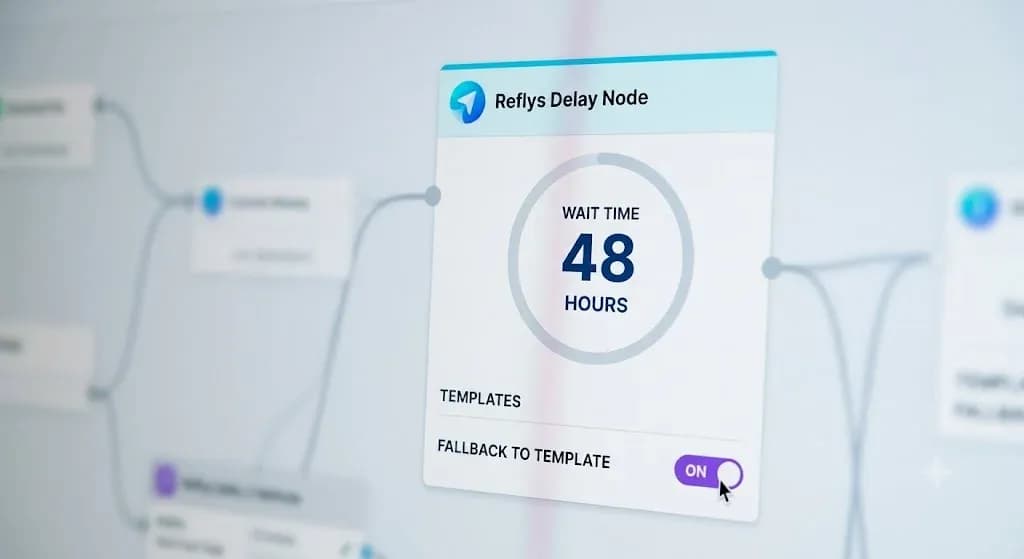
Instead of wondering how to schedule messages on WhatsApp by hand, you build workflows that do the waiting for you. Inside Reflys, a "schedule message in WhatsApp" command operates as a simple delay node.
Say a lead downloads a B2B whitepaper via chat. You drop a 48-hour delay node into the flow. When the clock runs out, the system checks if they booked a call. If they didn't, it fires off a timed WhatsApp message with a case study related to that whitepaper.
Beating the 24-Hour Rule with Timed WhatsApp Messages
You have to play by Meta's rules. They enforce a strict 24-hour customer service window. If someone messages you, a timer starts. You can send anything you want inside that window.
But if your WhatsApp timing message is set to go out after 24 hours, a standard text will fail. So build any follow-up that may go out after 24 hours as an approved Meta Message Template step in Reflys, not a plain text: templates are delivered outside the window, plain texts are not.
The ROI of Automated Scheduling
| Metric | Human Sales Rep | Reflys Automation | Business Impact |
|---|---|---|---|
| Follow-up Rate | Drops heavily after the second attempt | Every lead in the flow gets the follow-up | Plugs the holes in your sales funnel |
| Speed to Lead | Dependent on shift hours and workload | Instant execution 24/7 | Captures high-intent buyers immediately |
| SLA Breaches | High risk during volume spikes | Lower risk: delay steps fire on schedule | Protects your brand reputation |
Advanced Logic and Handling Opt-Outs
Sending a timed WhatsApp message is just the mechanical part. The real value comes from the logic behind it. Your setup needs to act like your best sales rep.
Routing Based on Data
Every time a user clicks a button, they give you data. If they say they have "500+ employees", you route them to your enterprise sequence. If they say "1-10 employees", you push them to a self-serve checkout link.
The enterprise lead gets a scheduled message offering a custom architecture review. The small business lead gets a discount code. You treat different buyers differently, entirely on autopilot.
Don't Get Banned
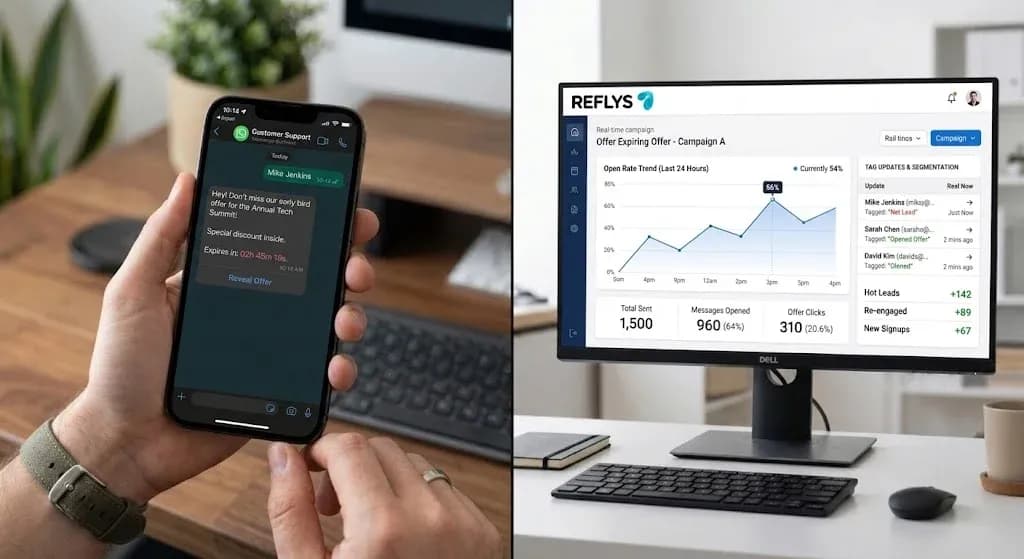
If you ignore compliance, Meta will shut down your API access. If someone types "STOP" to a schedule send on WhatsApp, your software needs to catch it instantly. Reflys recognises opt-out keywords such as STOP and UNSUBSCRIBE, so you can tag the contact as opted out, run an opt-out automation and leave them out of future broadcasts.
Troubleshooting Complex Chat Workflows
| What Broke | The Technical Reason | How to Fix it in Reflys |
|---|---|---|
| Scheduled message failed | The 24-hour window closed, and you tried to send a normal text. | Edit the delay node to use an approved Meta Template if the session is expired. |
| CRM created two leads | Your external software fired the webhook twice. | Set your CRM to match leads on phone number, so a repeated webhook updates the same lead. |
| Menu didn't trigger | The user made a typo and broke the exact-match keyword. | Stop using text inputs. Force them to use list messages or interactive buttons. |
Connecting to Your Tech Stack
Your chat setup shouldn't live in isolation. When a lead books a call through a smart reply WhatsApp flow, that data needs to move.
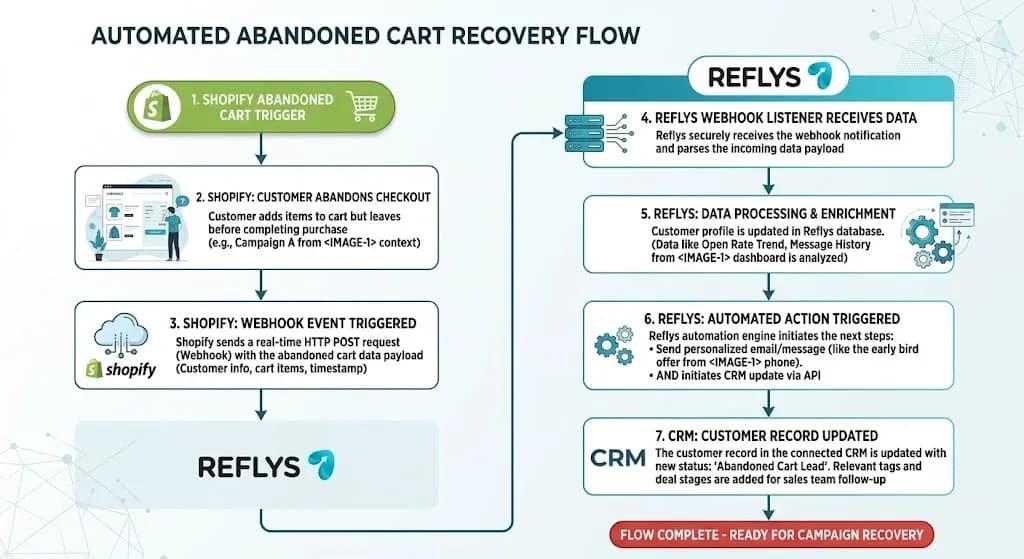
Reflys can add the contact to HubSpot, and a webhook step can send the details to any other tool that accepts webhooks, such as your CRM or your team chat.
This means your chat setup is actually driving measurable revenue. Using store events, like a Shopify order placed with a Reflys discount code to fire off a WhatsApp order update, creates a completely frictionless sales machine.
Start Your 7-Day Free Trial Today
Relying on human memory to chase leads is bad for business. It is time to stop losing money to slow response times and dropped follow-ups. Hand-coding individual responses on a mobile phone doesn't work when you are trying to scale a modern company.
By moving your messaging infrastructure over to a dedicated platform, you lock in perfect timing, smart routing, and CRM syncs that run around the clock. If you are ready to build a system that actually scales your sales funnel, Start free trial.Reflys today and deploy the ultimate WhatsApp business automation tool to dominate your market.