Turn Lunch-Rush Regulars Into One-Tap Reorders
Regulars already know what they want — they just don't want to wait in line to say it.
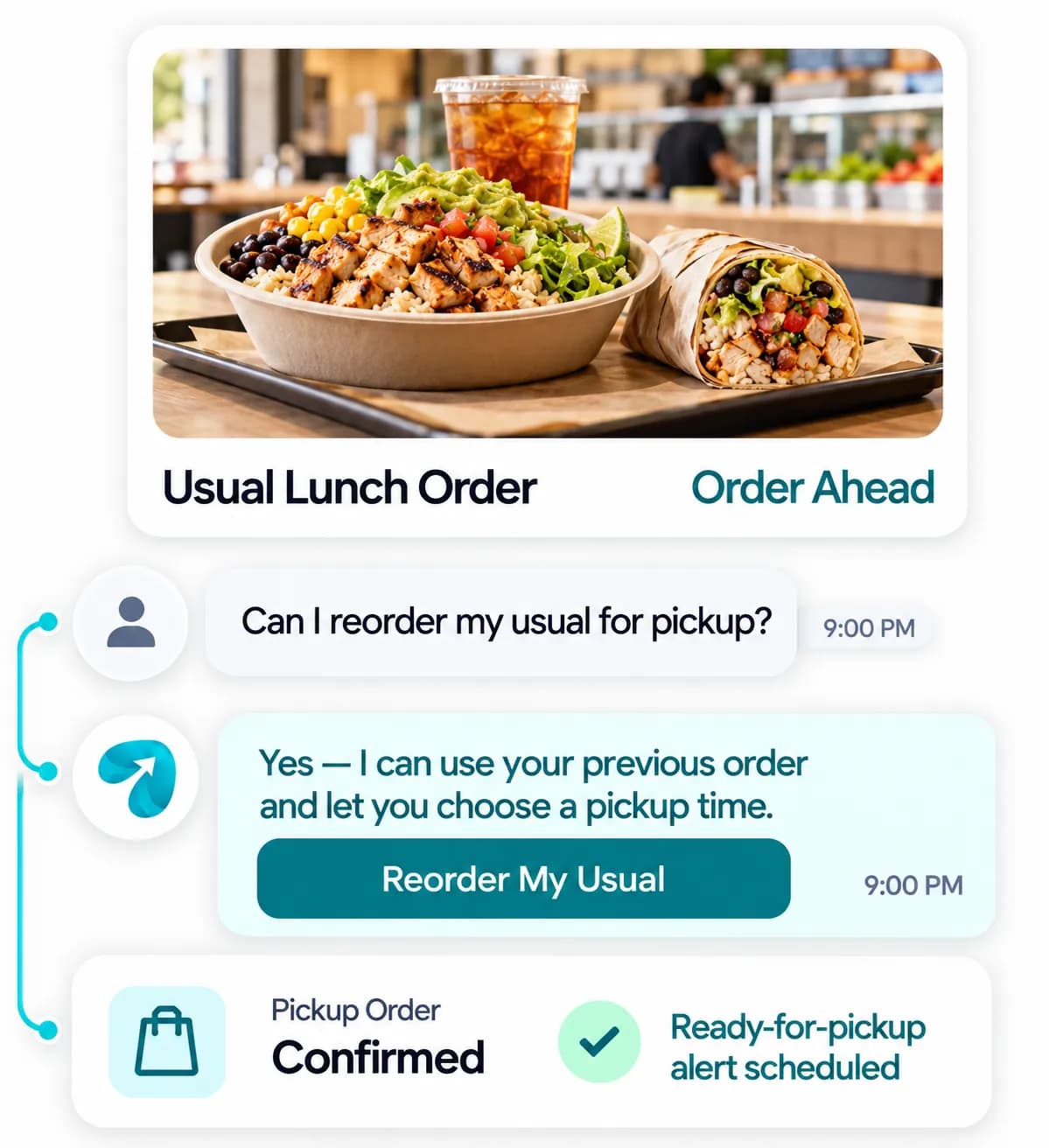
Reflys lets customers reorder their usual, pick a pickup time, and get a text when it's ready, so the counter stays fast during the rush instead of backed up.
$0 today. Cancel anytime
Where the lunch rush
backs up
Lunch-rush lines back up because every order, regular or not, starts from scratch at the counter
“Can I get my usual?” gets asked daily with no way to reorder without waiting in line
Pickup orders sit on the counter going cold because no one texted the customer it was ready
Order history and loyalty points live in the POS, disconnected from wherever customers actually message the store
Daily specials and sold-out items get explained one customer at a time instead of announced upfront
Loyalty punch cards get forgotten, lost, or left in a different jacket
From “My Usual” to Ready for Pickup
One-Tap Reorder
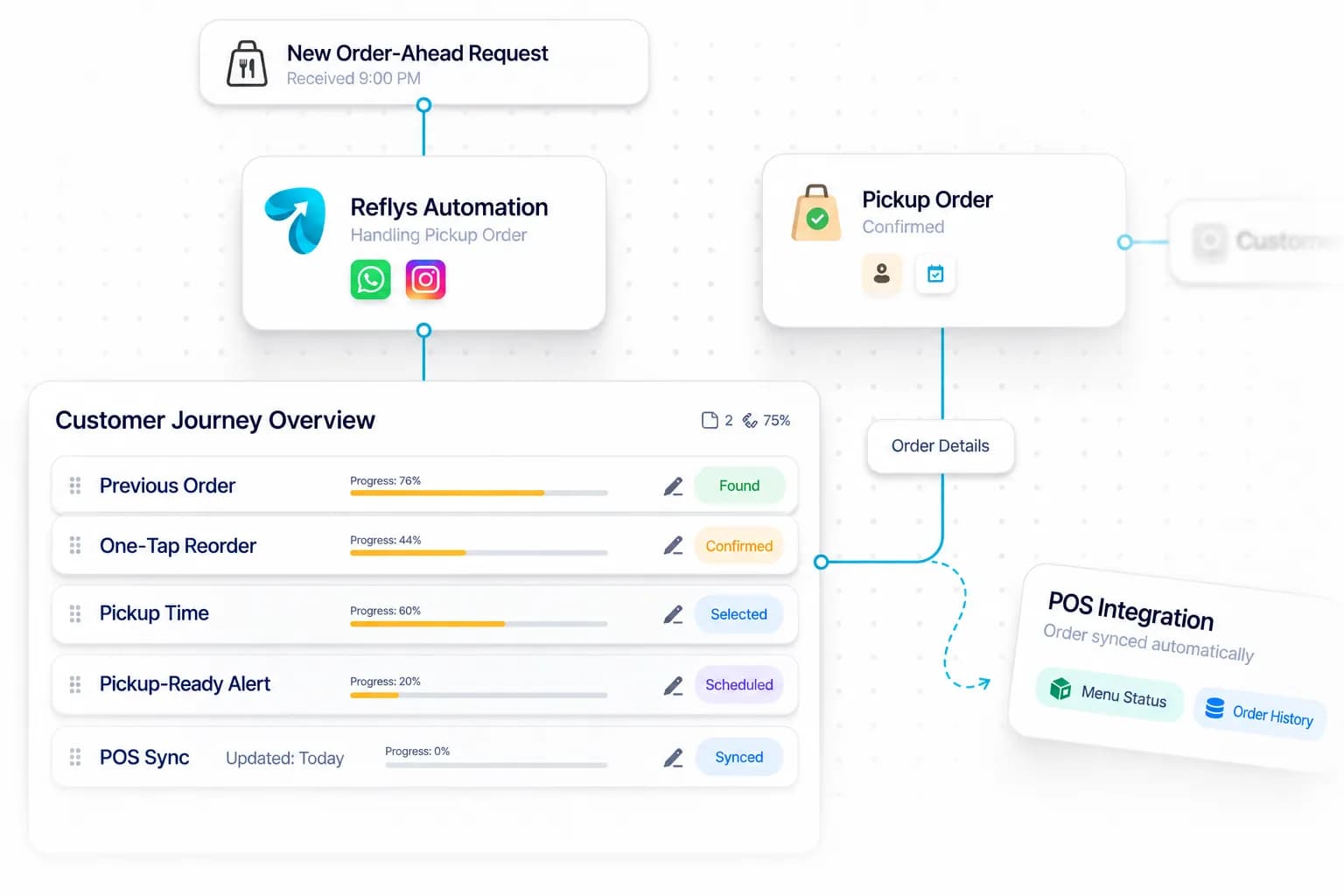
Regulars reorder their usual from chat history without repeating it at the counter.
Pickup-Ready Alerts
A text goes out the moment an order's ready, timed to when the customer said they'd arrive.
Daily Specials Broadcast
Sold-out items and today's specials go out automatically, before customers ask.
CRM Integration
Connects to your POS via API or webhook, configured directly into your order automations — reads menu and order status and writes new orders back in parallel, so nothing's entered twice.
Where Order Conversations Happen
WhatsApp-led — order-ahead and pickup-ready alerts land in a thread customers check between orders, faster than a loyalty app they'd have to open. Instagram DM catches orders from people who found the menu through a post.

Catch Orders From the Menu Post
Instagram DM catches orders from people who found the menu through a post.
Best for:
- Menu posts
- New orders

Order Ahead and Pick Up on Time
WhatsApp handles order-ahead, one-tap reorders, pickup-ready alerts, and daily specials.
Best for:
- One-tap reorder
- Pickup-ready alerts
Order Ahead Software for Restaurants That Keeps the Lunch Line Moving
A lunch line is slow because every order starts from nothing, including the one from the regular who has had the same bowl three times a week for a year. Order ahead software for restaurants lets those customers skip the conversation at the counter, which shortens the wait for everyone standing behind them.
How it works
Let regulars reorder in one tap
Text message ordering for restaurants means a customer picks a usual order from chat history and chooses a pickup time. Repeat orders never reach the counter queue.
Send the alert when food is up
Pickup ready notifications go out the moment an order is finished, timed to when the customer said they would arrive. Food stops going cold on the shelf.
Announce specials before anyone asks
Daily specials text alerts and sold-out items go out automatically, so staff are not explaining the same thing to each person in line.
Connect your POS
With POS integration by API or webhook, orders drop into the same queue as counter orders, and order history stays in one place.
In practice
Imagine an office worker with twenty-five minutes for lunch. At 11:50 she taps her usual, chooses 12:10 and goes back to her meeting. At 12:08 her phone says the order is ready. She walks past a line of nine people, collects her bag from the pickup shelf and is back at her desk in ten minutes. The counter served someone new in the time her order would have taken.
Practical tips
Offer pickup times in five-minute slots and cap each slot. It spreads the kitchen load and keeps the promise you make.
Mark the pickup shelf clearly and put the customer's first name on the bag. Speed is lost when people have to ask which order is theirs.
If your POS tracks loyalty points, include the balance in the pickup message. A punch card left in another jacket rewards nobody, and people return sooner when they know how close they are.
Questions? We've got answers.
Everything you need to know about Reflys, automations, integrations, and getting started.
Customers can order through the chat itself — pick items, choose a pickup time, and pay — so it's not just alerts, it's the ordering flow.
Turn more conversations into customers.
Set up your first automation in under 10 minutes. No risk to your accounts—just more conversations turned into sales, starting today.
Start free trial7-day trial. Not charged until it ends.

Turn conversations into opportunities with automated replies and follow-ups.

Get better
at customer automation.
Powered by BJS Soft Solutions LLC © 2026, Reflys.
By using Reflys, you agree to our Terms of Service and acknowledge our Privacy Policy.