Fill Every Open Slot Without Losing the Human Touch
A warm first response matters more in mental health than almost any other practice.
Reflys handles waitlists and logistics automatically, then hands off to your team the moment a conversation needs a person.
$0 today. Cancel anytime
Where therapy inquiries
go unanswered
First-touch inquiries need a warm, human tone, not a generic auto-reply
Waitlists are tracked manually, so open slots sit unfilled
Cancellation-policy and logistics questions repeat with every new client
Client scheduling history lives in a separate EHR, so the first conversation starts from zero context
Missed sessions are common in therapy and often go unnoticed until the next scheduled check-in
Insurance eligibility and copay questions are hard to answer without pulling up the client's file
From First Message to Filled Slot
Warm Intro Flow
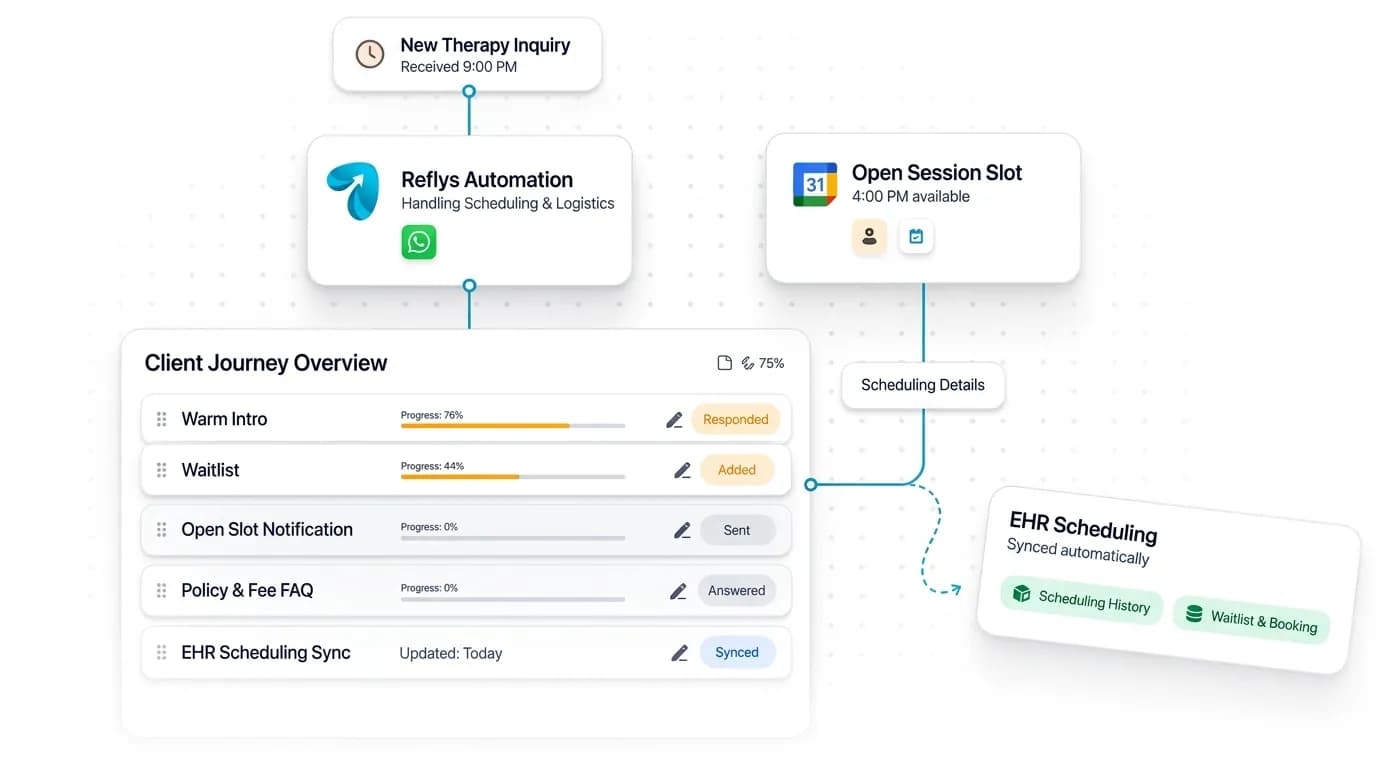
A non-clinical first response that hands off to staff the moment it goes beyond logistics.
Waitlist Automation
Automatic notify-when-a-slot-opens messages.
FAQ Automation
Instant answers on cancellation policy, session length, and fees.
CRM Integration
Connects to your EHR via API or webhook, configured directly into your automations — reads scheduling history and writes waitlist and booking updates back in parallel, logistics only, never clinical notes.
Logistics only — no clinical details over chat, same caution as the main Healthcare page.
Where Therapy Conversations Start
WhatsApp-led, chosen for privacy and a more personal feel than SMS or web chat. No clinical details are ever handled in the automation.

A Gentle First Reply
Instagram DM gives people who find your practice through your posts a warm, non-clinical reply and points them to your team.
Best for:
- Logistics only
- Handoff to staff

Private Scheduling and Waitlist Updates
WhatsApp handles waitlist notifications, session logistics, and policy questions in a private thread, with no clinical details.
Best for:
- Waitlist alerts
- Session logistics
Using Therapy Waitlist Management Software Without Losing the Human Touch
Someone reaching out about therapy has often waited weeks to send that first message. A slow or cold reply can end the search. The point of therapy waitlist management software is not to automate care. It is to make sure every inquiry gets a kind, fast answer on logistics and every open slot is offered to someone who is waiting.
How it works
Write a warm, non-clinical first reply
Acknowledge the message, explain what happens next and ask only practical questions such as availability and preferred format. Good therapy client intake automation never asks about symptoms or history.
Let the waitlist run itself
When a session is canceled, the next people on the list are notified automatically and can claim the time in chat, so open appointment slots stop going unfilled.
Publish your policies once
Load your cancellation policy, session length and fees. New client inquiries then get consistent answers at any hour without waiting for a callback.
Hand off early
The moment a conversation moves beyond scheduling, it goes to a person on your team with the full thread attached. Non-clinical messaging stays non-clinical.
In practice
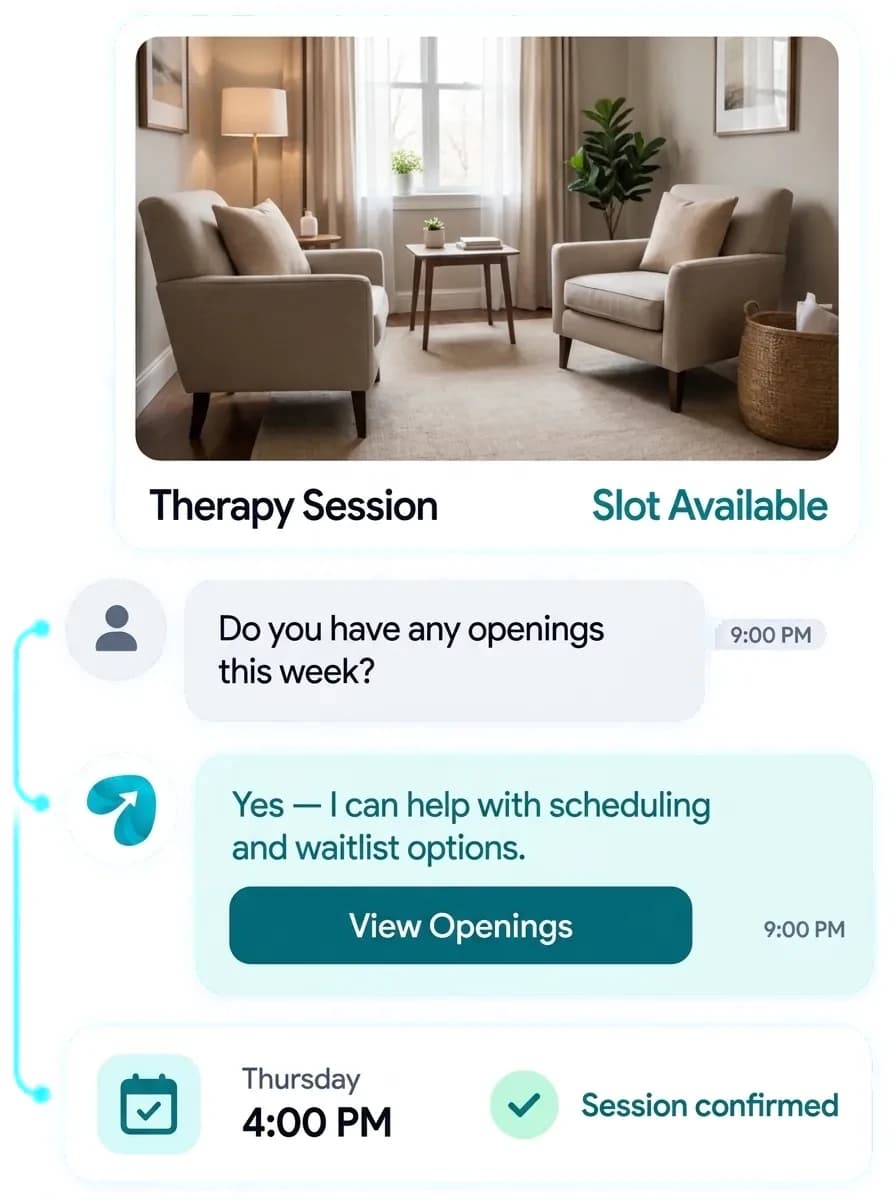
Say a client cancels Thursday's 4 pm session on Wednesday night. In a manual practice that hour usually goes unfilled. With waitlist automation, three people who asked for late-afternoon times get a message that evening. One accepts, the booking is written back to your EHR scheduling, and the intake coordinator starts Thursday with a full calendar and nothing to chase.
Practical tips
Read your first-reply message out loud. If it sounds like a ticket confirmation, rewrite it. Use the practice's name and a real person's sign-off.
Keep automation to logistics only, and add a clear line telling anyone in crisis to call or text 988, or 911 in an emergency, rather than wait for a reply.
To fill canceled therapy sessions quickly, offer the time to two or three waitlisted clients at once and say when the offer expires, so late cancellations never stall on one unanswered message.
Questions? We've got answers.
Everything you need to know about Reflys, automations, integrations, and getting started.

No. Reflys is strictly for logistics — scheduling, waitlists, and policy questions. Anything clinical is handed to your team immediately.
Turn more conversations into customers.
Set up your first automation in under 10 minutes. No risk to your accounts—just more conversations turned into sales, starting today.
Start free trial7-day trial. Not charged until it ends.

Turn conversations into opportunities with automated replies and follow-ups.

Get better
at customer automation.
Powered by BJS Soft Solutions LLC © 2026, Reflys.
By using Reflys, you agree to our Terms of Service and acknowledge our Privacy Policy.