
Add Custom Fields and Tags in Reflys
Custom attributes allow you to save information about your contacts, such as user emails, phone numbers, appointments, behavior, or anything else you wish. Later, you can segment your audience based on this data.
How to Add Custom Fields
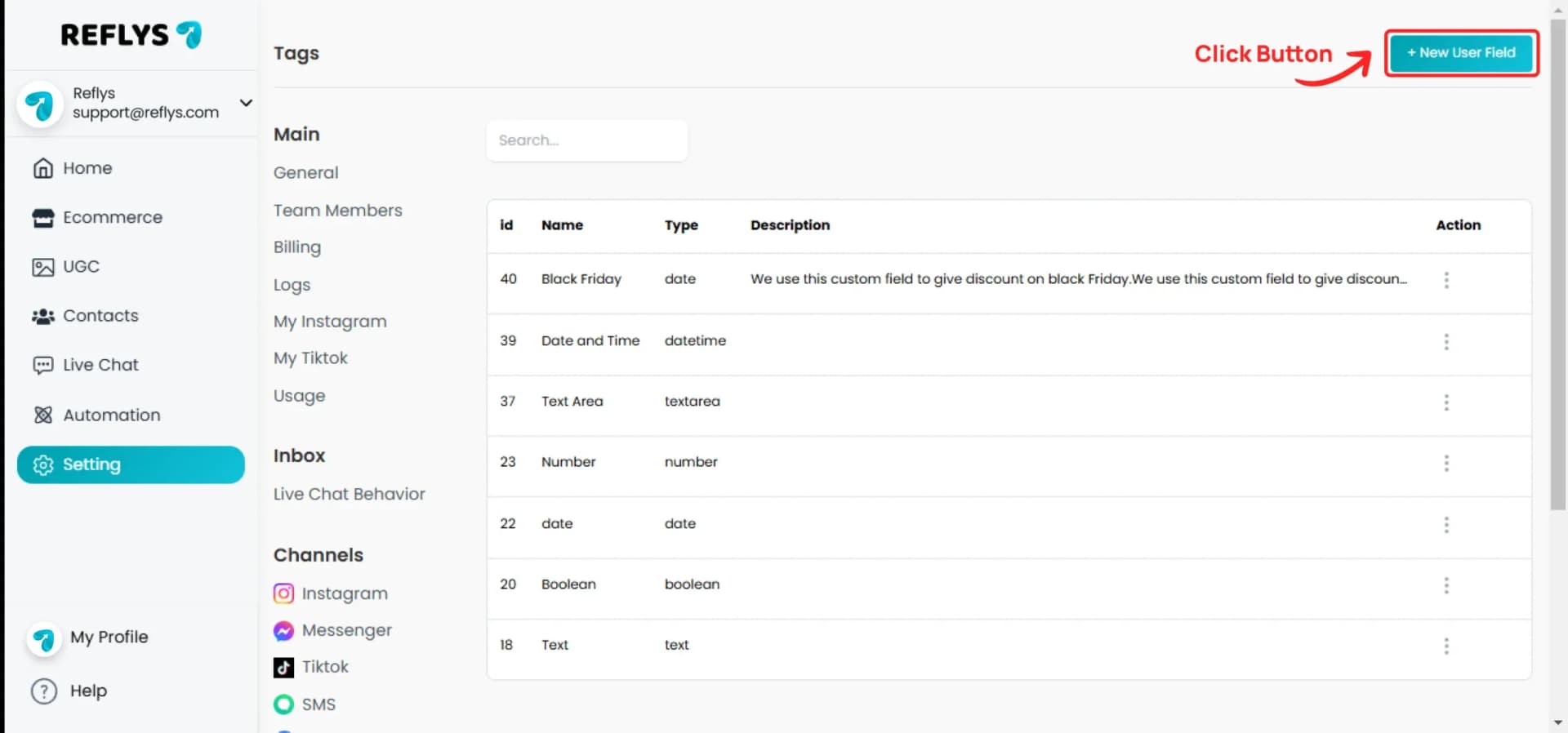
Go to Settings > Fields and click + New User Field.
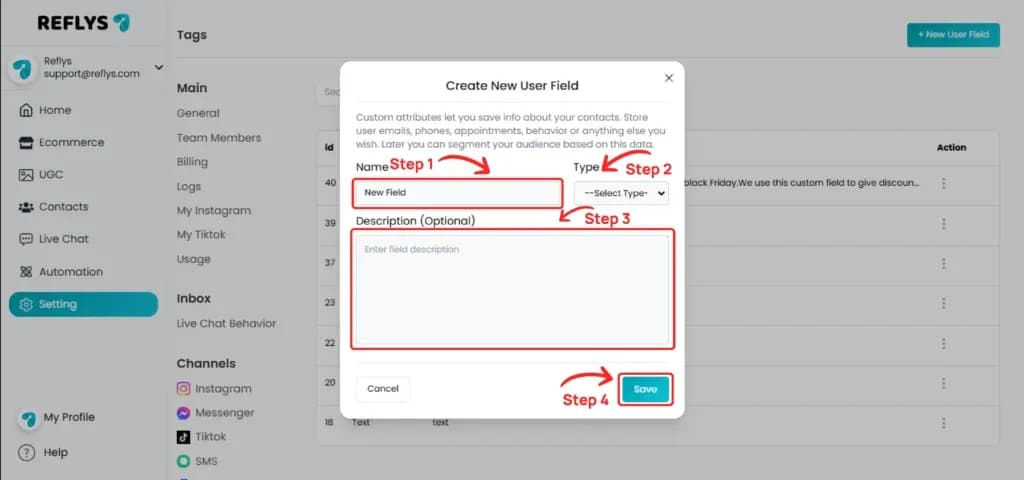
In Create New User Field, enter a Name and choose a Type.
Available field type options are:
- Text
- Number
- Textarea
- Date
- Date & Time
- True/False
Add a description if you want (it is optional), then click Save.
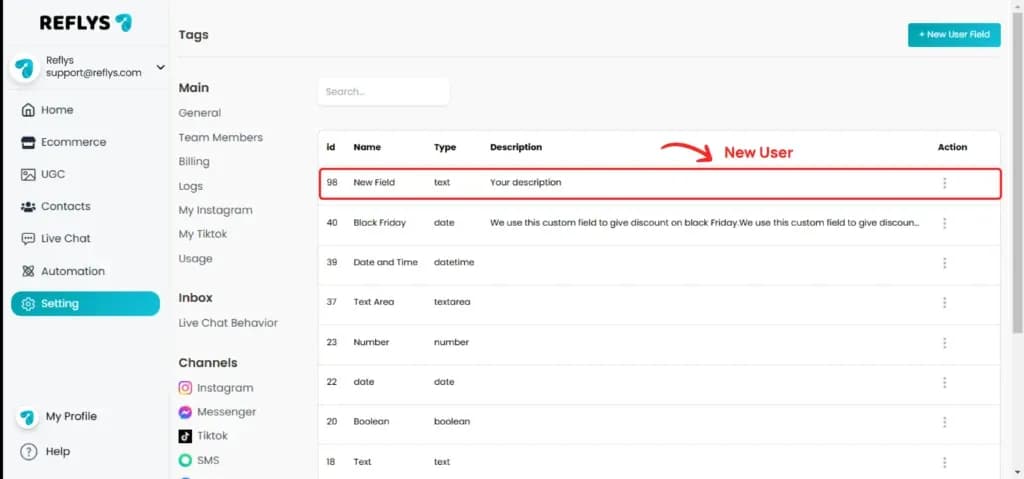
Your custom field is created and appears at the top of the Fields list.
How to Add Tags
A tag is simply a label used to describe an identifying characteristic of a contact, allowing you to sort and organize your audience. Tags help you segment your contacts.
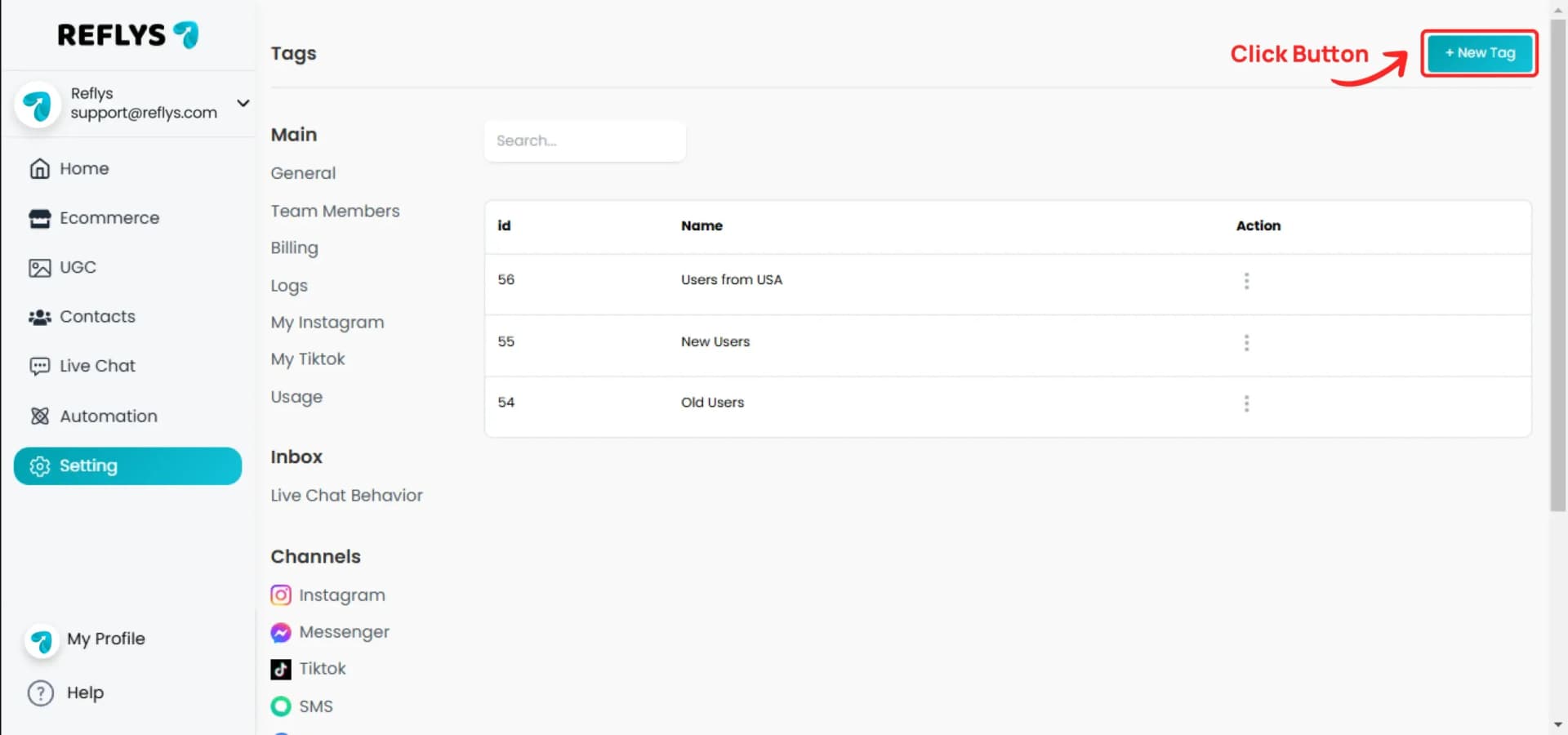
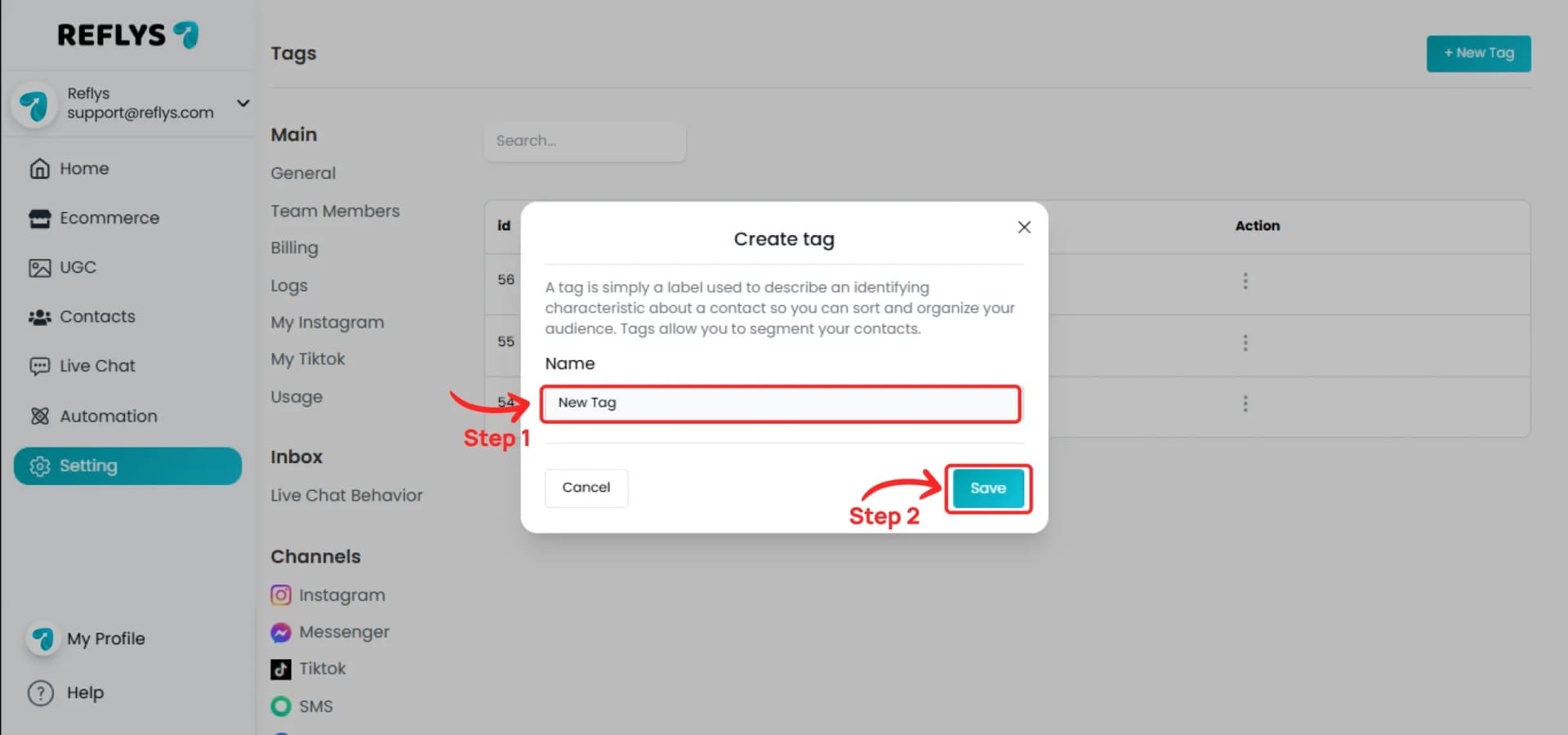
Go to Settings > Tags and click + New Tag.
In Create Tag, enter a Name, then click Save.
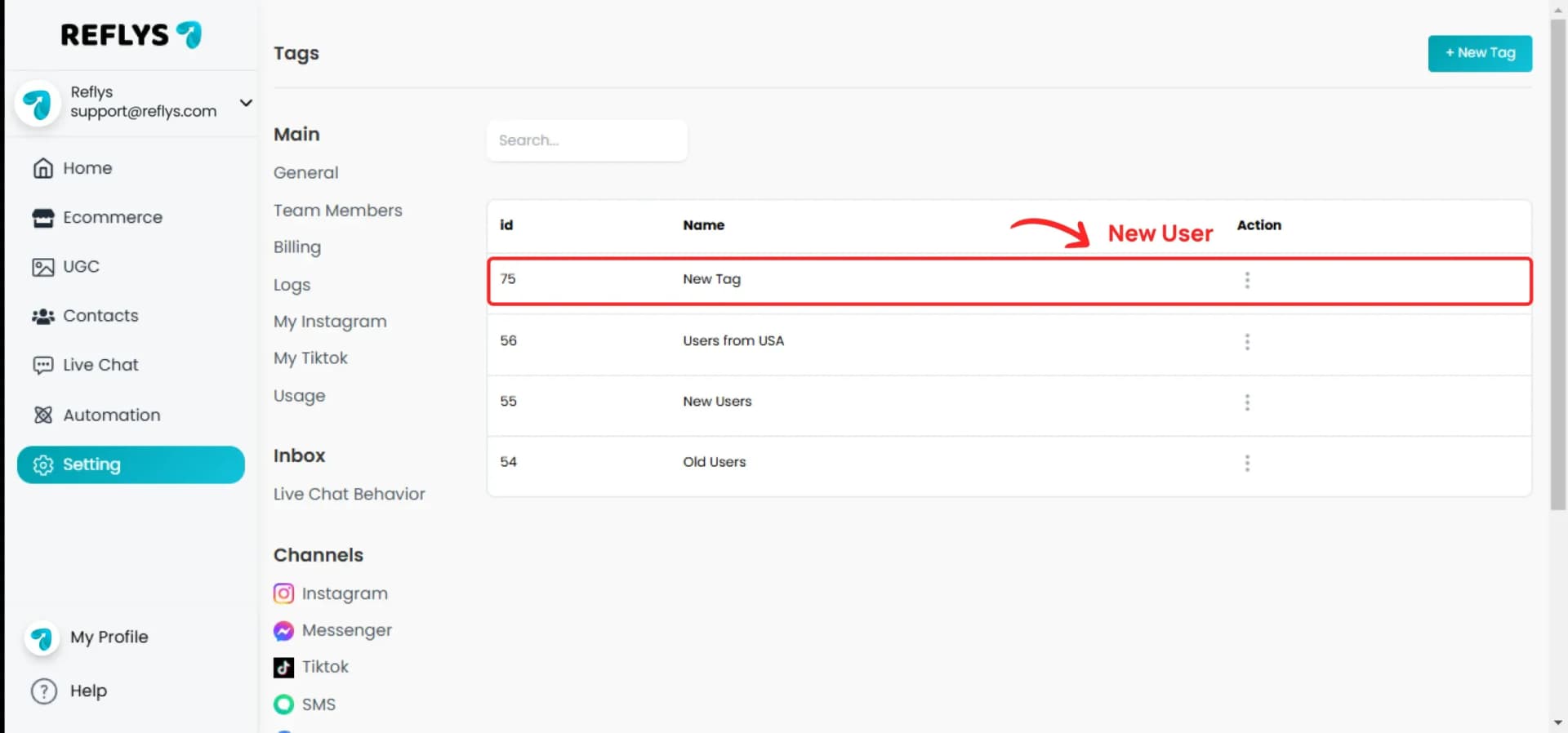
Your tag is created and appears at the top of the Tags list.
How fields and tags work with your automations
- In the flow builder, use the Add Tag, Remove Tag, Set User Field, and Clear User Field actions to update contacts automatically.
- Use Save Response to a Custom Field to store what a contact types.
- Conditions offer Custom Fields and Tags categories, so a flow can branch on what you know about a contact.
- Click + Filter to segment contacts by Custom Fields or Tags.
- When importing contacts, you can map file columns to your Custom Fields.
- In Live Chat, agents can update them in the Custom Fields and Contact Tags panels.
Tips
- Pick the field type carefully. After a field is created you can rename it or change its description, but not its type.
- Field names need 3 to 50 characters and descriptions up to 250. Tag names need 3 to 50 characters. Names must be unique in your brand.
- Number fields can be set, increased, or decreased by an action. Date fields can store a specific date or the action time.
Common questions
Why can't I see or delete the opt-in tags?
Tags such as Opted in via Instagram are managed by the system. They are hidden from Tags settings and cannot be edited or deleted.
Why can't I add another tag or field?
Your plan sets how many you can create. You'll see a message like "You've reached your limit of (N) tags on the current plan." Only owners, admins, and editors can create them.