
Mailgun Integration with Reflys: Setup Guide
Navigate to Settings in the side menu, then select Email under the Channels section.
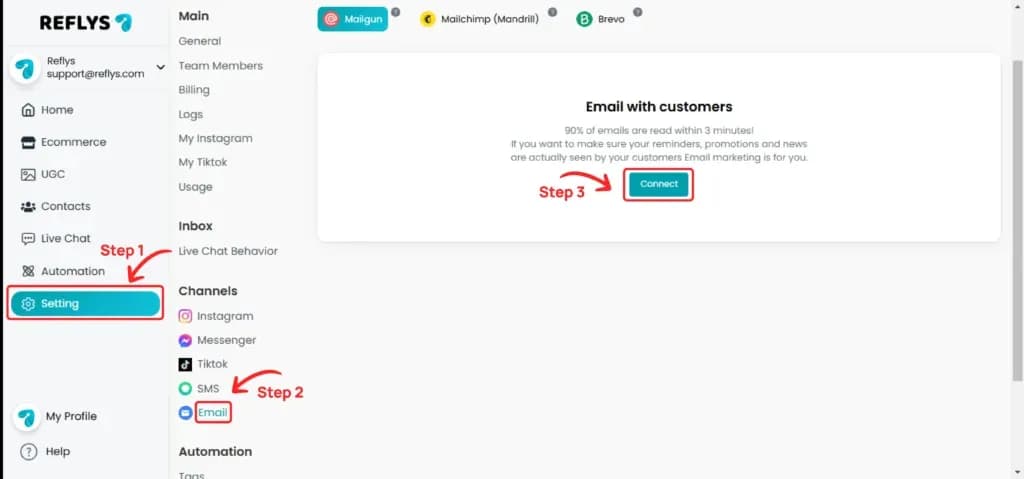
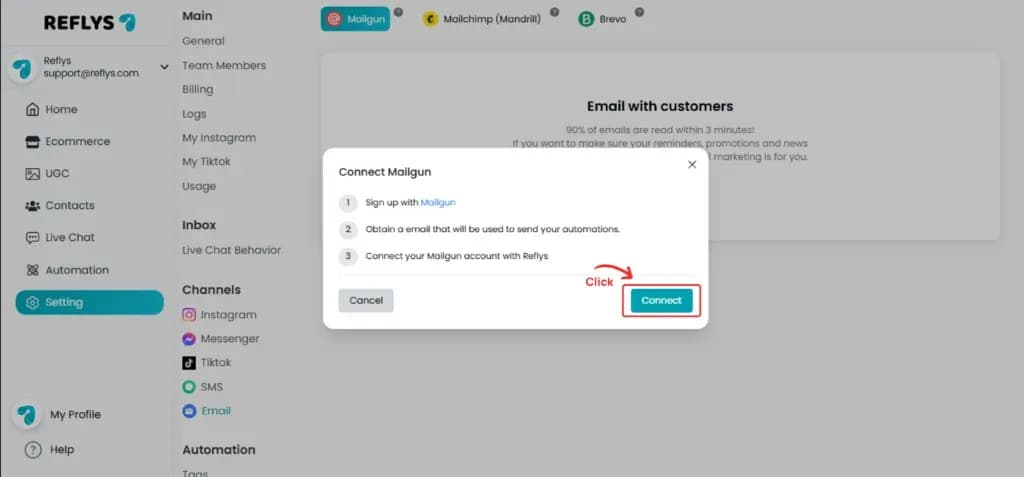
Choose the Mailgun tab at the top and click Connect. The Connect Mailgun window lists what you need. If you do not have a Mailgun account yet, sign up first. Then click Connect in the window.
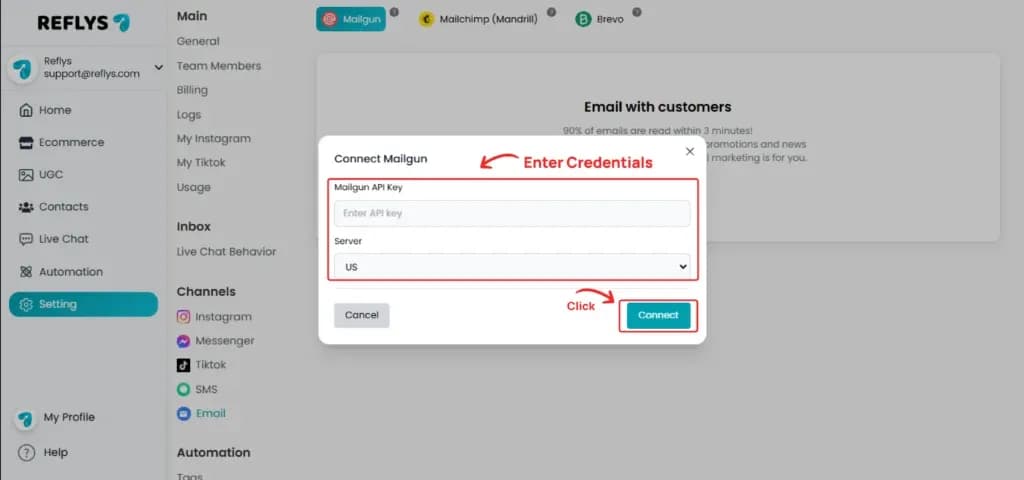
Enter your key in the Mailgun API Key field, choose your region under Server (US or EU), and click 'Connect'.
How to generate Mailgun API Key
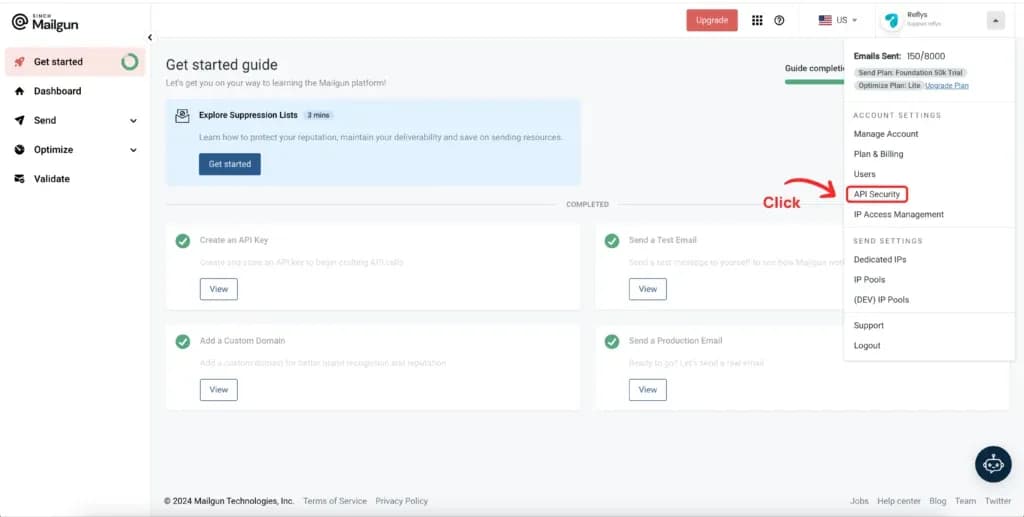
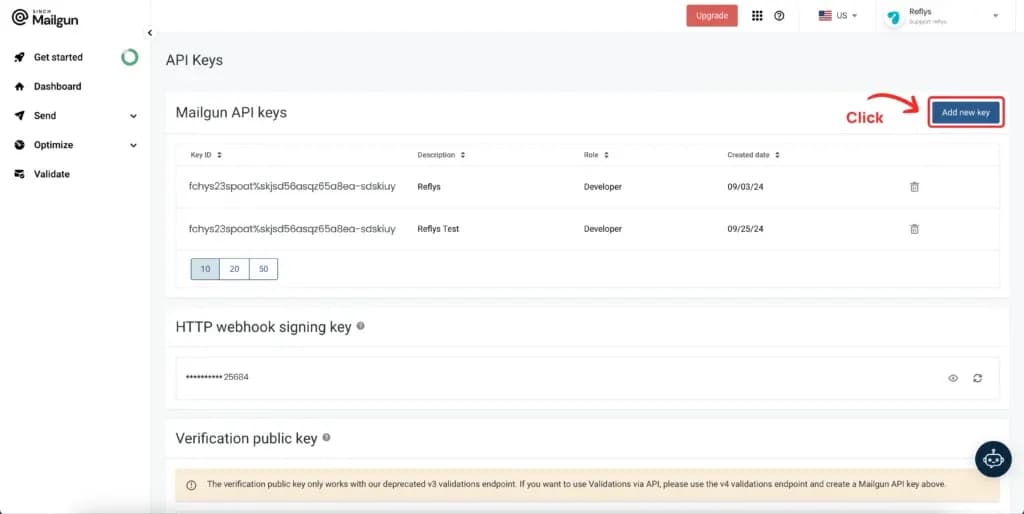
Sign in to your Mailgun account and go to 'API Security'.
Click on 'Add New Key' button.
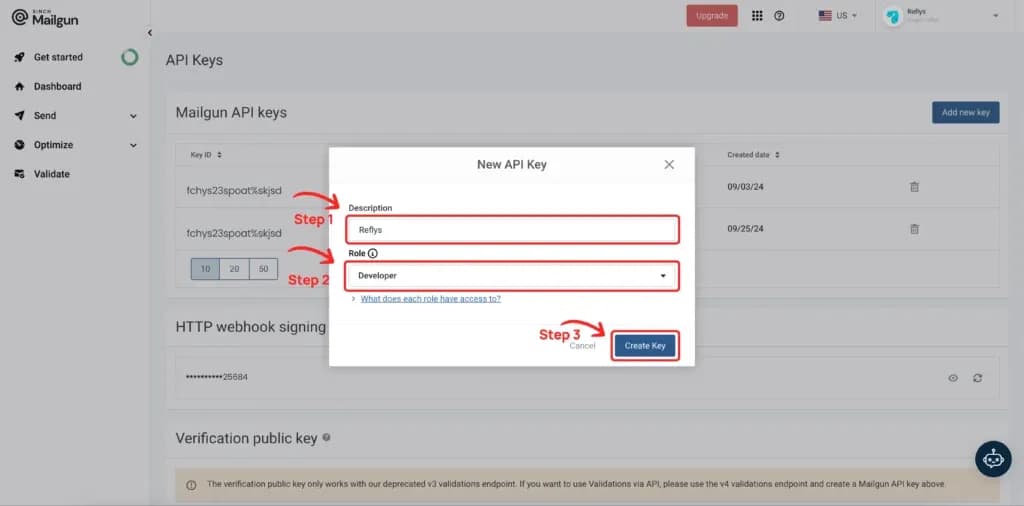
Enter a description, select the role, and click 'Create Key'.
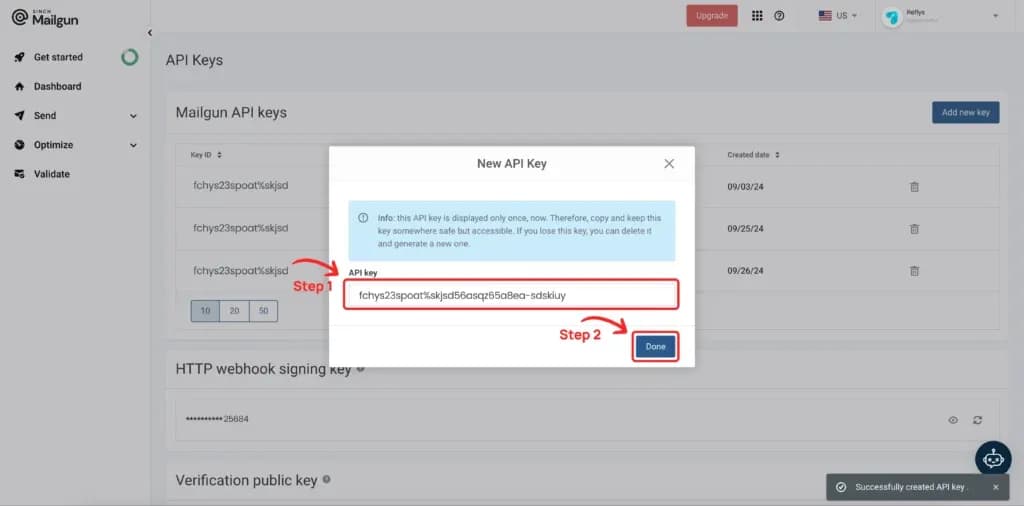
Your API key is now generated. Copy it.
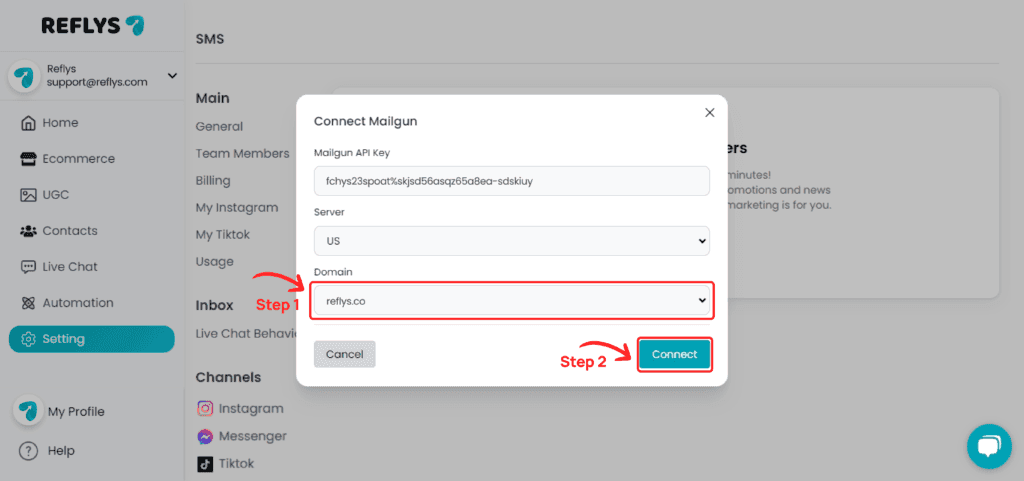
Back in Reflys, paste the key into the Mailgun API Key field and click 'Connect'.
If your Mailgun account has more than one domain, a Domain list appears. Select your domain and click Connect. If there is only one domain, Reflys connects it right away.
Your Mailgun account is now successfully connected.
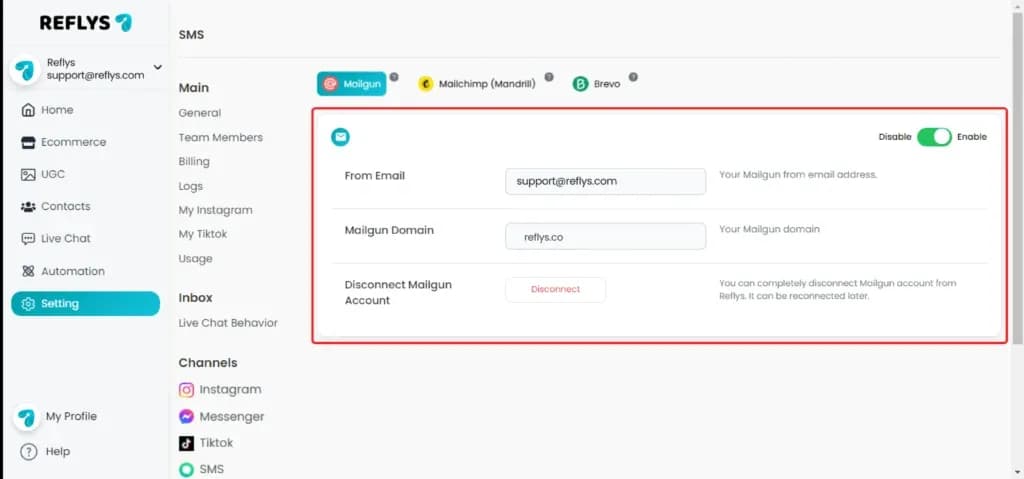
What the Mailgun connection does
Mailgun is an email channel, not a contact sync. Email steps in your automations are sent through your Mailgun domain to contacts who have an email address in Reflys, using the subject and content of the step with contact variables filled in.
When you connect, Reflys adds webhooks to your domain for delivered, opened, and clicked events, so those results show up in your automation stats.
Before you start
- A plan that includes email, such as Pro or Business. Otherwise you see "This feature is not available on your current plan. Upgrade now to access it."
- The Owner or Admin role in Reflys.
- A sending domain in Mailgun. Under Server, pick the region it lives in: US or EU.
After connecting, you can change the From Email on the Email settings page and click Update.
Troubleshooting
- "No Domains exist for this server, please change your server and try again": Reflys found no domains in the region you chose. Switch Server between US and EU, or add a domain in Mailgun.
- Invalid credentials: Mailgun did not accept the API key. Create a new key under API Security and paste it again.
- Emails not sent: the contact needs an email address in Reflys before an email step can reach them.