
Reflys Shopify Installation Guide
If you want to integrate your Shopify with Reflys, the following steps will guide you through the process of installing it. This integration will enable you to control your store and automate your leads without any problems. It does not require any technical background; just follow the instructions below.
What You’ll Need Before You Start
- A Shopify store is already set up and active
- An active Reflys account
- Admin access to your Shopify store and owner access to your Reflys account (only the account owner can connect a store)
Step-by-Step: How to Connect Reflys with Your Shopify Store
1. Open the Reflys App Listing
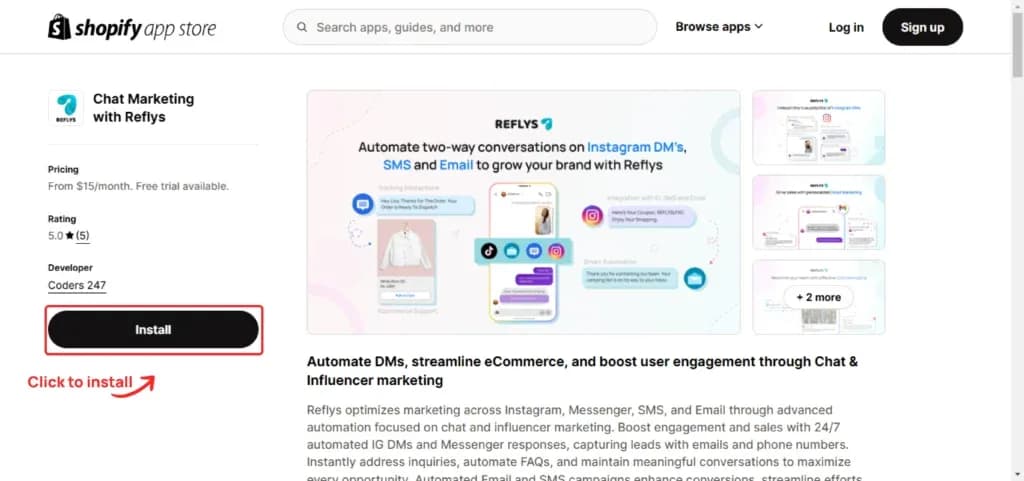
To begin with, go to the listing of the Reflys app in the Shopify App Store. Search for Reflys in the Shopify App Store or open the link directly. You can also start from Reflys: go to Ecommerce in the sidebar, click Add Store, choose Shopify and click Add. Reflys opens the same app listing.
2. Click the Install Button
Once you're on the Reflys app page, click the
Install
button. This will begin the process of connecting Reflys with your Shopify store.
3. Authorize the Installation
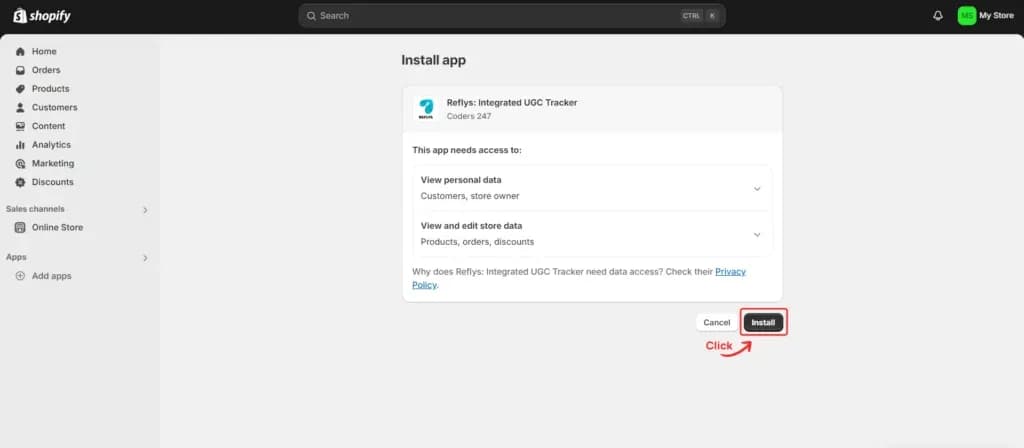
Shopify now asks you to approve the permissions Reflys needs. Reflys reads your products and orders and creates discount codes in your store. Click
Install App
to give the required permissions and move to the next step.
4. Store Successfully Connected
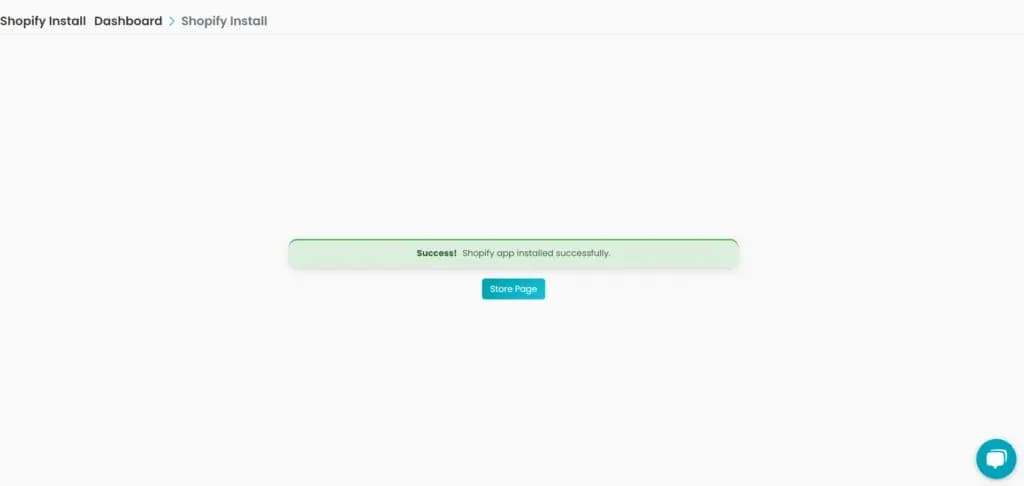
Once installed, Shopify sends you back to Reflys. If you are logged in, you see Shopify connected with two buttons: Go to dashboard and View billing. If you are not logged in, Reflys asks you to log in, or to create an account if your store email is not registered yet, and then links the store to your account.
You can now start using features like:
- Sending WhatsApp order notifications (order confirmation, payment confirmation, fulfillment and status updates)
- Sending each contact a unique discount code in your automations
- Tracking the sales those codes bring in
- Broadcasting promotional offers
Billing for Shopify stores: when a brand is connected to a Shopify store, its Reflys plan is billed through Shopify. Go to Settings > Billing and choose a plan. Reflys sends you to Shopify to approve the charge, and the plan then appears on your Shopify bill. If that brand already pays for Reflys by card, billing stays on the card.
Managing Multiple Shopify Stores
If you have more than one Shopify store, you can connect all of them to the same Reflys account. Each store becomes its own brand in Reflys, with its own plan, so your stores stay separate.
- To connect another store, go to Brands in the sidebar and click Add New Brand.
- Enter a brand name and click Add. Reflys switches you to the new brand.
- Go to Ecommerce, click Add Store and repeat the steps above for your other Shopify store.
You can also install the Reflys app on the other store straight from the Shopify App Store while you are logged in. Reflys adds it as a new brand for you. To add a brand, each brand you already have needs at least one connected channel. Switch between your stores at any time from the Brands page.
Need Visual Help? Watch Our Installation Tutorial
We’ve made it even easier to follow the setup steps by creating a video guide. The entire installation procedure may be seen here:
Reflys Shopify Integration Video
What Happens After Installation?
Once your Shopify store is connected with Reflys, here’s what you can do:
- Send WhatsApp order notifications when an order is placed, paid, fulfilled or shipped. Each one uses a WhatsApp template that Meta must approve before sending starts.
- Give each contact a unique discount code in your automations and see the orders and sales each code brings in.
- Use Reflys widgets to collect leads and build your contact list
Now you will have all the tools to provide a smooth and personalized buying experience to your clients.
You can add more stores at any time. Each one is its own brand in Reflys, with its own plan.