Setting Up Canned Responses in Reflys
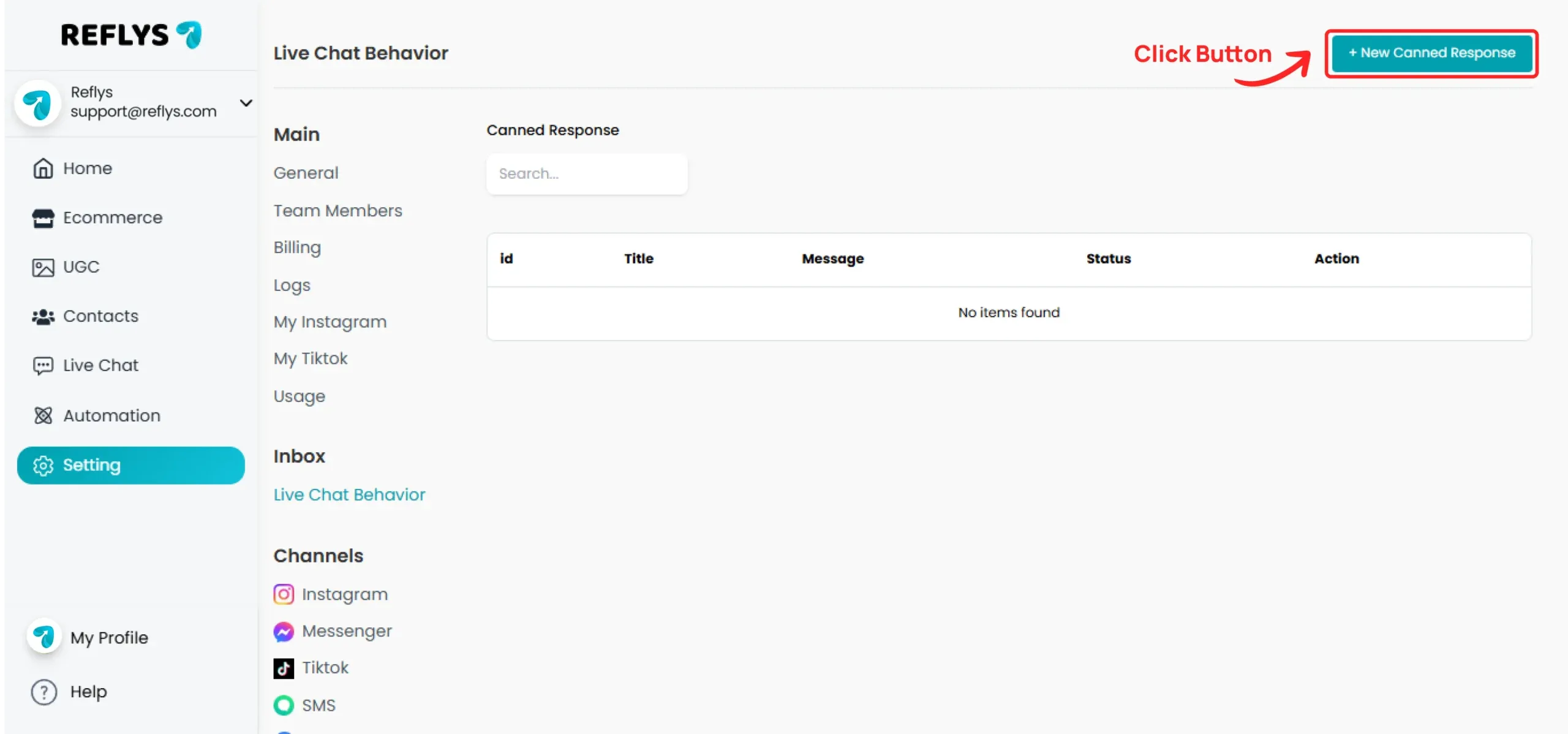
Click on the New Canned Response button
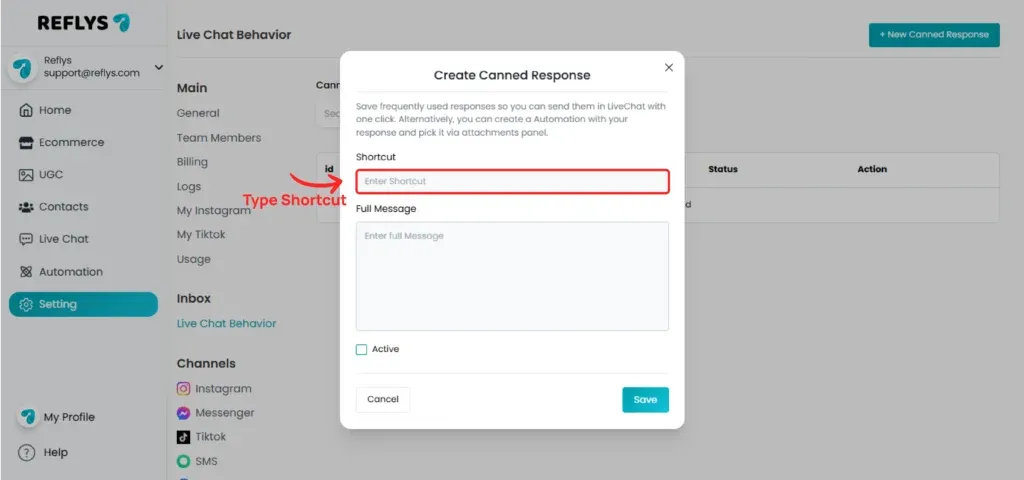
Enter your shortcut name and type the full message in the box
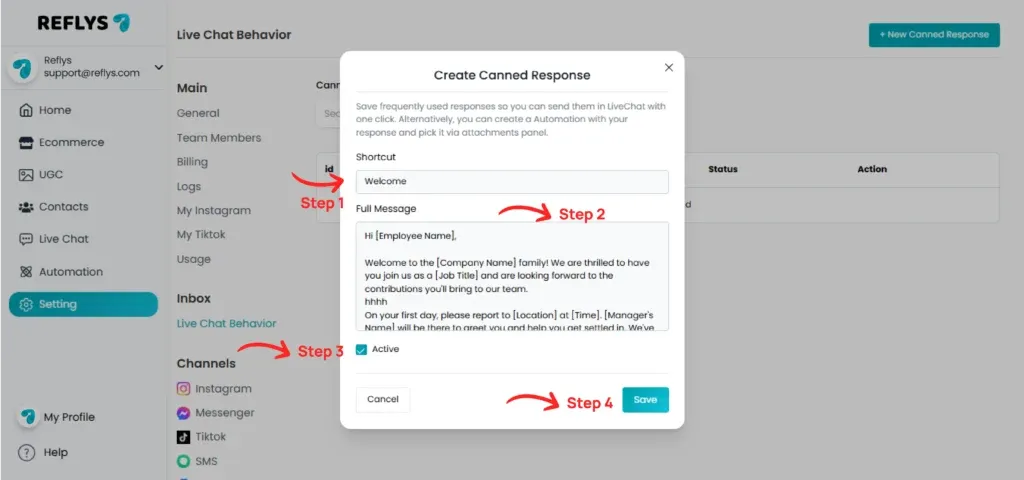
After filling in the shortcut name and full message, select the active checkbox and click on the Save button
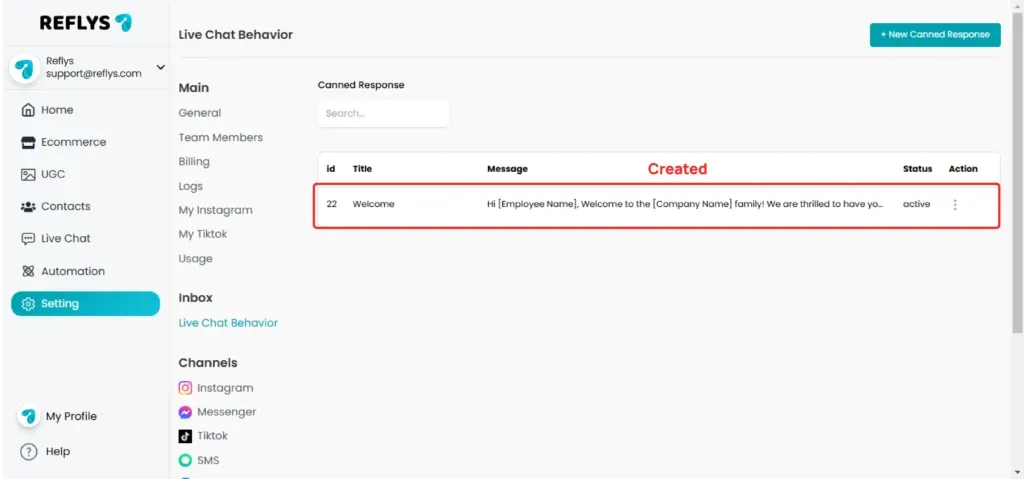
Your canned response has been created successfully
How to Use Canned Responses
Go to the live chat section and open any chat
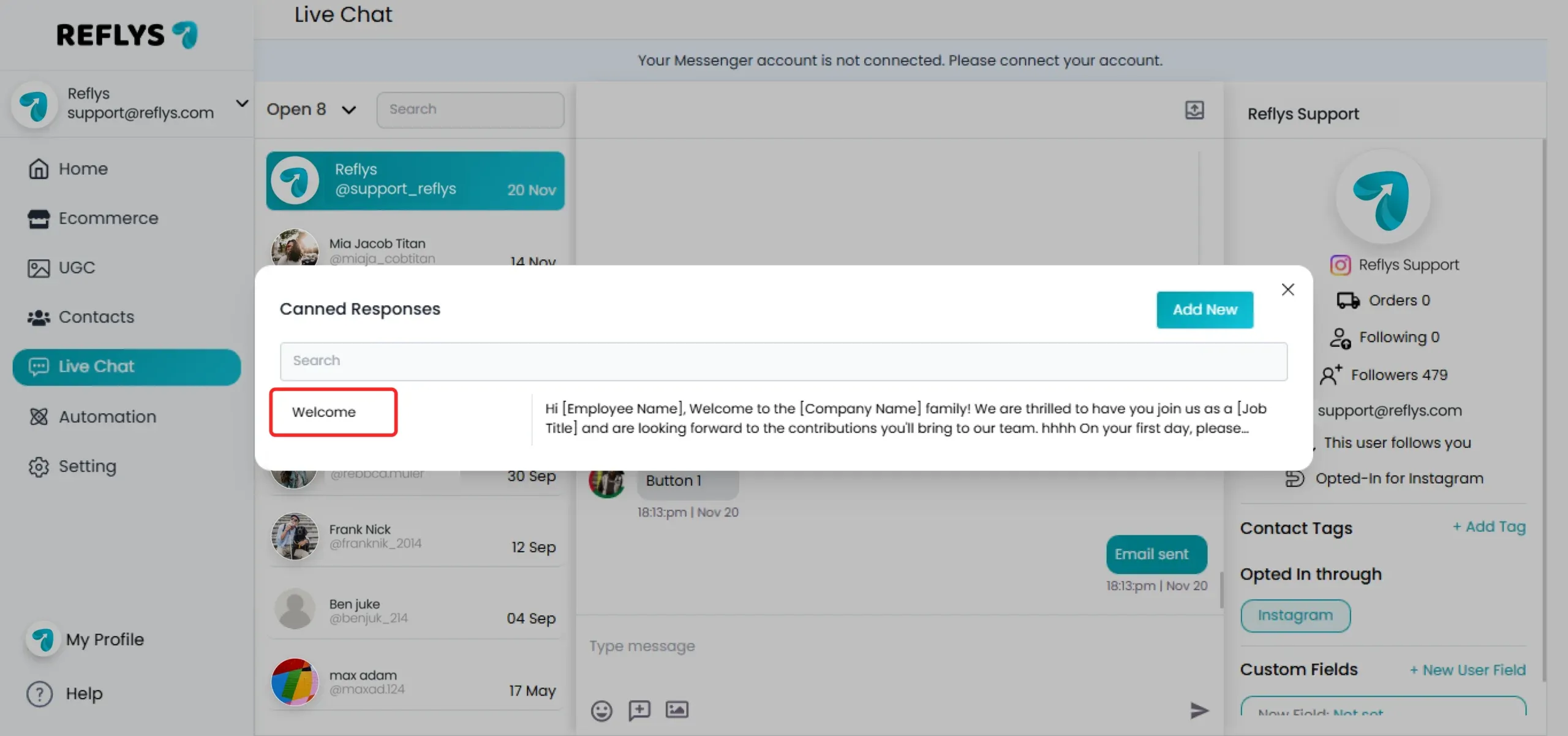
Click on the canned response button, which is right next to the emoji button in the chat. You will be able to see all active canned responses
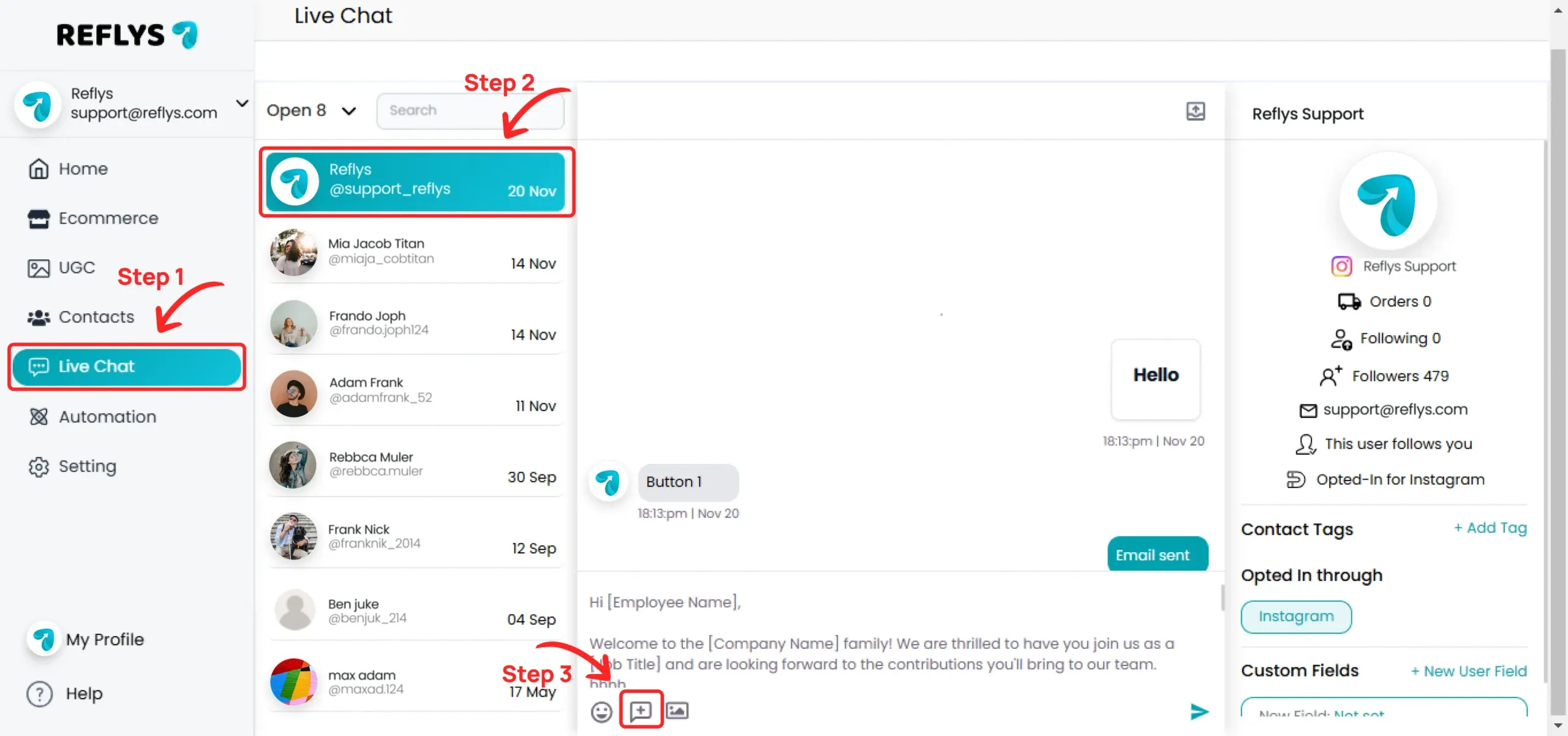
Click on your desired shortcut, and the full message will be automatically pasted into the user's Instagram chat