
Allow Access to Instagram Messages
If you’re experiencing issues with Instagram messaging on our platform, you may need to enable access in your Instagram settings. Follow these steps to ensure that messaging works seamlessly:
Access to Instagram Messages:
- Open the Instagram app on your mobile device.
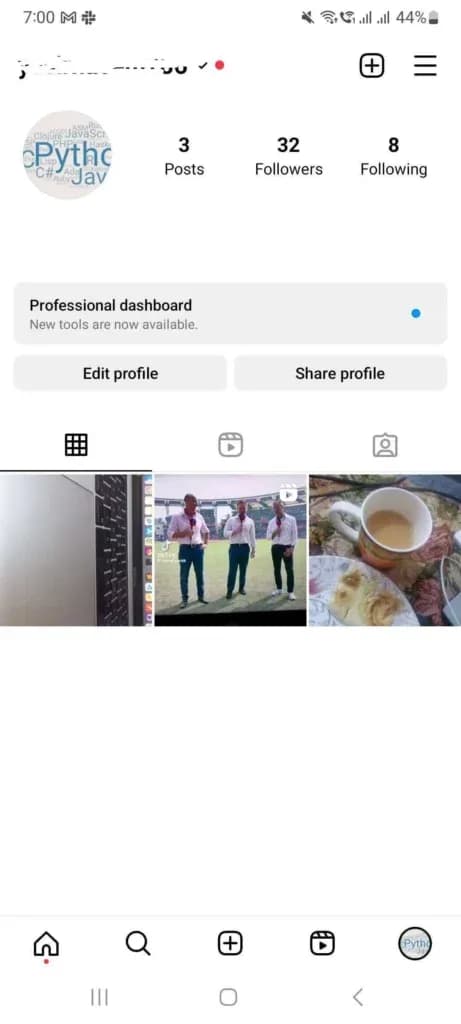
- Tap on your profile picture in the bottom right corner to access your profile.
- Tap on the menu icon (three horizontal lines) in the top right corner to open the menu.
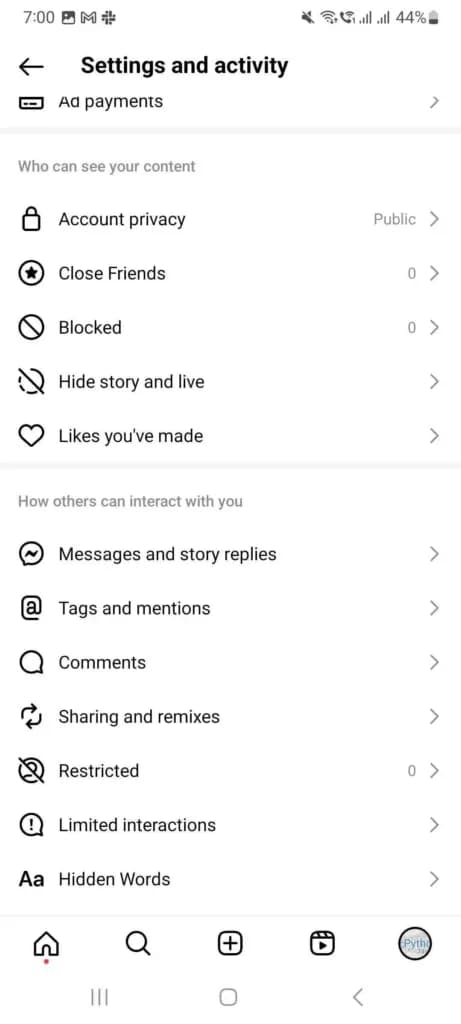
Settings and Activity:
- Scroll down and tap on How others can interact with you.
- Tap Messages and story replies.
Messages and story replies:
- Find the How people can reach you section.
- Tap Message controls.
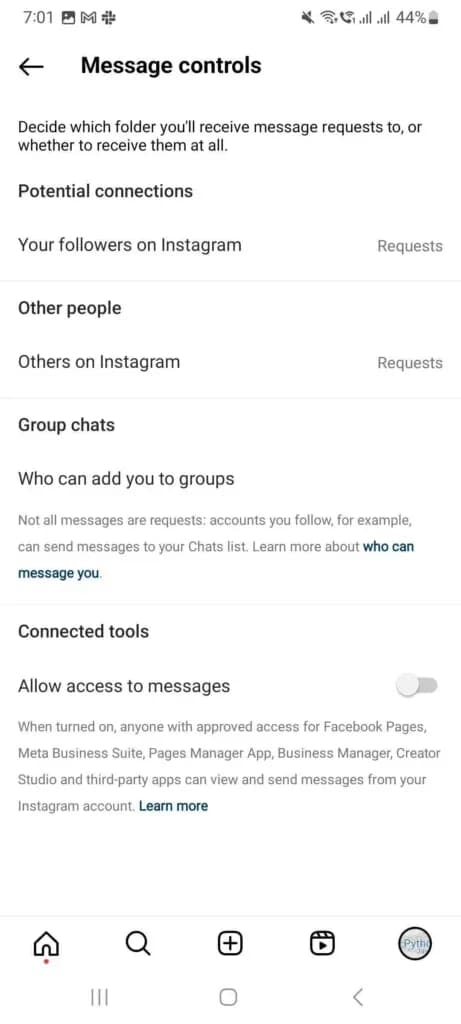
Message Control:
- Scroll down to the Connected tools section
- Turn on the toggle next to Allow access to messages
Confirmation:
- Once enabled, you should see a confirmation message indicating that messaging access has been granted.
Why Reflys needs message access
When you connect Instagram, Reflys asks for permission to manage your messages and comments, then subscribes to your account's message events: incoming messages, your own replies, button taps, and referrals. Those events power Live Chat, Default Reply, Story Mention Reply, and your keyword automations. The Allow access to messages setting is what lets connected tools like Reflys work with those messages.
Troubleshooting
- You see "Instagram channel has lost connection with this account." Reflys checks your saved Instagram token, and this banner appears when Instagram rejects it. Open Settings, go to Instagram, and click Reconnect.
- Your token is about to expire. Reflys sets an expiry date about 56 days after you connect. Your dashboard warns you a few days ahead and shows a Reconnect button. If the token lapses, automations pause.
- You see "This business account is already in use." That Instagram account is already connected to a different Reflys brand.
Common questions
Should I disconnect and connect again?
Try Reconnect first. Removing the account under Remove Instagram Account from Reflys deletes your Instagram contacts from Reflys and pauses every Instagram automation.
Do I need to be an owner or admin?
Yes. Only owners and admins can connect, reconnect, or disconnect Instagram.